
Compatibility
Minecraft: Java Edition
Platforms
Supported environments


Links
Tags
Creators
Details
Licensed ARR
Published 9 months ago
Updated 3 weeks ago
Screenshot Gallery






Adds a gallery screen to your pause menu so you can browse, delete, and locate screenshots without ever alt-tabbing out.
Hit Escape, click Gallery, and you're in. From there you can view shots fullscreen, delete the ones you don't want, or hit "Go To" to open File Explorer with the exact file already highlighted useful when you want to drag it into Discord or post it somewhere.
Features
- Gallery button in the pause menu (Esc)
- Fullscreen viewer
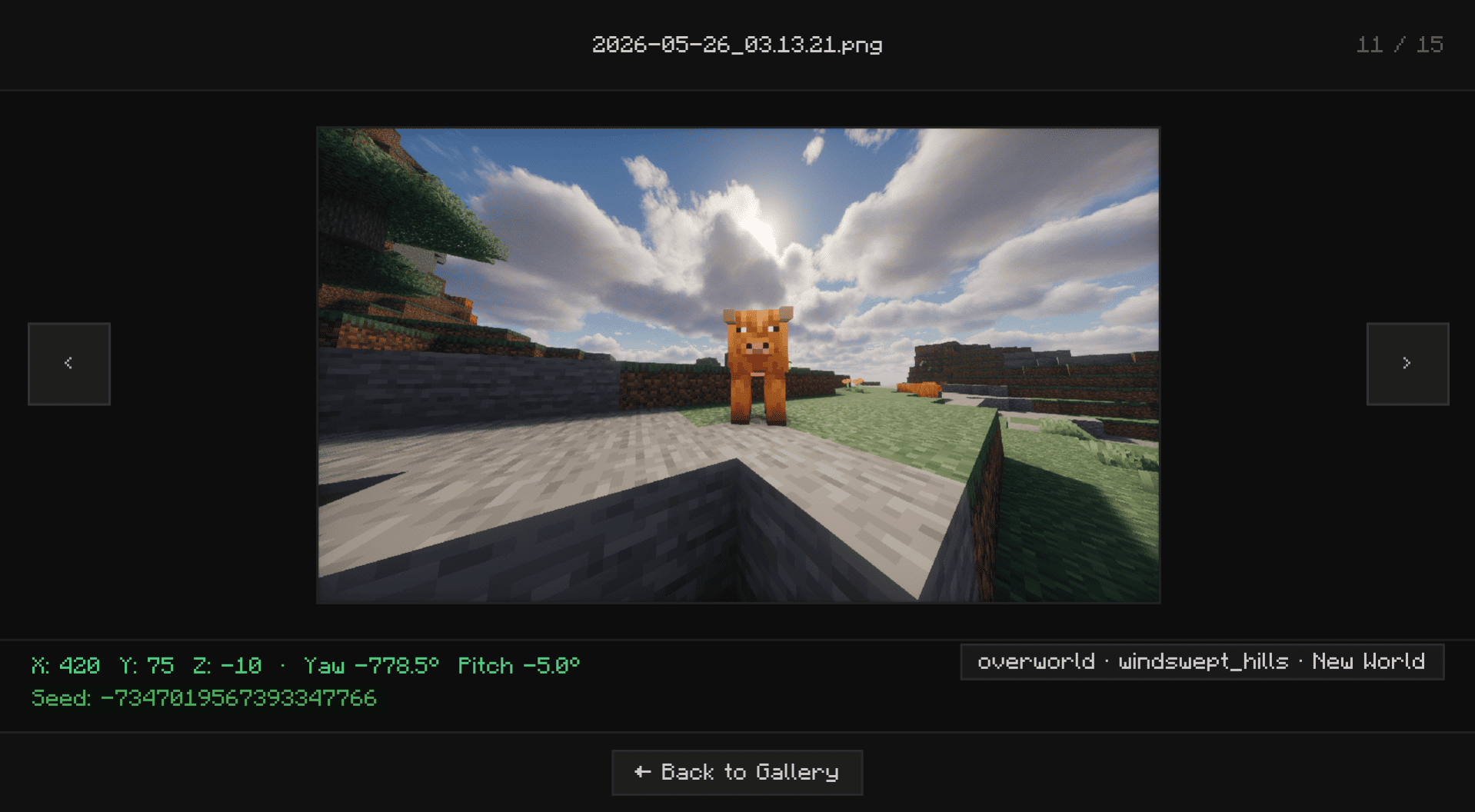
- Delete screenshots directly from the UI without touching your folders
- "Open Folder" opens File Explorer with the screenshot selected and ready to grab
- Lazy-loads images holds up fine even with large screenshot folders
Installation
Supports Fabric, Forge, and NeoForge.
Fabric: Grab the mod and Fabric API, then drop both into .minecraft/mods.
Forge / NeoForge: Download the version that matches your loader and drop it into .minecraft/mods. No extra mods needed.