


All versions
2.1+Fabric
Screenshot Gallery 2.1 (fabric)last month 3,538
Compatibility
Minecraft: Java Edition
Platform
Supported environments
Required content
Any compatible version
Any compatible version
Changes
Screenshot Gallery 2.1
Version 2.1 introduces native folder selection for custom directories, an in-viewer metadata toggle, true full-height image scaling in fullscreen mode, and improved metadata lifecycle handling.
New Features
-
Native File Explorer Folder Picker
- Added a
Browse...button in the Cloth Config settings screen. Users can now select custom screenshot directories using the native operating system file explorer dialog directly from the game UI.
- Added a
-
Fullscreen Metadata Quick Toggle
- Added a direct toggle button in the top-left corner of the fullscreen viewer top bar (
Metadata: ON/Metadata: OFF). Toggle metadata visibility instantly with a single click without opening config screens.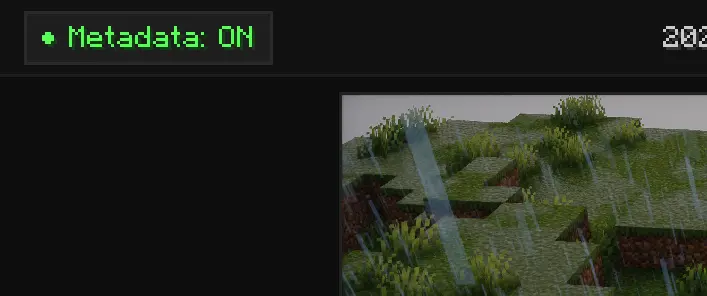
- Added a direct toggle button in the top-left corner of the fullscreen viewer top bar (
-
Dynamic Fullscreen Image Scaling
- When metadata is disabled, the bottom info bar is hidden and the screenshot viewer dynamically expands vertically to fill the full height of the screen.
-
Automatic Metadata Lifecycle Management
- Deleting or renaming screenshots inside the gallery now automatically removes or renames the corresponding
.meta.jsonsidecar files.
- Deleting or renaming screenshots inside the gallery now automatically removes or renames the corresponding
Fixes and Improvements
- Cache Management: Improved memory handling and texture cache invalidation during deletion and rapid image cycling.
Optional dependencies
Any compatible version