
Compatibility
Minecraft: Java Edition
Platforms
Supported environments


Links
Tags
Creators
Details
Simple Favorite Items
Protect important items in your inventory with a single keybind. A lightweight, fully client-side mod that lets you mark items as "favourite" — so you never accidentally drop, move, or lose something important while sorting your inventory or fighting off mobs.
How it works
Hover over an item in your inventory and press G (rebindable in Options → Controls → Inventory). A star icon appears on the item — visible both in your inventory and on the hotbar. Press G again on the item to remove the favourite mark.
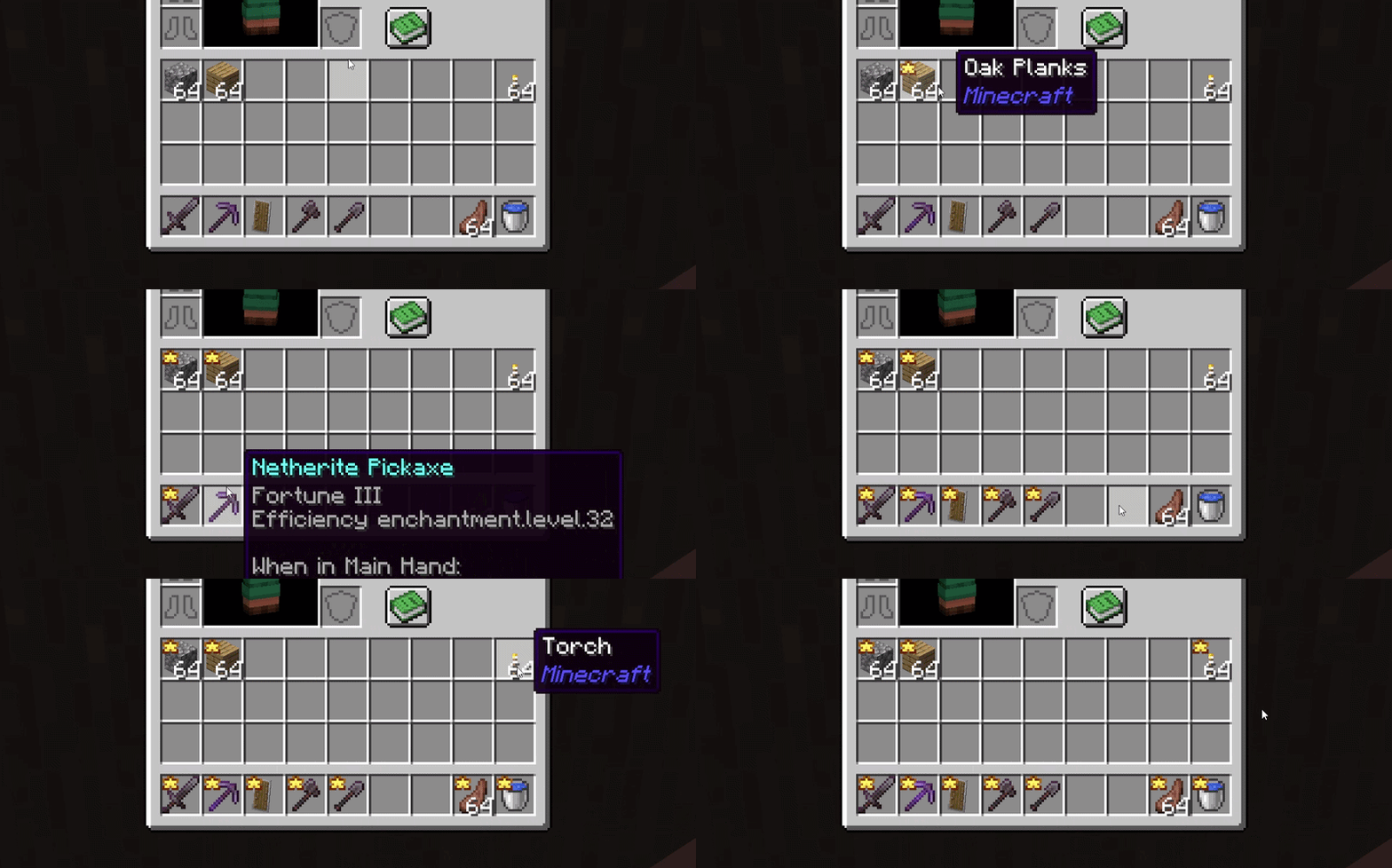
Protection
Once an item is marked as favourite:
- it cannot be moved to another slot or container (chests, crafting tables, etc.);
- it cannot be dropped with Q / Ctrl+Q;
- it cannot be swapped with other items.
This means you can safely dump or drop everything else from your inventory — favourite items stay right where they are. If a favourite slot becomes empty (item consumed, cleared, etc.), the mark is automatically removed — no leftover stars.
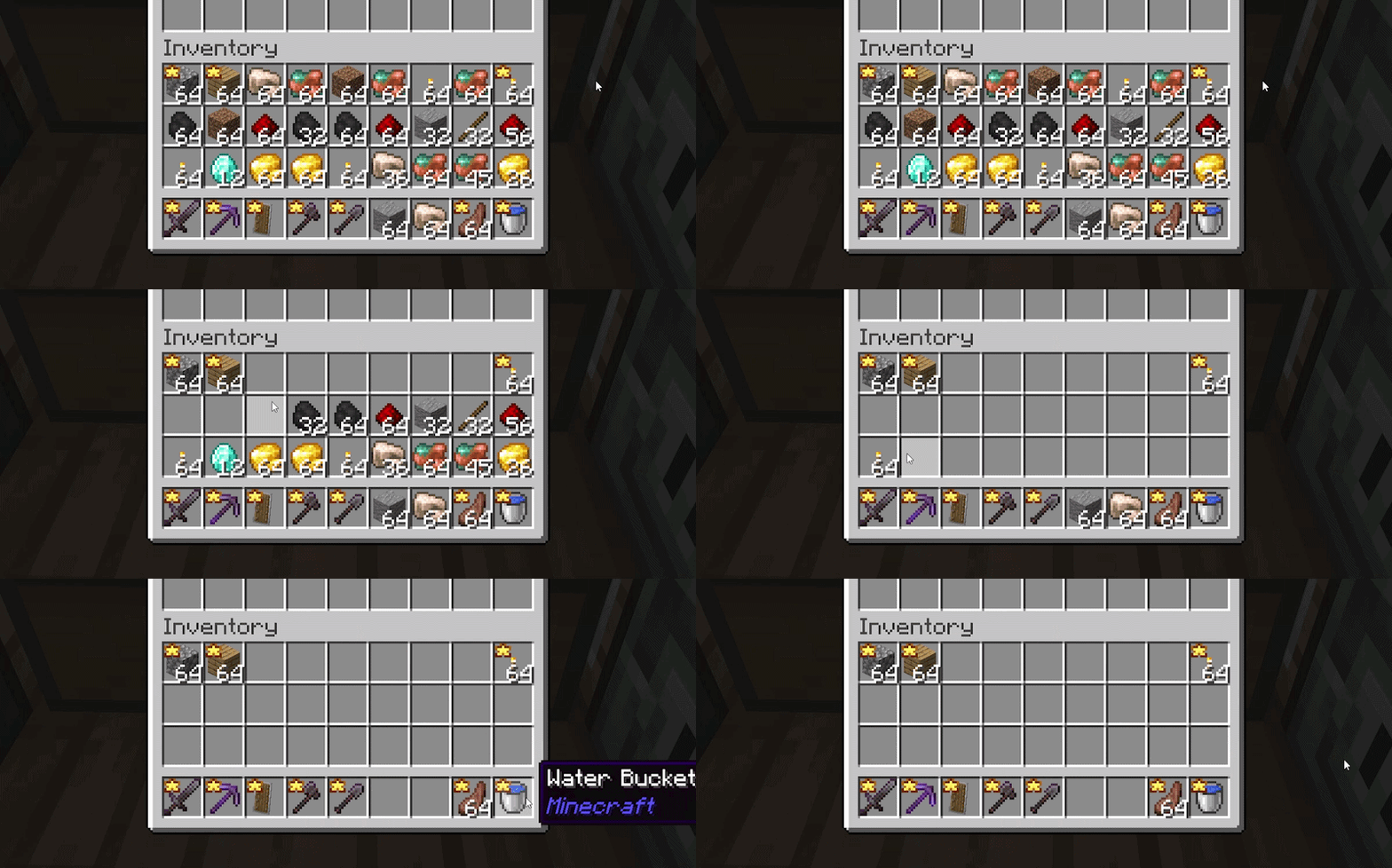
Notes
Fully client-side — no server installation required, works on any vanilla/unmodified server. Favourites are session-only and not saved between game sessions — by design, for simplicity. Each time you launch the game, you start with a clean slate and choose what to protect. Favourite tracking applies to the main inventory and hotbar (36 slots); armor and offhand slots are not supported.
Compatibility
Doesn't change gameplay, recipes, or balance — it only intercepts player actions before they're sent. Compatible with most inventory-related mods. License: All Rights Reserved — redistribution and modification without the author's permission are not allowed.