
Compatibility
Minecraft: Java Edition
Platforms
Supported environments


Tags
Creators
Details
Structure Explorer
This mod adds incentive to players to try and discover all the structures there are in the world!
I wanted to make a server that incentivized exploring all areas of the world, and with more structures being added every few months, but I couldn't find any mod that tracked the discovered structures. I tried making it for myself many moons ago and failed, but tried again and got it done in just two days.
It works by automatically checking every 5s (by default), any moving players, to see if they are within a structure, and adds that to a list of discovered structures for that player.
⌨ Commands
Primary command: /explorer - Alias: /discoveries
| Command | Description |
|---|---|
/explorer page? <n> |
Your discovered structures. Page is optional |
/explorer player <name> page? <n> |
View another player's discoveries. Page is optional |
/explorer structure <id> |
Who has discovered a specific structure |
/explorer instances <id> page? <n> |
Your recorded instances of a specific structure. Page is optional |
/explorer here |
Show the info panel for the structure you are currently standing in |
/explorer leaderboard page? <n> |
Top players ranked by discovery count. Page is optional |
/explorer playerinstances <player> <id> |
[OP] View any player's instances |
/explorer reload |
[OP] Reload config and translations |
📝 Config File - structure_explorer.json
Located at: config/structure_explorer/structure_explorer.json
| Key | Default | Description |
|---|---|---|
checkIntervalMs |
5000 |
How often (in ms) the mod checks if a player has entered a structure. Lower = more responsive, slightly more server load. |
showNthDiscoverer |
true |
Whether to show discoverer badges in chat notifications, e.g. [First Discoverer!] or [3rd Discoverer]. |
useMonthDayYear |
false |
Timestamp format. false = DD/MM/YYYY HH:MM:SS - true = MM/DD/YYYY HH:MM:SS |
trackInstances |
true |
Whether to record coordinates and timestamps for each structure instance visited. When false, only which structure types have been discovered is tracked. |
sounds.newDiscoverySound |
true |
Plays sound effect for a new Discovery found. |
sounds.newInstanceSound |
true |
Plays sound effect for a new Instance found. |
🛠 For Mod Makers
Structure Explorer can pick up structure names two ways - pick whichever suits you.
Option 1 - Lang file (simplest)
If your mod already has a lang file, Structure Explorer reads it automatically. Just add entries using this key format:
"structure.<namespace>.<path>": "Display Name"
Example in assets/mymod/lang/en_us.json:
{
  "structure.mymod.cool_dungeon": "Cool Dungeon"
}
No extra files needed - names are picked up automatically (see scenarios below for exactly how they're displayed).
Note: This only works for lang files bundled directly inside a mod's JAR (
assets/<namespace>/lang/en_us.json). Structure Explorer runs server-side and cannot read resource pack lang files - those only exist on the client and are never visible to the server. If your lang entries live in a separate resource pack rather than your mod's JAR, use Option 2 below instead.
Option 2 - translations.json (full control)
For full control over prefix, suffix, colors, and exact names, bundle a file inside your mod jar at data/<your_modid>/structure_explorer/translations.json, using the same translation file format as the server admin config. It loads before config/translations/ files, so server admins can always override it.
How the two interact
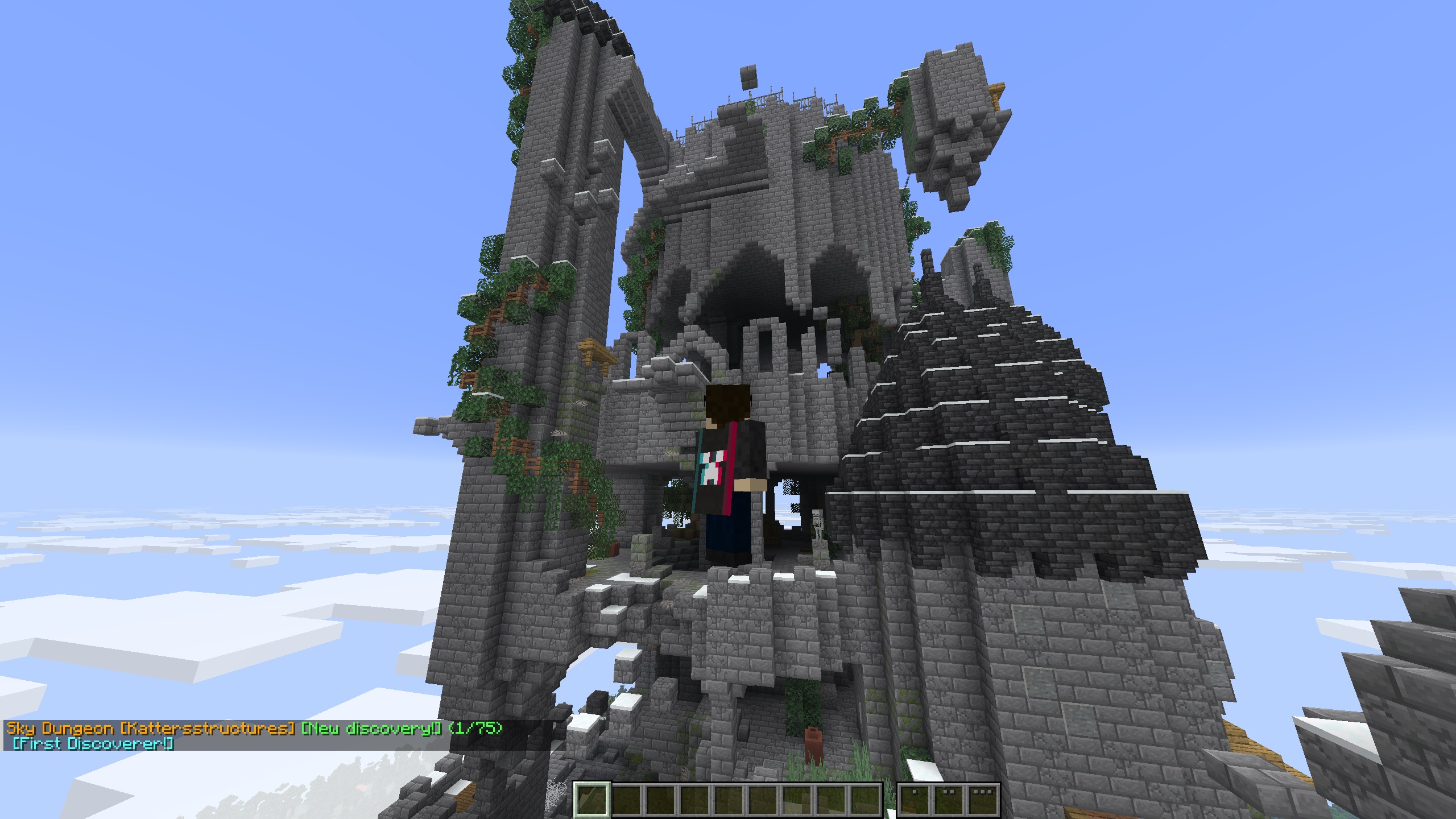
Say Katter's Structures has "structure.kattersstructures.sky_dungeo": "Sky Dungeon" in its lang file. Here's how the final display name is decided:
Scenario 1 - No lang entry and no translation entry exist at all
e.g. for
kattersstructures:ancient_ruinswith nothing defined anywhere Result: Ancient Ruins [Kattersstructures] Both the structure path and the namespace are auto-prettified (underscores → spaces, each word capitalized) and combined - this is the raw fallback.
Scenario 2 - Lang name exists, no translation entry for the namespace anywhere (mod-bundled or server config)
Result: Sky Dungeon [Kattersstructures] The namespace gets auto-prettified and appended in brackets since nothing customizes it.
Scenario 3 - A translation entry overrides this specific structure's name
{
  "translations": {
    "kattersstructures": {
      "suffix": " [Katter's Structures]",
      "suffix_color": "gray",
      "structures": { "sky_dungeo": "Big Sky Fortress" }
    }
  }
}
Result: Big Sky Fortress [Katter's Structures] The override name is used, styling is applied, and the auto-bracket disappears.
Scenario 4 - A translation entry styles the namespace but doesn't override this structure
{
  "translations": {
    "kattersstructures": {
      "prefix": "Katter's: ",
      "prefix_color": "red"
    }
  }
}
Result: Katter's: Sky Dungeon No override exists for
sky_dungeo, so the lang name is used as the base - styled, with no auto-bracket.
If anyone wants to make unofficial support for other mods, data packs work - bundle a data/<your_namespace>/structure_explorer/translations.json, just like Option 2 above. These load before config/translations/ files, so server admins can always override them.
🗣 Translations
Vanilla structure names are translated by default - e.g. minecraft:fortress ➡ Nether Fortress. To customize names for any namespace, place JSON files in:
config/structure_explorer/translations/ - files can be named anything (e.g. minecraft.json, custom.json) and are loaded after built-in and mod-bundled translations, so they always win. Reload at any time with /explorer reload (requires OP).
Translation File Format
{
  "replace": false,
  "translations": {
    "namespace": {
      "prefix": "",
      "prefix_color": "",
      "suffix": "",
      "suffix_color": "",
      "name_color": "",
      "structures": {
        "structure_path": "Display Name"
      }
    }
  }
}
Here is an example, using the Minecraft Vanilla Locations
| Key | Default | Description |
|---|---|---|
replace |
false |
false merges with existing translations (new file wins on conflict, prefix/suffix/colors override only if non-empty). true discards all built-in/prior translations for that namespace - only what you define here will exist. |
prefix / suffix |
"" |
Text shown before/after the structure name, e.g. "prefix": "Minecraft: " → Minecraft: Stronghold |
prefix_color / suffix_color / name_color |
(gold) | Color applied to each part independently. See Colors. |
structures |
(none) | Map of structure path → display name. The path is the part after the colon in the structure ID - e.g. minecraft:stronghold → path is stronghold |
Colors
Named colors (case-insensitive): black dark_blue dark_green dark_aqua dark_red dark_purple gold gray dark_gray blue green aqua red light_purple yellow white
Hex colors (CSS-style, prefix with #): "#FF5500" "#00AAFF" "#FFFFFF"
Disclaimer: AI was used for varying parts of this mod.
I couldn't have started making this mod without modifying and learning from the WITS mod by TelepathicGrunt