
Compatibility
Minecraft: Java Edition
Platforms
Supported environments


Links
Tags
Creators
Details
IMPORTANT NOTE: Your Cooldown bar will be not SHOWN, this is a bug. We'll take TIME to fix THIS.
Note: Your Minecraft May take Some TIME to Launch.
🎯 TargetCrosshair
A lightweight Fabric mod that upgrades Minecraft's crosshair with target detection, dynamic colors, and a fully customizable pixel editor.
No server-side installation required. Works everywhere.
✨ Features
🔴 Target Detection
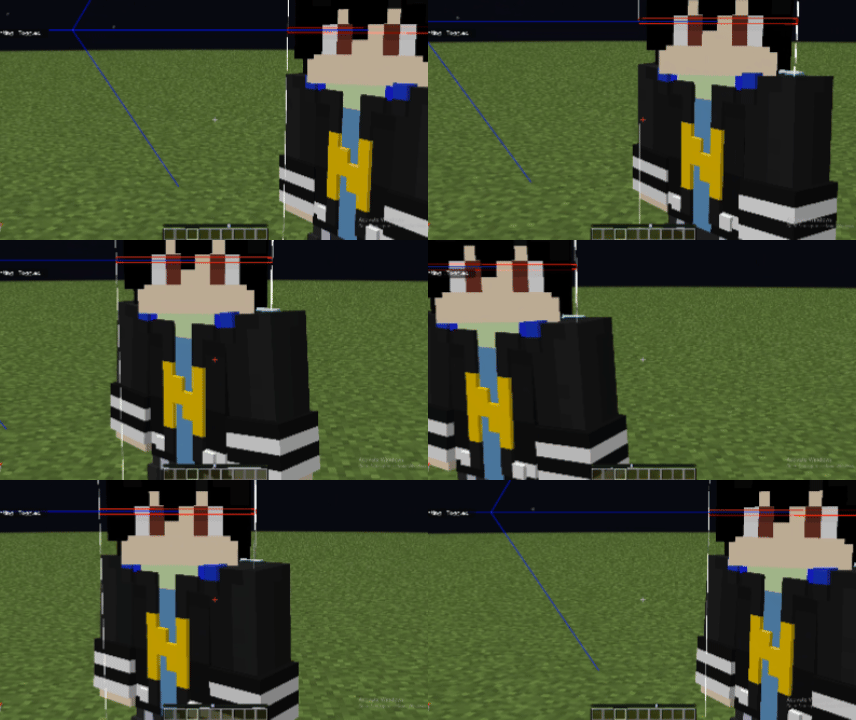
TargetCrosshair can automatically detect when you're aiming at an entity.
- Normal crosshair color when not targeting anything
- Instantly changes to your chosen target color when aiming at a player, mob, or entity
- Perfect for PvP and combat situations
- Fully client-side
📸 Preview
GIF 1 - Crosshair turns red when aiming at a player
🎨 Custom Crosshair Editor
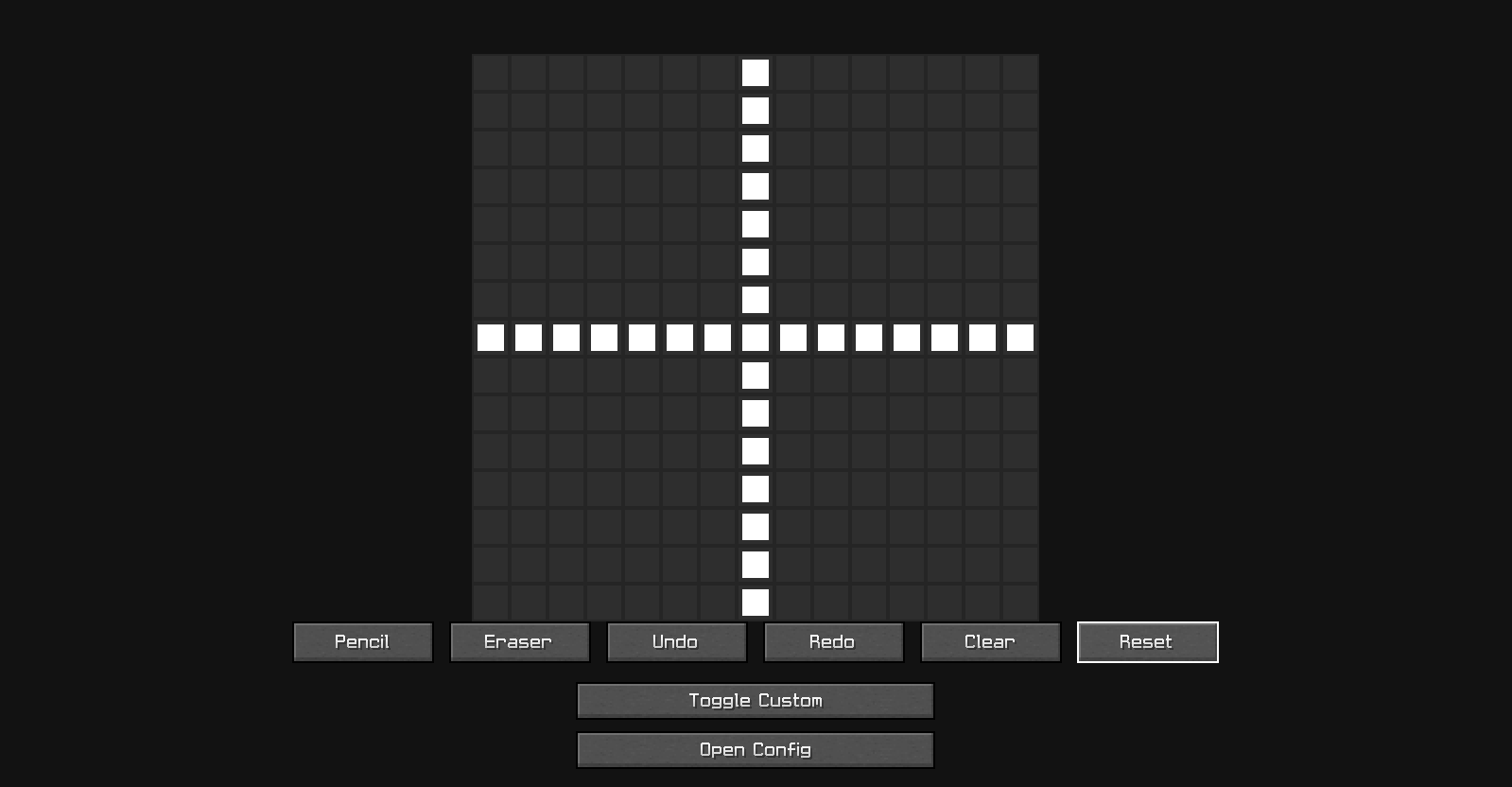
Create your own crosshair directly inside Minecraft.
Features:
- 15×15 pixel editor
- Pencil tool
- Eraser tool
- Undo
- Redo
- Clear
- Reset
- Live preview
- Saved automatically
Design anything you want:
- Dot crosshair
- Circle crosshair
- Plus crosshair
- Tactical crosshair
- Completely custom designs
📸 Preview
Image 1 - Custom Crosshair Palette Editor
🌈 Crosshair Color Customization
Fully customize your colors.
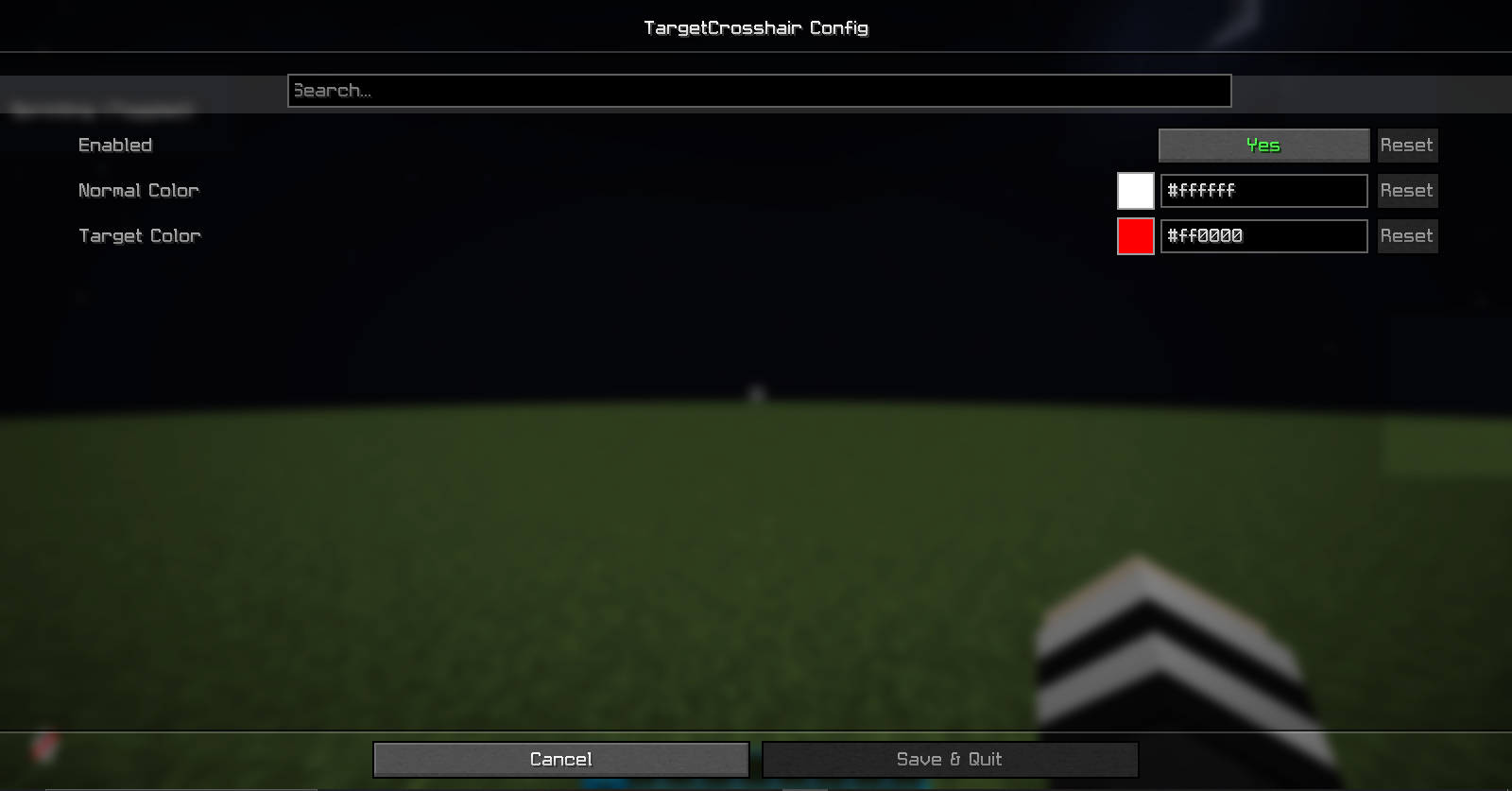
- Normal crosshair color
- Target crosshair color
- RGB color picker
- Instant visual updates
Make your crosshair:
- White
- Red
- Green
- Blue
- Purple
- Any color you want
📸 Preview
Image 2 - Color Customizer
⚙️ Easy Access
Configure the mod from:
- Mod Menu (if installed)
- In-game Settings button
- Built-in editor screen
No commands required.
📦 Requirements
- Fabric Loader
- Fabric API
- Cloth Config API
Optional
- Mod Menu
🎮 Compatibility
✔ Minecraft 1.21.x
✔ Singleplayer
✔ Multiplayer
✔ Client-Side Only
✔ Vanilla Servers
✔ Modpacks
🚀 Installation
NOTE: If You're using this mod version 1.0.1 so You Don't need to Install, ModMenu & Cloth Config API.
- Install Fabric Loader
- Install Fabric API
- Install Cloth Config API
- Place TargetCrosshair inside your mods folder
- Launch Minecraft
📞 Support
YouTube
https://www.youtube.com/@RealNamanYT
Discord
https://instagram.com/realnamanyt
Made with ❤️ by RealNamanOP