Compatibility
Minecraft: Java Edition
Platforms
Supported environments


Links
Tags
Creators
Details
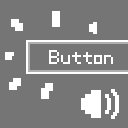
Buttons in Minecraft are very quiet, they only play a sound effect when you click them.
If you want Minecraft to provide clear auditory feedback when you hover over a button (like most modern games do), then this mod is for you!
This mod plays a sound effect when the mouse hovers over a button, or when a button is selected using the Tab key.
The default sound is a pitch‑shifted version of the Hat note‑block sound (minecraft:note/hat).
You can replace it with a custom resource pack:
assets/tictac_buttons/sounds.json:
{
  "default": {
    "replace": true,
    "sounds": [
      "tictac_buttons:custom"
    ]
  }
}
Then place your sound file, named custom.ogg, in the folder assets/tictac_buttons/sounds/custom/.
Load the resource pack in the game, and the mod’s sound effect will be replaced!