
Compatibility
Minecraft: Java Edition
Platforms
Supported environments


Links
Tags
Creators
Details
TileFinder
Can't find the machine you built three hours ago? Press \. TileFinder lists every block entity around you (chests,
furnaces, machines, tanks, cables) grouped by kind, nearest first. Click one and follow the beam to it, through walls.
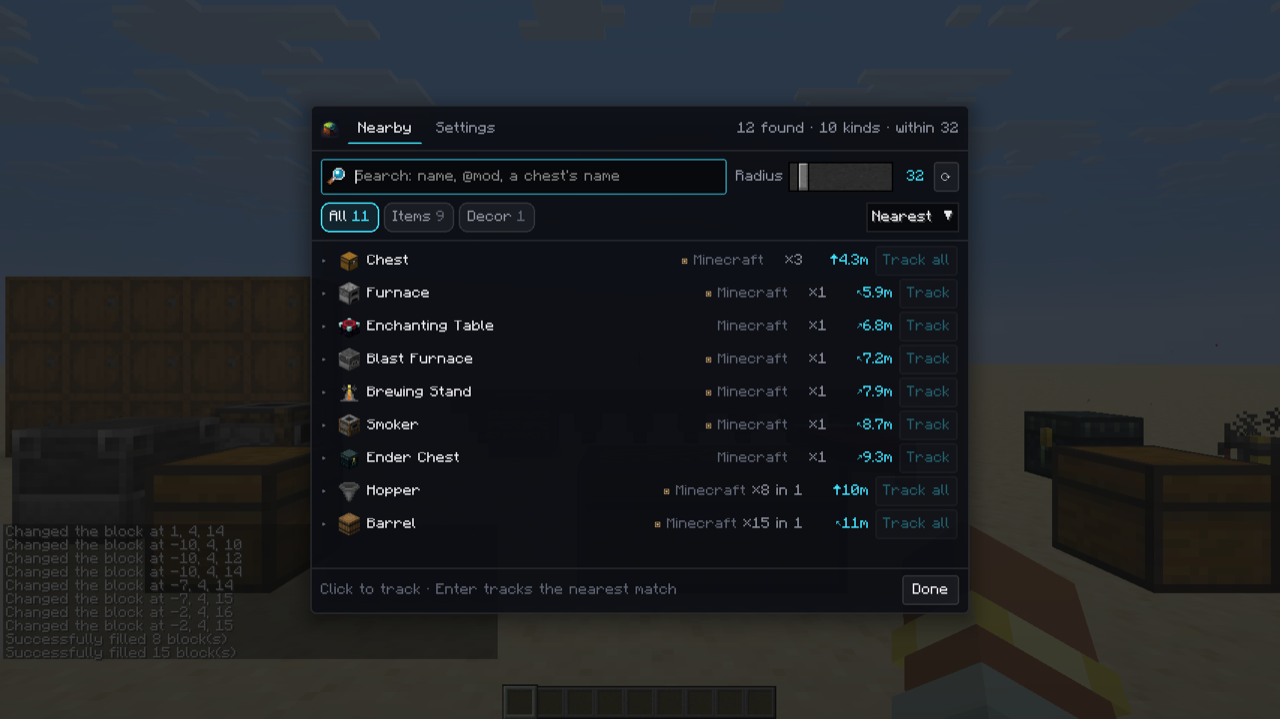
- Search by name, by mod (
@mekanism), or by a chest's custom name (singleplayer). - Filter to what holds items, fluids or energy, to your starred places, or to decoration.
- One thing is one entry: a double chest is one chest, and a run of cable or pipe is one network you can expand.
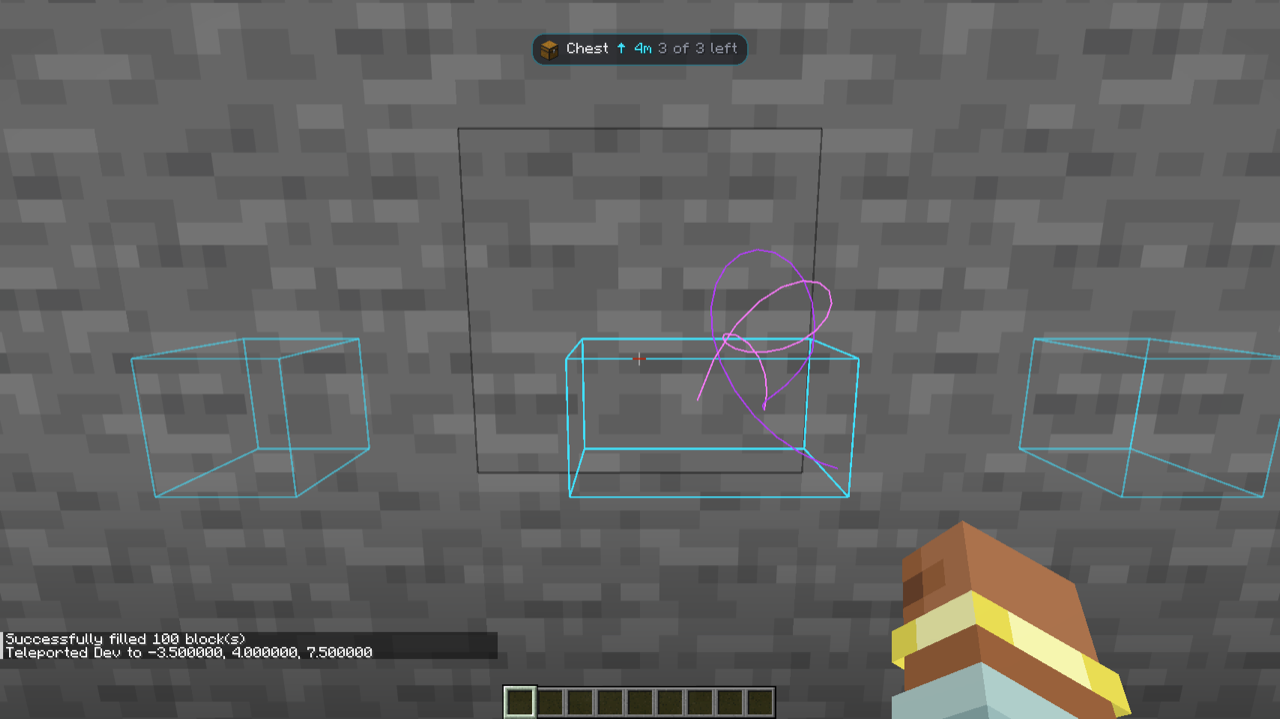
- Track one block or every block of a kind: a box around each, a beam to the nearest, and a HUD line with the distance and direction. Targets drop off as you reach them.
- Find what you're holding: hover an item in your inventory, JEI, REI or EMI and press
\to find that block nearby. R and U on a result open its recipes and uses. - Stars per world, coordinates copied in one click, and a settings tab for the radius, beam colours and more.
On servers
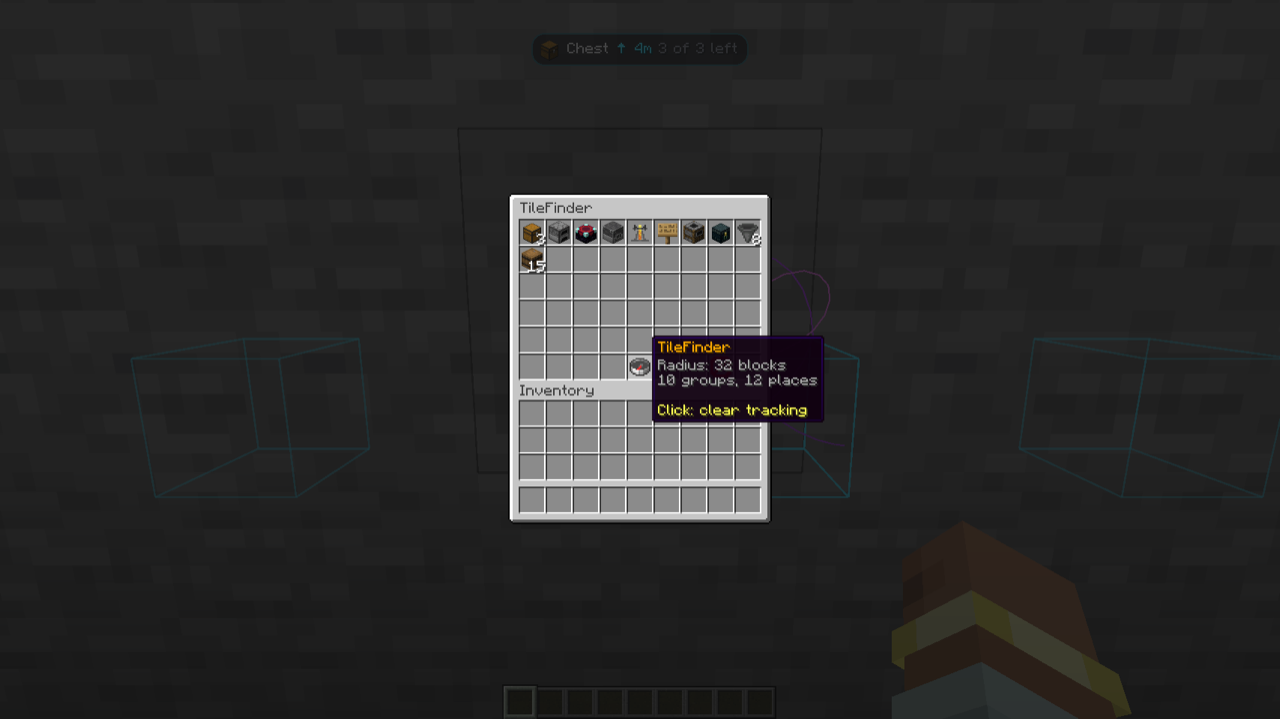
TileFinder works client-side; servers don't need it. If a server has it, /tilefinder [radius] [filter] works for
everyone, even players without the mod: a chest menu of what's nearby, and particles pointing the way.
Requirements
- Minecraft 26.3, 26.2 or 1.21.1, on NeoForge or Fabric (with Fabric API).
- Vellum, which draws TileFinder's screen.
- Optional: JEI, REI, EMI (1.21.1), Mod Menu.
Keys: \ opens the finder, O stops tracking. Source and issues on GitHub.