
Compatibility
Minecraft: Java Edition
Platforms
Supported environments


Tags
Creators
Details
Tooltip Overhaul
A complete visual refresh for Minecraft tooltips, completely replacing the vanilla tooltip system with a clearer and polished layout.
This mod is client-side only, no dependencies required. Just drop it in your mods folder and start playing! (Fabric users need ModMenu to open the config screen)
Tooltip Overhaul is highly customizable. You can easily replicate the look of the vanilla tooltips or customize them to be as extravagant as possible, you have the complete creative freedom. As always, every tooltip, more modern, sharper, clearer.


Features
Readability
- Scrollable tooltips: scroll through tooltips taller than the screen instead of losing legible text.
- Text wrapping: prevents tooltips from being too wide by automatically inserting line breaks where needed.
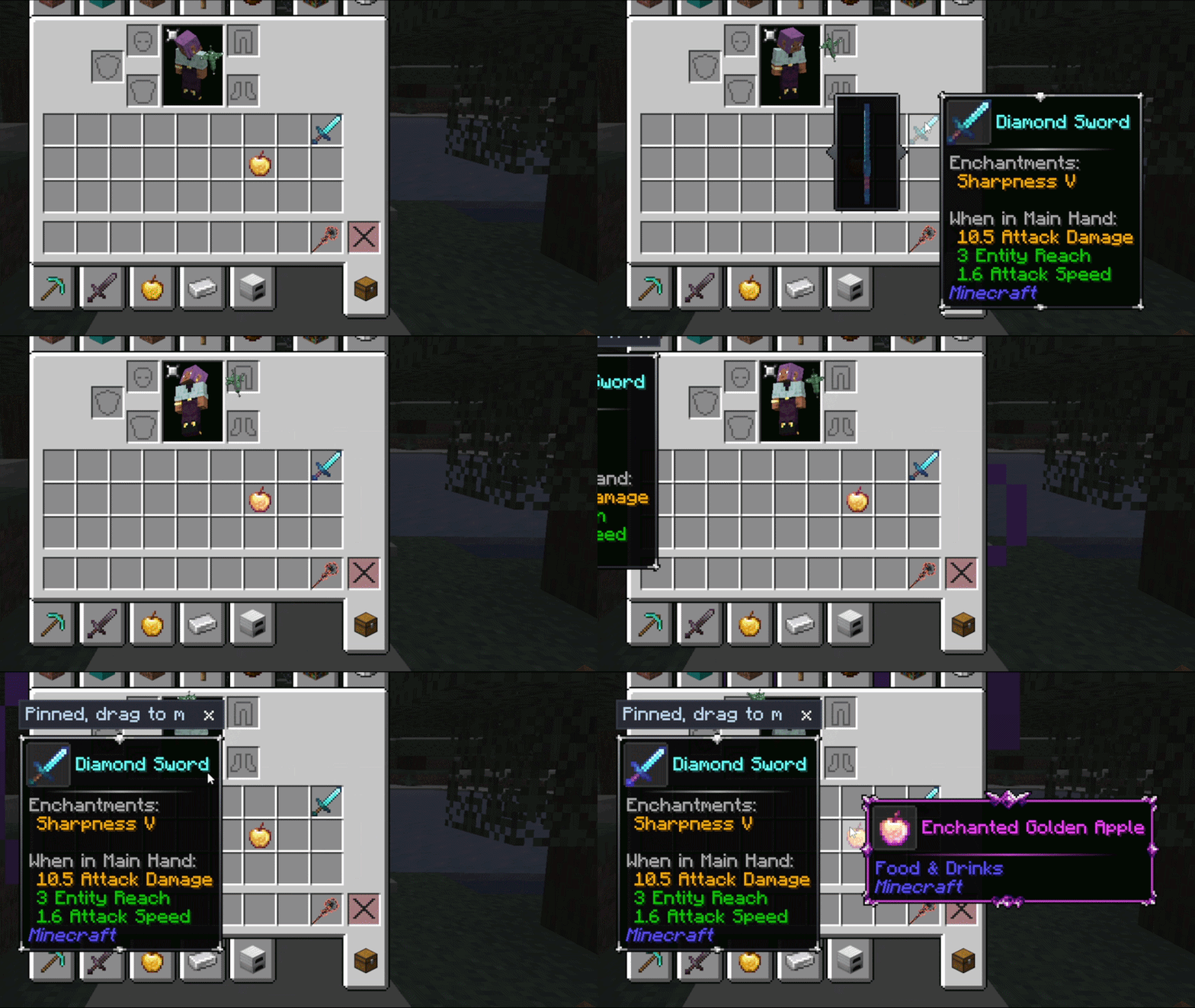
- Equipment comparison: compare armor and weapons against what you're wearing and holding (rebindable keybind).
- Pinned tooltips: don't miss out on important content by having to switch between tooltips, you can pin them and move them freely around the screen (rebindable keybind).
Appearance
- Decorative frames: 30+ default frame overlays that enhance the appearance of tooltip borders.
- Tooltip layouts: 4+ different types of layouts that change the visual appearance of tooltips, for greater customization and diversity.
- Tooltip effects: 37+ fully customizable decorative effects such as flashes, explosions, particles, patterns... to take the design of the tooltips to the next level.
- Animations: 11+ tooltip transitions (appearance and disappearance) and 16+ item icon animations.
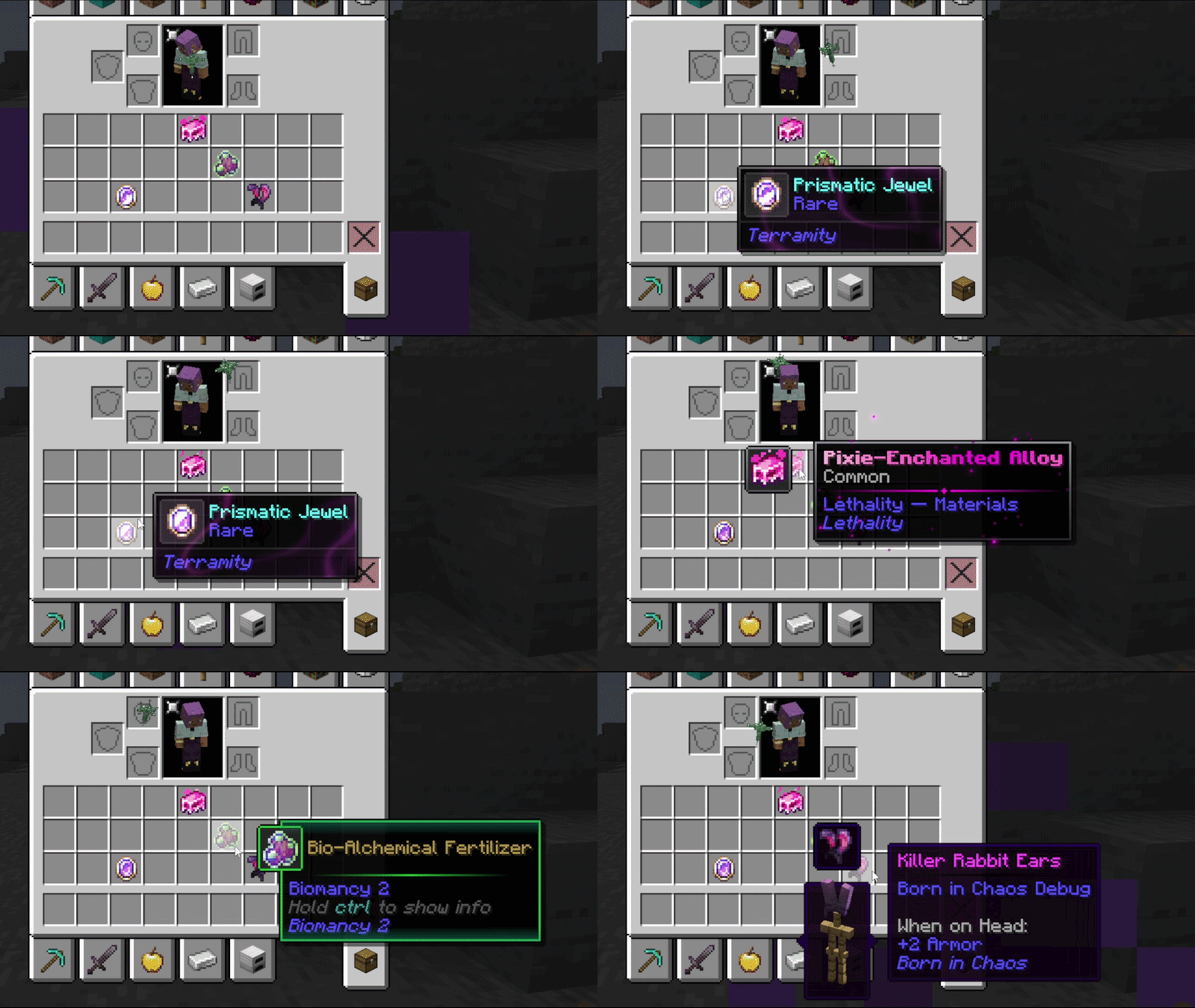
- 3D item icon & preview panel: items render in 3D inside the tooltip, even through an additional panel with extra perspectives.
- Vignettes: 5+ different gradient styles that add extra lightning and style to the tooltips.
- Rating element: a customizable rarity label along the item name.
- Divider line: the separator line between the tooltip title and the content is customizable in color and design.
- Custom corners: 11+ different options for the tooltip corners so you can choose the best possible look, whether you prefer a more polished style, more rustic, etc.
- Vast amount of config: you can modify anything! Paddings, colors and gradient types, effects, speeds, animations, and much more.
All of it is shown in the Showcase below.
Configuration
- In-game config screen: no file editing is longer required.
- Custom frames config screen: no file editing is longer required to configure specific items, tags, rarities, effects, vignettes, etc.
- Live preview: per-item changes render in real time as you edit through the in-game config screen.
- Hot reload:
/tooltipoverhaul reloador by pressing downF3 + T, to automatically detect new imported textures.
Compatibility
Works alongside JEI, EMI, ModernFix, Flerovium, FTB Quests and Apotheosis, among others.
For mod and pack authors, any mod or resource pack can register its own frames. See the wiki and read the category below. If there's a mod you'd like supported natively, ask in the Discord.
For Developers, Artists, Modpack & Resource Pack Authors
The information provided on this page is intended for direct use by the user and to concisely specify the mod's content in a legible way, so no technical information is stated at all.
We highly recommend visiting the wiki page, which explains how to create custom textures for tooltip frames and how to configure custom frames for your mod or texture pack to easily add compatibility with Tooltip Overhaul.
Configuration
The easiest way is through the in-game config screen, which can be accessed through the mods menu or through a keybind (unbinded by default) for faster access. It covers every configuration option and allows you to edit custom frames from Tooltip Overhaul or external mods.
There are two ways to configure tooltips. Through global configuration, or through custom frames. The global config affects all tooltips equally, while a custom frame allows you to specify conditions for which items a frame is applied or not (specific items, tags, namespaces, rarities, specific durabilities, nbt/component tags, enchantments, etc.), whose configuration takes priority over the global one.
Fabric users need ModMenu to open the config screen.
If you want to edit the files directly anyway
- Global: config/tooltipoverhaul/tooltipoverhaul.toml
- Specific: config/tooltipoverhaul/custom_frames.json or config/tooltipoverhaul/overrides/<external_modid>/custom_frames.json to access custom frames created by external mods (if a copy is present)
Showcase
Everything below is included in the mod. Click a section to expand it.
Effects
Bubbles

Cinder

Crystals

Fireflies

Fireflies II

Echo

Galaxy

Magic Orbs

Speed Lines

Nebula

Spiral

White Dust

Metal Shining

Steel Shining

Rim Light

Ripples

Sonar

Stars

Floating Stars

Prism

Snowfall

Opal

Aurora

Fluorite

Astral

Comets

Storm

Sunbeams

Fireworks

Eruption

Searchlights

Blasts

Firebreath

Shield

Lasers

Missiles

Wisps

Tooltip Animations
Fade

Pop

Rise

Unfold

Zoom

Slide

Swing

Emerge

Squash

Card

Shake

Icon Animations
Zoom

Rotate

Rotate Fast

Rotate Zoom

Zoom Snap

Skew

Vibration

Tilt Wave

Flip

Pendulum

Bounce

Go Down

Pulse

Fan In

Hover Pop

Barrel Roll

Corner Styles
Default (square)

Rounded

Bevel

Inner

Cut

Thick

Bracket

Block

Notch

Weld

Gem

Vignettes
Circular

Hole

Ellipse

Diamond

Ring

Linear

Frame Overlays
The following frames are included by default in Tooltip Overhaul.
Amethyst

Angelical

Battle

Cataclysm

Amber

Cavemen

Construction Punk

Demonic

Diamond

Draconic Fire (based off Ice & Fire II)

Emerald

Fire

Flower

Frost

Futuristic

Garden

Gear

Greek Temple

Gummy Bear

Guns and Wires

King

Medieval Crossroads

Neon Fire

Nuclear Alarm

Plasma Lamp

Pure Alchemy

Silver

Skyland

Steampunk

Zombie Brain

Tooltip Layouts
Tooltips can have different types of fully configurable layouts.
Default (Classic)

Badge

Floating

Compact

Divider Lines
Gradient

Static

Linear

Dashed

Dotted

Ornament

Gradient Ornament

Infinite Posibilities!

From Other Authors
Resource packs can also add their own frames and configurations. These ones are worth a look!


Support
Bug reports, feature requests, compatibility suggestions and general questions all go to the Discord or to the Issues tab.
Feel free to include this mod in any modpack, public or private!
Credits
Xylonity - Programmer & mod designer
TheModderG - Tooltip overlays & mod icon designer
Yomai - Additional tooltip overlay designer