
Compatibility
Minecraft: Java Edition
Platforms
Supported environments


Tags
Creators
Details
Vanilla Tooltips is a lightweight, client-side cosmetic mod that enhances item tooltips while keeping Minecraft’s familiar visual style.
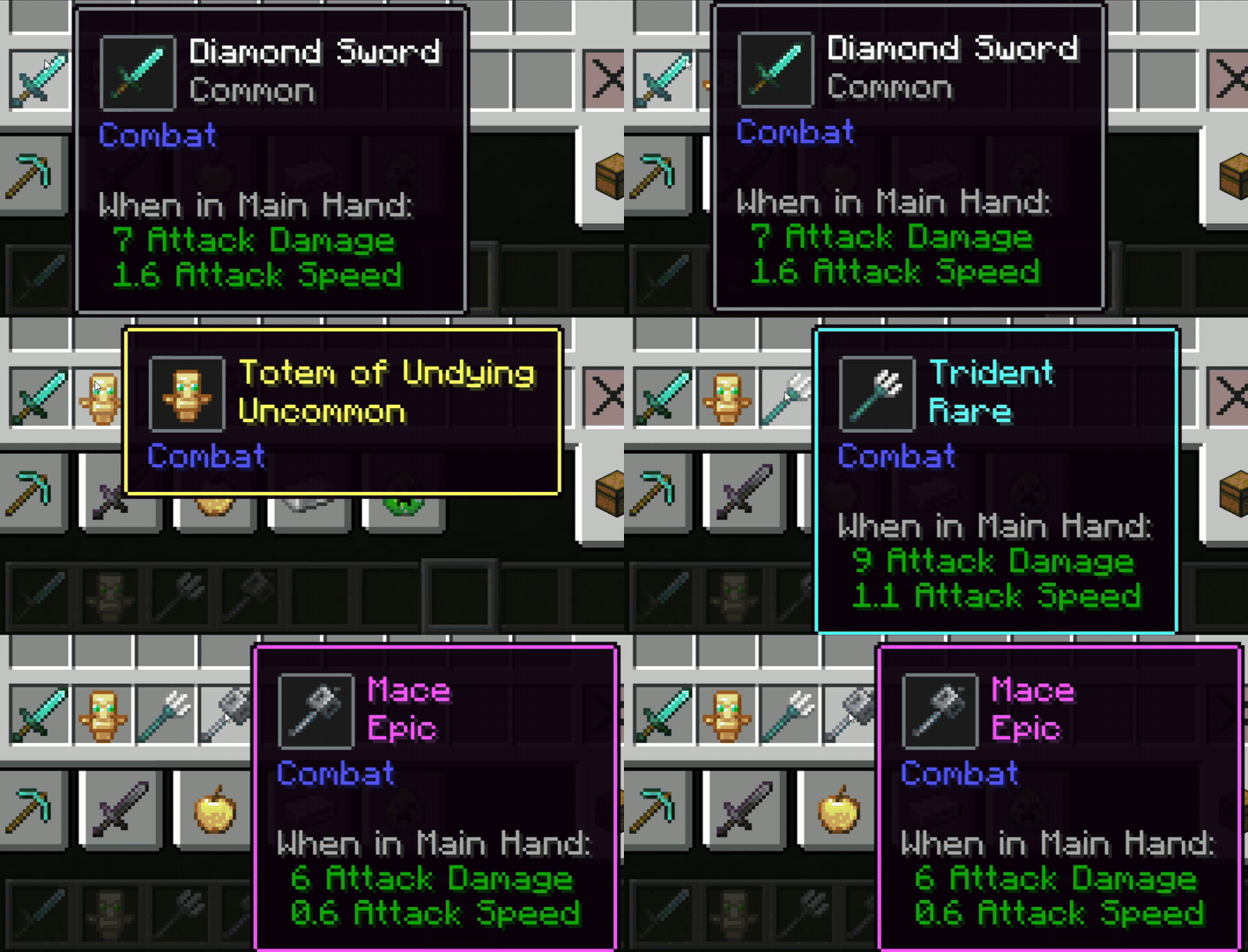
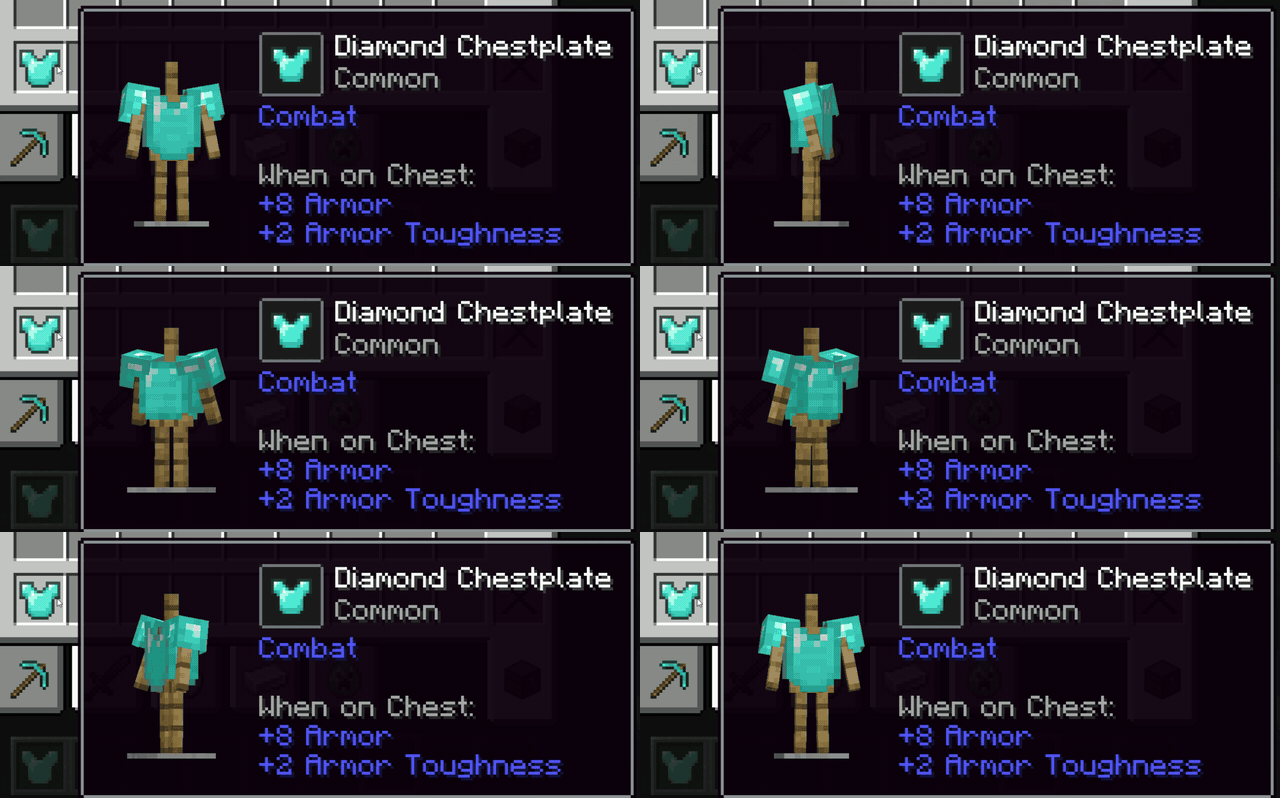
It adds animated item previews, rarity styling, and a 3D armor preview. Customize their appearance, colors, layout, and animations, or turn visual features off individually.



Features
- Animated item previews with adjustable size and animation speed
- Customizable item preview frames and backgrounds, with standard, rarity-based, and custom color modes
- Options to hide the item preview frame or its background
- Rarity labels and tooltip outlines that can be enabled or disabled and use standard, rarity-based, or custom colors
- Separate colors for each rarity when using rarity-based styling
- 3D armor previews with adjustable size, position, armor stand opacity, and rotation speed and direction
- Optional armor preview separation from the item and its stats, with Line and Window styles, or no divider
- Independent settings for each visual feature
Configuration
On Fabric, install Mod Menu to open the configuration screen. On Forge and NeoForge, open it from the installed mods list.
Compatibility
Vanilla Tooltips is client-side and does not need to be installed on a server.
| Loader | Minecraft versions |
|---|---|
| Fabric | 26.3, 26.2, 1.21.11, 1.21.1 |
| Forge | 1.20.1 |
| NeoForge | 1.21.1 |
Fabric versions require Fabric API and YACL. Forge and NeoForge versions require YACL.
Installation
Download the file for your Minecraft version and mod loader, install its required dependencies, and place the JAR files in your client’s mods folder.
Notes
Vanilla Tooltips changes the appearance of tooltips without affecting gameplay or world data.
You may use this mod in personal installations and Modrinth modpacks. Redistribution, modification, or reuploading outside Modrinth requires permission from the author.