
Compatibility
Minecraft: Java Edition
Platforms
Supported environments


Links
Tags
Creators
Details
Licensed MIT
Published 2 years ago
Updated 6 months ago
Visbarrier
Toggle barrier block visibility in Minecraft Forge 1.8 - 1.12 with better performance
Uses better rendering methods:
- Seamless rendering
- Connected Textures
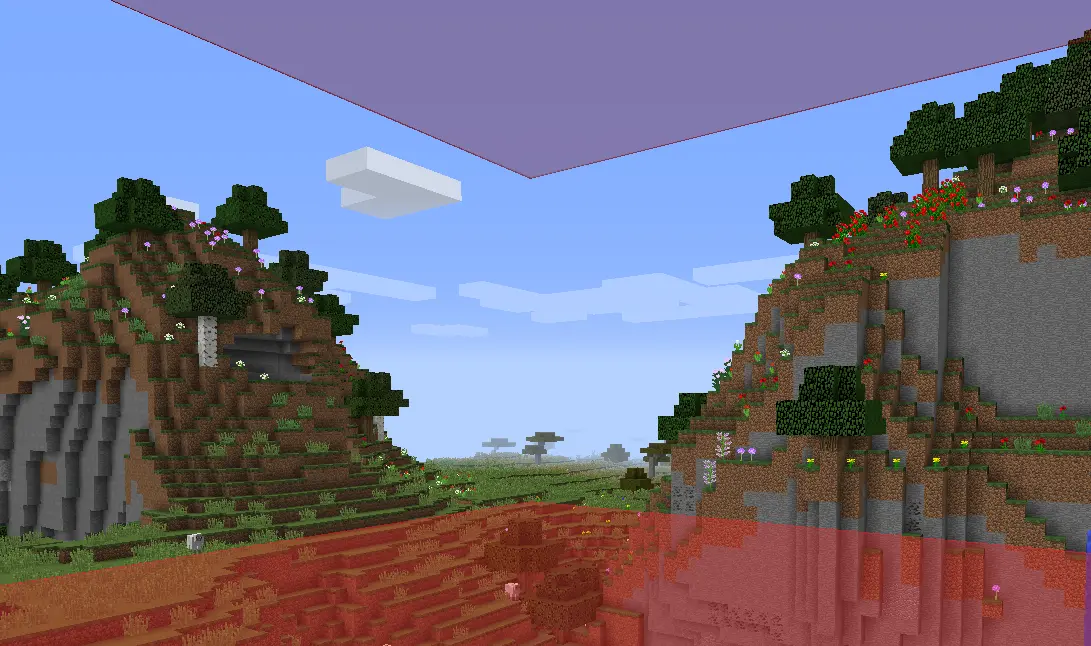
Note: Did not really test for 1.9 - 1.11 so let me know if it works well. I know 1.8.9 works great and 1.12.2 doesn't have connected textures right now
Features
- Optimized Rendering
- Keybind Toggle
- Connected Textures
- Optional Chat Notifications
- Resource Pack Compatible
Usage
Press B to toggle barrier visibility on/off
(Rebind in Options → Controls → Visbarrier)
You'll see a chat notification confirming the toggle:
| Barriers ON | Barriers OFF |
|---|---|
 |
 |
Commands
Mod settings in /visbarrier commands
| Command | Alias | Effect |
|---|---|---|
/visbarrier connect |
/visbarrier ct |
Toggle connected textures on/off |
/visbarrier notify |
/visbarrier n |
Toggle keybind chat notifications on/off |
Customization
Override the barrier appearance with a resource pack:
- Texture:
assets/minecraft/textures/blocks/barrier.png - Model:
assets/minecraft/models/block/barrier.json
If a resource pack provides its own barrier texture, Visbarrier's connected textures are automatically bypassed so the resource pack renders as intended.
TODO
- Maybe fix 1.12.2 connected textures but honestly I don't know who uses it
- Also let me know if other versions broken and maybe I'll fix it maybe I won't :)
Credits
v2 is originally forked from Diabet/olvend's barrier mod (MIT License)