
Compatibility
Minecraft: Java Edition
Platforms
Supported environments


Tags
Creators
Details
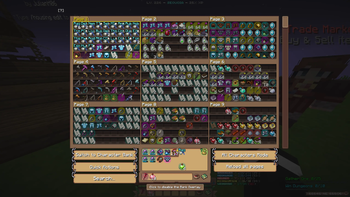
Bank Overlay
Custom Overlay for the Bank, Misc Bucket and Tome shelf!

In-game Profile Viewer
Custom gui that lets you easily check someones stats! Run /pv <username> to check them out! (or just /pv to check your own!)

Guild Viewer
Use ``/gv [prefix]`` to view the stats of a guild! You also see every member and clicking on them will show you their stats in the pv! You can also click on a players guild in the pv to view their guild!
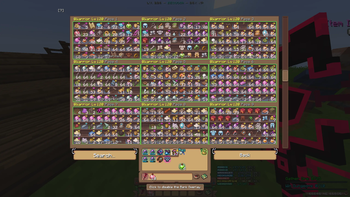
Bank Overlay All Characters Mode
Allows you to search through all pages of all of you character banks!
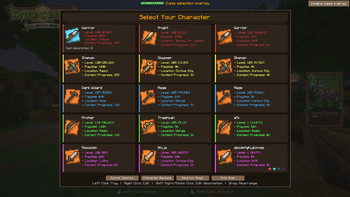
Custom class selection screen
Replaces the vanilla with a custom screen which offers rearrangeable classes, custom class descriptions, customizable colors and more!

Weekly Lootpools!
See the current weekly raid and lootrun lootpools with ``/we lootpool``! You can scan your own aspects with ``/we aspects scan`` to see a personal score for each raid!
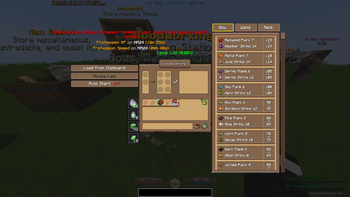
Crafting helper
Click on the recipe you want to craft and it automatically loads in the materials! You also have a profession bomb display at the top showing you where prof bombs are and how long they last!

Raid Timestamps

Raid Loot Tracker
Tracks the rewards you get from raids!

Ability Tree Loader
Automatically loads saved ability trees! Use /we tree to open the GUI and manage your trees. You can save trees through the profile viewer!

Trade Market Item Comparison!
Press F1 while hovering over an item in the trade market to copy its tooltip for you to move around! Up to three tooltips can be pinned at the same time, allowing you to decide which item to buy without having to move your cursor around all the time!

Chat Notificator and Blocker
Notifies you when certain words/phrases appear

Trade Market Mythic Scale Item Background
The item background color if mythics now represents their scale percentage, making it much easier to spot good deals! There is a quick toggle in the top right if you want to disable that, the quick toggle can also be hidden in the config.

Faster requeue!
Automatically runs /partyfinder and clicks on party queue after closing a raid chest to minimize your downtime!

Crafting Previews
Shows you a preview of the item your currently crafting!

Trade Market Overview

Waypoints
Highlight blocks at specific coordinates! Use /WynnExtras waypoints to Create, edit, and delete waypoints in the GUI Assign waypoints to categories with custom colors

Player hider!
Use /we playerhider add/remove <name> to add or remove a player from the list! Players on the list will be hidden if they're within a certian range. The range can be changed in the config! To quickly toggle the feature use /we playerhider toggle

Raidlist
Use /we Raidlist to see your raids! You can filter them with the text bar on top or by clicking on the raid icons! Clicking the trophy icon will sort them by completion time!

Mythic item scales
Shows you Wynnpool weight scales for your mythics! It also shows you the weight of each stat for the currently selected scale!

Chat Channels

Guild map territory defence estimates
When hovering over a territory in Wynntils' guild map you can see an estimate of its defences! This feature was made by drzxm!