
Compatibility
Minecraft: Java Edition
Platforms
Supported environments


Links
Tags
Creators
Details
A chat replacement for Minecraft (Fabric). Every message gets its own box with an icon or the player's head, chat bubbles pop up above players' heads, and everything is set up in one settings screen.
Source code · Releases · Report a bug
Features
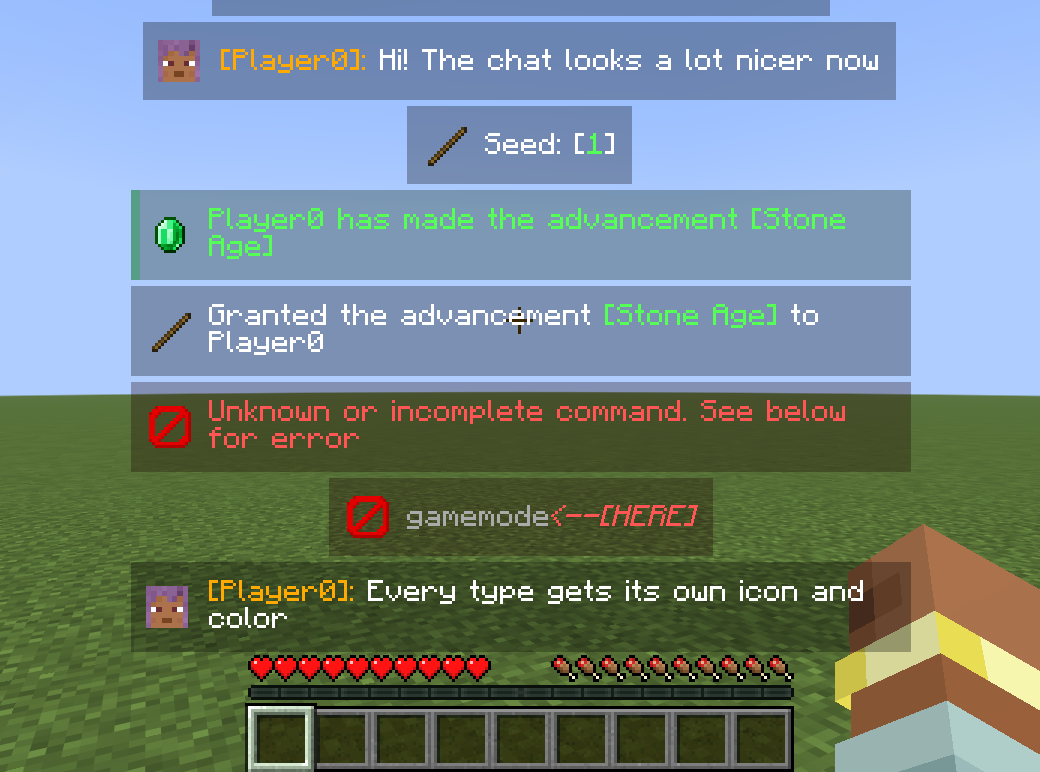
- Message boxes. Player chat shows the author's head; system messages, errors, advancements, challenges, join/leave, sleep, screenshots and command blocks each get their own icon and background color.
- Whispers show both heads with an arrow: who wrote to whom.
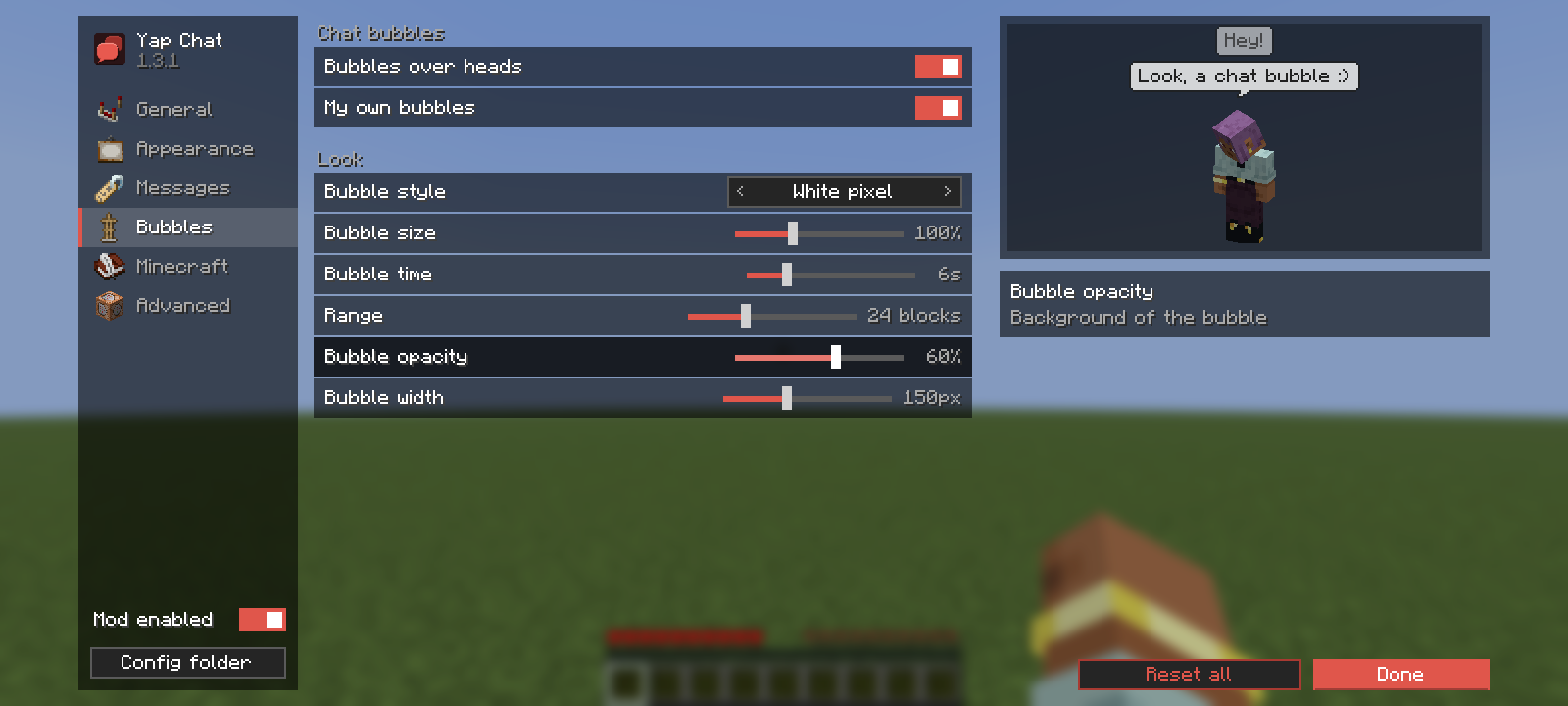
- Chat bubbles above the player who wrote in public chat, in four styles, with size, time, range, opacity and width settings.
- Anti-spam merges repeated messages into one with a counter (
x3). - Animations for messages coming in and leaving: fade, slide in any direction, bounce or none.
- Six positions on screen: top or bottom, left, center or right.
- Works on any server and in any language. Message types are recognised from what the game reports (chat type, translation keys), plus built-in patterns for EssentialsX/CMI, Hypixel-style and common
[Rank] Name » textformats. - 12 languages: English, Русский, Deutsch, Español, Português (Brasil and Portugal), Italiano, Polski, Türkçe, 한국어, 日本語, العربية.
Chat bubbles
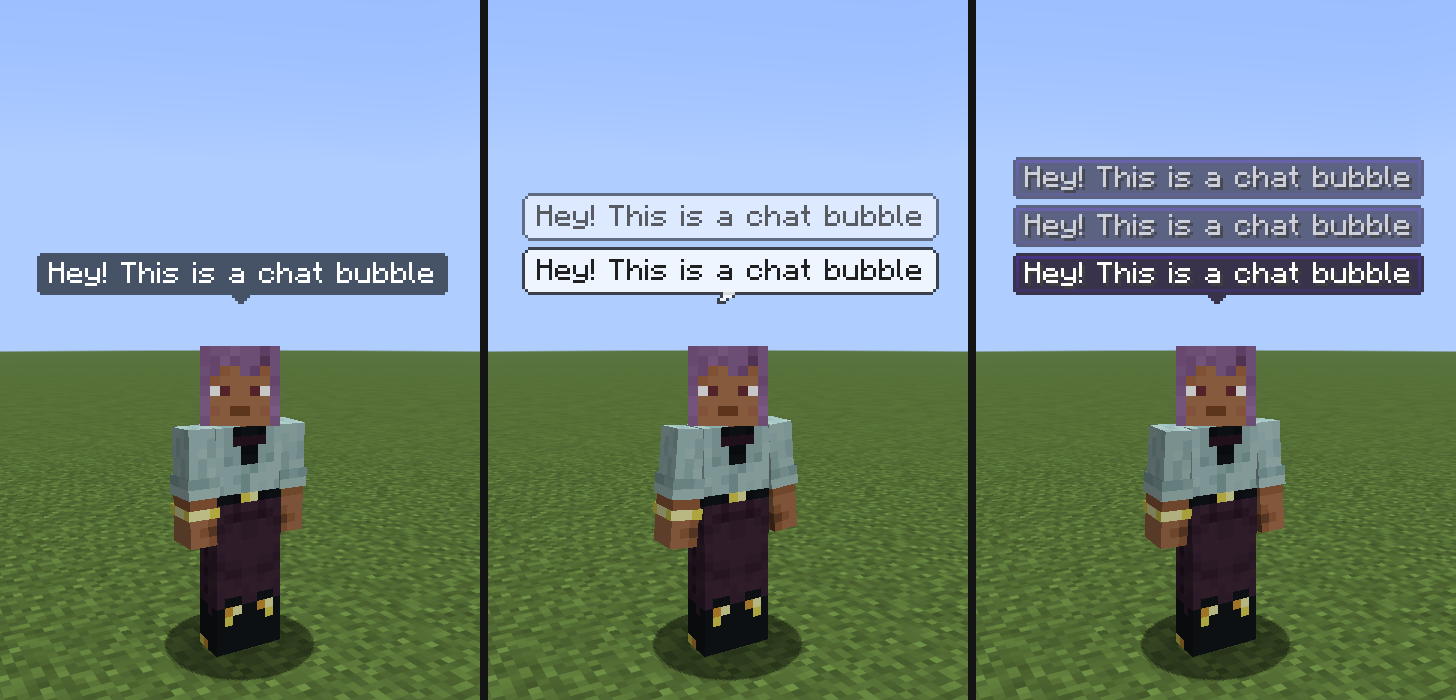
Dark, white pixel and tooltip styles (there is also a plain name-tag style). Resource packs can restyle every one of them, see below.
Settings
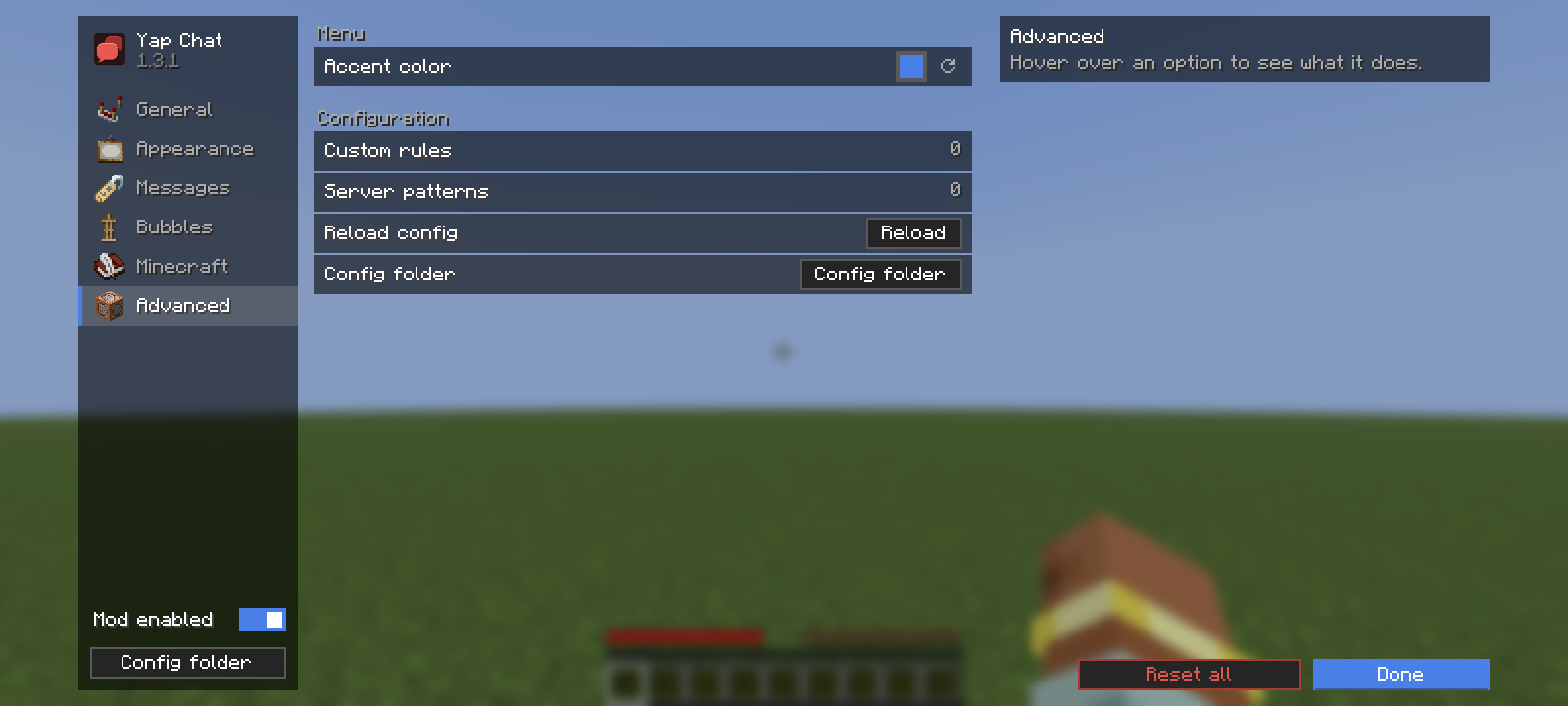
Open them from Options → Chat Settings (Yap Chat replaces the vanilla screen, the vanilla chat options are in the Minecraft tab) or from Mod Menu. Every change applies right away; the right column explains the option under the mouse and shows a live preview.
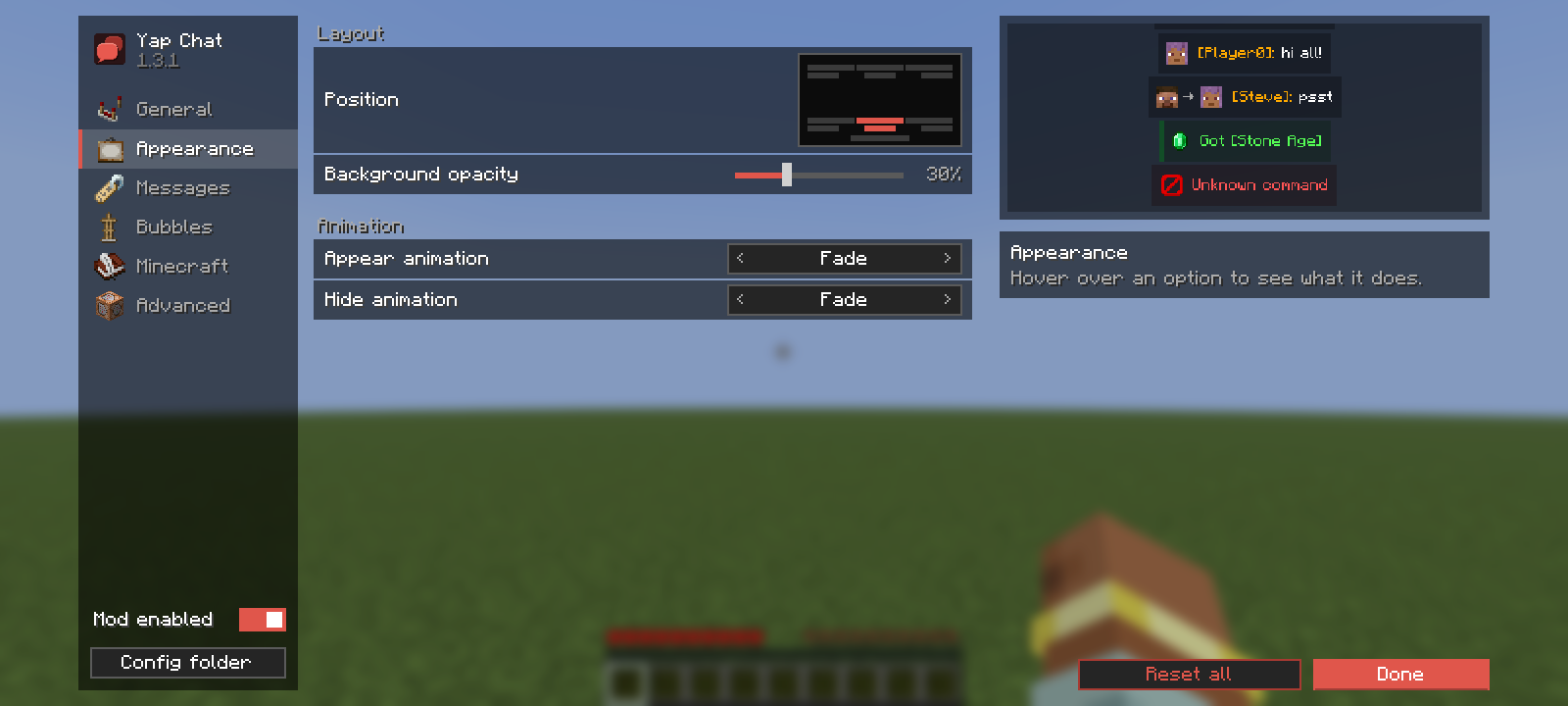
Appearance: position, background opacity, appear and hide animations with a looping preview.
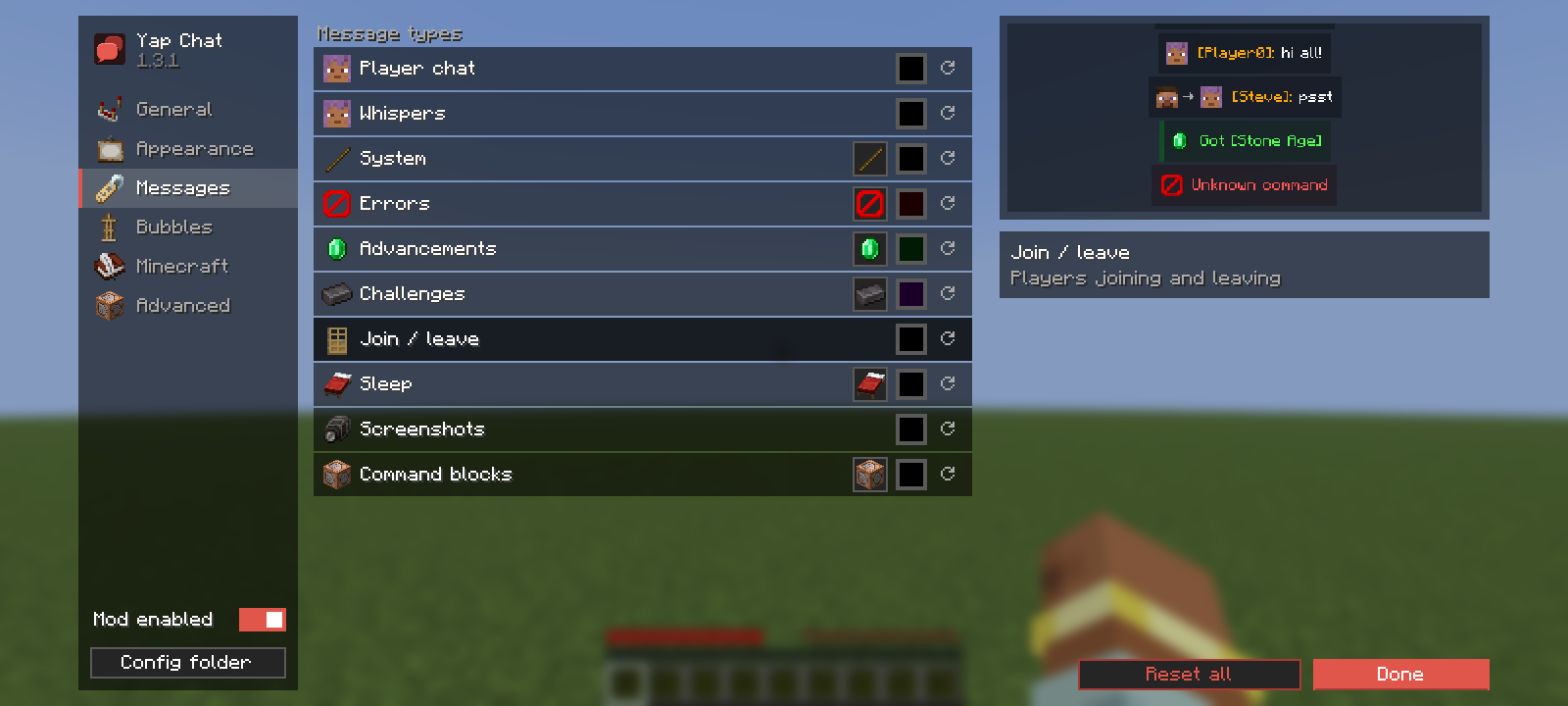
Messages: icon and background color for every message type.
Bubbles: style, size, time, range, opacity and width, with a preview on your own character.
Advanced: accent color of the menu (not everyone likes red), custom rules and server patterns, config folder.
Also: General (styling, anti-spam, show time, visible messages, history size) and Minecraft (all vanilla chat options).
Server message formats
If your server uses its own private message or chat format, add a pattern to config/yap-chat.json:
"serverPatterns": [
  { "id": "my-server-pm", "regex": "^✉ (?<from>\\w+) » (?<to>\\w+): (?<body>.*)$", "type": "WHISPER" }
]
Named groups: from / to (private messages; me, я or your nick mean you), name (chat author, must be online), body (the message).
Restyling bubbles with a resource pack
Every bubble style is drawn from resources, so a resource pack can replace any of them. <style> is dark, white, tooltip or nametag.
| File | What it is |
|---|---|
assets/yap-chat/textures/gui/sprites/bubble/<style>.png |
Bubble body. Stretched as a nine-slice; set the border in <style>.png.mcmeta (same format as vanilla GUI sprites). |
assets/yap-chat/textures/gui/sprites/bubble/<style>_tail.png |
Tail under the body. |
assets/yap-chat/bubbles/<style>.json |
Text and layout settings, see below. |
{
  "text_color": "#202020",
  "text_shadow": false,
  "padding_x": 5,
  "padding_y": 4,
  "min_opacity": 0.5,
  "tail": true,
  "tail_width": 6,
  "tail_height": 4,
  "tail_anchor": 4,
  "tail_overlap": 1
}
min_opacity: the bubble opacity slider maps 0–100% ontomin_opacity–100%.tail_anchor: x pixel of the tail that sits under the bubble's center (the tip).tail_overlap: how many tail rows are drawn over the bottom of the body (to cut through its outline).
Changes apply on F3+T.
Versions
| Minecraft | Branch |
|---|---|
| 26.3 | main / 26.3 |
| 26.2 | 26.2 |
| 26.1.2 | 26.1.2 |
| 26.1.1 | 26.1.1 |
| 26.1 | 26.1 |
Requires Fabric Loader and Fabric API. Mod Menu is optional. Client-side only.
Yap Chat used to be called KKS Chat; an old config/kks-chat.json is picked up automatically.
Building
./gradlew build
The jar is in build/libs. ./gradlew runClientGameTest starts the game and checks how real messages are classified.
Support
Questions and ideas: Discord ddev14, or open an issue.
License
GNU General Public License v3.0
| assets/yap-chat/textures/gui/sprites/bubble/<style>.png | Bubble body. Stretched as a nine-slice; set the border in <style>.png.mcmeta (same format as vanilla GUI sprites). |
| assets/yap-chat/textures/gui/sprites/bubble/<style>_tail.png | Tail under the body. |
| assets/yap-chat/bubbles/<style>.json | Text and layout settings, see below. |
{
  "text_color": "#202020",
  "text_shadow": false,
  "padding_x": 5,
  "padding_y": 4,
  "min_opacity": 0.5,
  "tail": true,
  "tail_width": 6,
  "tail_height": 4,
  "tail_anchor": 4,
  "tail_overlap": 1
}
min_opacity: the bubble opacity slider maps 0–100% ontomin_opacity–100%.tail_anchor: x pixel of the tail that sits under the bubble's center (the tip).tail_overlap: how many tail rows are drawn over the bottom of the body (to cut through its outline).
Changes apply on F3+T.
Versions
| Minecraft | Branch |
|---|---|
| 26.3 | main / 26.3 |
| 26.2 | 26.2 |
| 26.1.2 | 26.1.2 |
| 26.1.1 | 26.1.1 |
| 26.1 | 26.1 |
Requires Fabric Loader and Fabric API. Mod Menu is optional. Client-side only.
Yap Chat used to be called KKS Chat; an old config/kks-chat.json is picked up automatically.
Building
./gradlew build
The jar is in build/libs. ./gradlew runClientGameTest starts the game and checks how real messages are classified.
Support
Questions and ideas: Discord ddev14, or open an issue.