Compatibility
Minecraft: Java Edition
Platforms
Tags
Creators
Details
AdminWatchdog
See any player's last 50 admin actions with one command
The problem this solves
You gave three people OP. One of them is quietly spawning diamond blocks into their own ender chest at 3 AM. You'd have no way to know, short of reading raw chat logs line by line, until a player screenshots it and posts it in your Discord asking why the economy is broken.
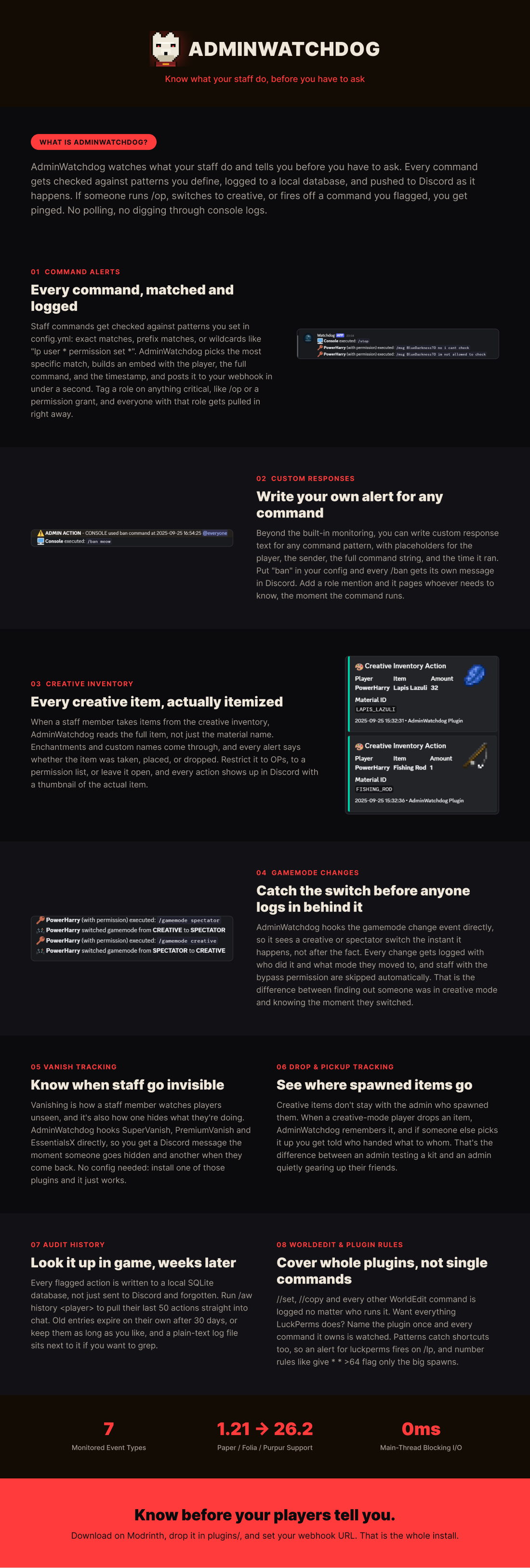
AdminWatchdog watches for that instead of you. It sits on your server, tracks what OPs and permission-holders actually do, and tells your Discord channel the moment it happens. It also just started keeping a searchable record, so "what did this person do last week" has a real answer instead of a shrug.
What's new in 1.4.3
Run /adminwatchdog history <player> and you'll see their last 10 tracked actions: commands, gamemode changes, creative-inventory grabs, item drops and pickups, all with timestamps. Ask for more and get up to 50.
Custom alerts also got a rate limit. If a player finds a pattern that triggers one of your Discord alerts, they used to be able to flood your channel just by repeating it. Now each player is capped at 5 triggers per 60 seconds by default, and both numbers are yours to change.
Full history at the bottom, under Changelog.
What it actually does
- Posts to Discord the moment a monitored player runs a command, switches gamemode, or takes something from creative
- Keeps a local, queryable record of all of it, so you're not restricted to whatever's still in Discord's scrollback
- Lets you write custom alert rules for specific commands, down to matching individual arguments
- Only watches the players you tell it to: OPs, specific permissions, everyone, or no one
- Lets trusted staff opt out entirely with a bypass permission
Screenshots
Discord messages
Creative inventory tracking
When someone takes items from creative mode, you get a Discord message showing exactly what they took:

Command alerts
Custom alerts
Set up special messages for important commands:
Gamemode changes
Features
Discord alerts
- Instant notifications in your Discord server
- Rich embeds with item pictures for creative-inventory events
- Ping specific roles for the commands you actually care about
- Works with any Discord channel through a plain webhook, no bot invite needed
Audit history (new in 1.4.3)
Every event AdminWatchdog tracks also gets written to a small local database. Pull it up any time with:
/adminwatchdog history Steve
/adminwatchdog history Steve 50
No Discord scrollback to dig through, no log file to grep. Old entries clean themselves up automatically after 30 days by default (configurable, or keep them forever).
What gets monitored
- Commands run by players
- Commands run from console
- Gamemode changes
- Items taken from creative inventory, dropped, or picked up by someone else
Who gets monitored
You choose:
- Only OPs
- Only players with specific permissions
- Everyone
- Nobody, until you decide otherwise
Trusted admins can get a bypass permission so they're left alone entirely.
Custom command alerts, with real pattern matching
Set up alerts for the commands you care about, matched down to specific arguments:
ban: matches any ban commandlp user: matches LuckPerms user subcommandslp user * permission set *: matches only when someone sets a permissiongive * * >=5: matches only gives of 5 or more items
Get pinged for the commands that matter and skip the ones that don't. And as of 1.4.3, a player can't flood your channel by spamming a command that matches one of these.
How to install
- Download the plugin from the Downloads tab
- Put the JAR file in your server's
pluginsfolder - Restart your server
- Edit
plugins/AdminWatchdog/config.yml - Add your Discord webhook URL
- Run
/adminwatchdog reload
Setting up Discord
- In Discord, go to your channel settings
- Click "Integrations" then "Webhooks"
- Create a new webhook
- Copy the webhook URL
- Paste it into
config.yml
Configuration
Basic setup
discord:
webhook-url: "YOUR_WEBHOOK_URL_HERE"
enabled: true
Custom alerts
custom-responses:
enabled: true
player:
# Alert when someone uses /ban
ban: "**BAN** - %player% banned someone at %time%"
# Alert and ping a role when someone uses /op
op: "**CRITICAL** - %player% used OP! <@&YOUR_ROLE_ID> at %time%"
# Alert for specific LuckPerms commands
"lp user * permission set *": "**PERMISSION** - %player% set permission: %command%"
Rate limiting custom alerts
custom-responses:
rate-limit:
enabled: true
max-triggers: 5
window-seconds: 60
Audit history retention
logging:
database-logging: true
database-retention-days: 30 # set to 0 to keep everything forever
What the placeholders mean
%player%: the player who ran the command%sender%: for console commands%command%: the full command they typed%time%: when it happened
Mentioning roles in Discord
To ping a role, you need the role ID. In Discord, type \@RoleName to get the ID, then use it like <@&123456789> in your config.
Commands
| Command | What it does |
|---|---|
/adminwatchdog or /aw |
Shows plugin info |
/adminwatchdog version |
Shows version number |
/adminwatchdog reload |
Reloads the config |
/adminwatchdog update |
Checks for updates |
/adminwatchdog history <player> [limit] |
Shows a player's recent tracked actions (default 10, max 50) |
Permissions
| Permission | What it does | Who has it |
|---|---|---|
adminwatchdog.reload |
Lets you reload config | OPs only |
adminwatchdog.monitor |
Makes you get monitored | OPs only |
adminwatchdog.history |
Lets you view player history | OPs only |
adminwatchdog.bypass.commands |
Stops your commands being logged | Nobody |
adminwatchdog.bypass.creative |
Stops creative inventory being logged | Nobody |
adminwatchdog.bypass.customresponses |
Stops custom alerts for you | Nobody |
adminwatchdog.bypass.gamemode |
Stops gamemode changes being logged | Nobody |
How to stop being monitored
Give yourself one of the bypass permissions. For example, if you don't want custom responses pinging you:
/lp user YourName permission set adminwatchdog.bypass.customresponses true
Questions people actually ask
Why not just read the server log?
You can, if you enjoy grepping timestamps out of a flat text file at midnight. /adminwatchdog history gives you one player's actions, sorted by time, without the rest of the noise.
Will this slow my server down? No part of it runs on the main thread. Webhook calls, file writes, and database queries all happen off-thread, on Paper and on Folia.
Does it work on Folia? Yes, since 1.4.2. It also still runs fine on regular Paper.
Is the audit data sent anywhere? No. It's a local SQLite file in your plugin's data folder. Nothing leaves your server except what you explicitly send to your own Discord webhook.
Can I turn off the database and just use Discord?
Yes. Set logging.database-logging: false and AdminWatchdog goes back to Discord-only, exactly like before 1.4.3.
Need help?
- Check if someone already asked about your problem in Issues
- Join the Discord server
- Open a new issue on GitHub
Requirements
- Paper or Folia server
- Minecraft 1.20 or newer
- Java 21 or newer
License
This plugin has a proprietary license. You can use it on your server, but you cannot modify the code or redistribute it.
Changelog
1.4.3
- Added a local audit history you can query with
/adminwatchdog history <player> [limit] - Added rate limiting for custom-response Discord alerts, so a spammed trigger command can't flood your webhook
- Old audit entries expire automatically after 30 days by default (configurable)
- Config auto-migrates, existing installs pick up the new options on next start with no manual edits needed
Full history in the GitHub changelog.
Made by TejasLamba2006