
Compatibility
Minecraft: Java Edition
Platforms


Tags
Creators
Details
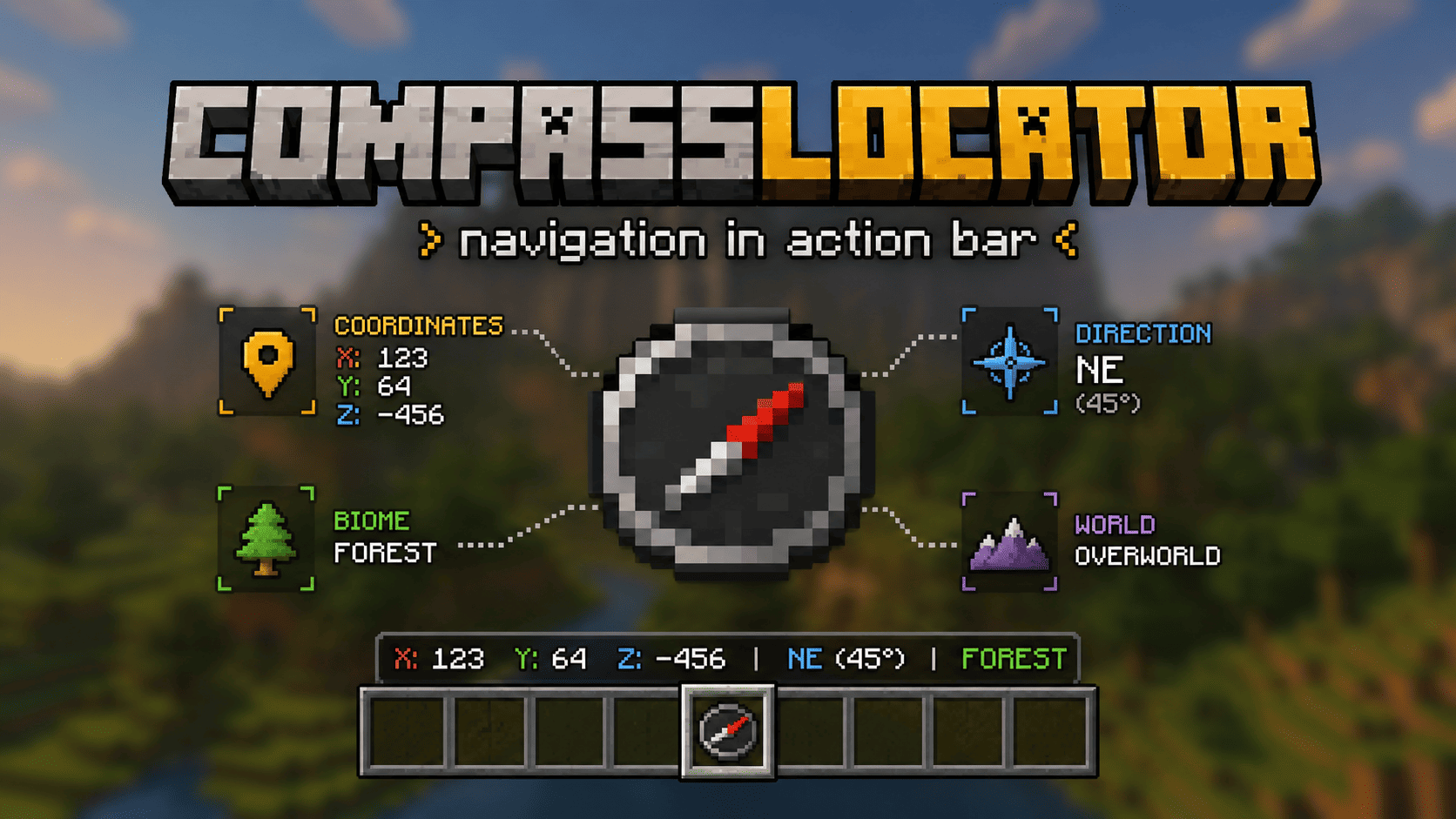







📌 This is a server-side plugin. A client-side mod version for Fabric/Forge is also available → Modrinth · CurseForge
📌 What is this?
CompassLocator is the best, most flexible and functional plugin that adds useful information about the compass (and more) directly to the action bar. The only plugin that combines a compass, death compass, locator bar radar, and a clock HUD in one tool.
No more opening F3. Just hold a compass and see:
- where you are
- which direction you're facing
- what biome you're in
- where you died last time
- what time it is (with a clock in hand)
✨ What does the compass show?
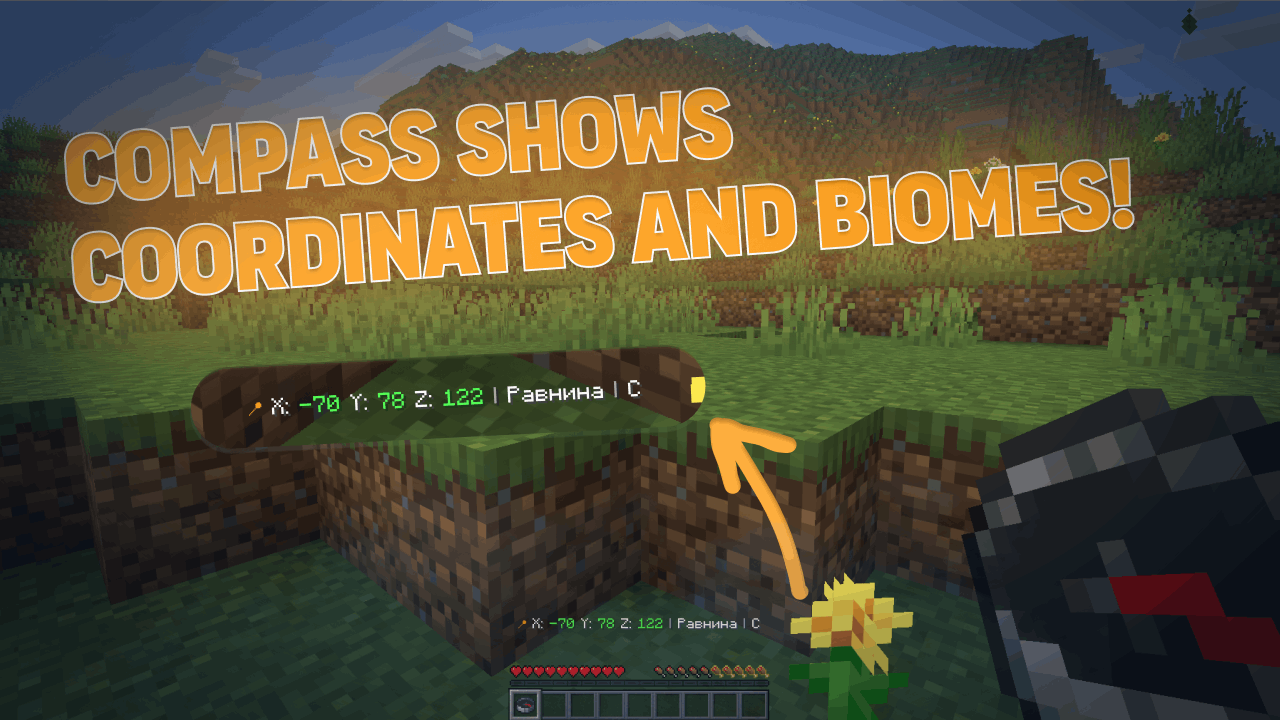
Normal Compass
- Coordinates (adjustable precision — integer or decimal)
- Current biome
- Cardinal direction (North/South or N/S — as you prefer)
- Time of day (optional)
- World name (optional)
- If the compass is linked to a lodestone — shows lodestone coordinates
- If the lodestone is broken — shows "broken" or last known coordinates (configurable)
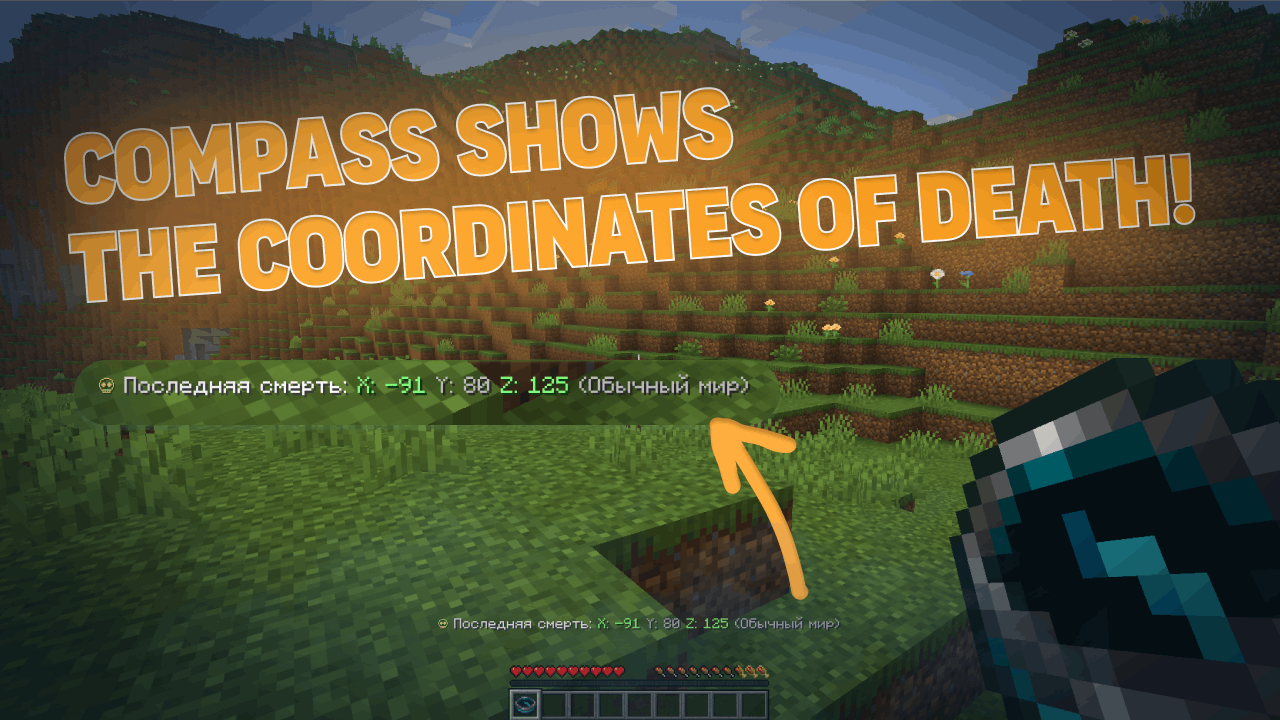
Recovery Compass
- Where you last died (coordinates)
- Which world
- Time since death
- Distance to death location
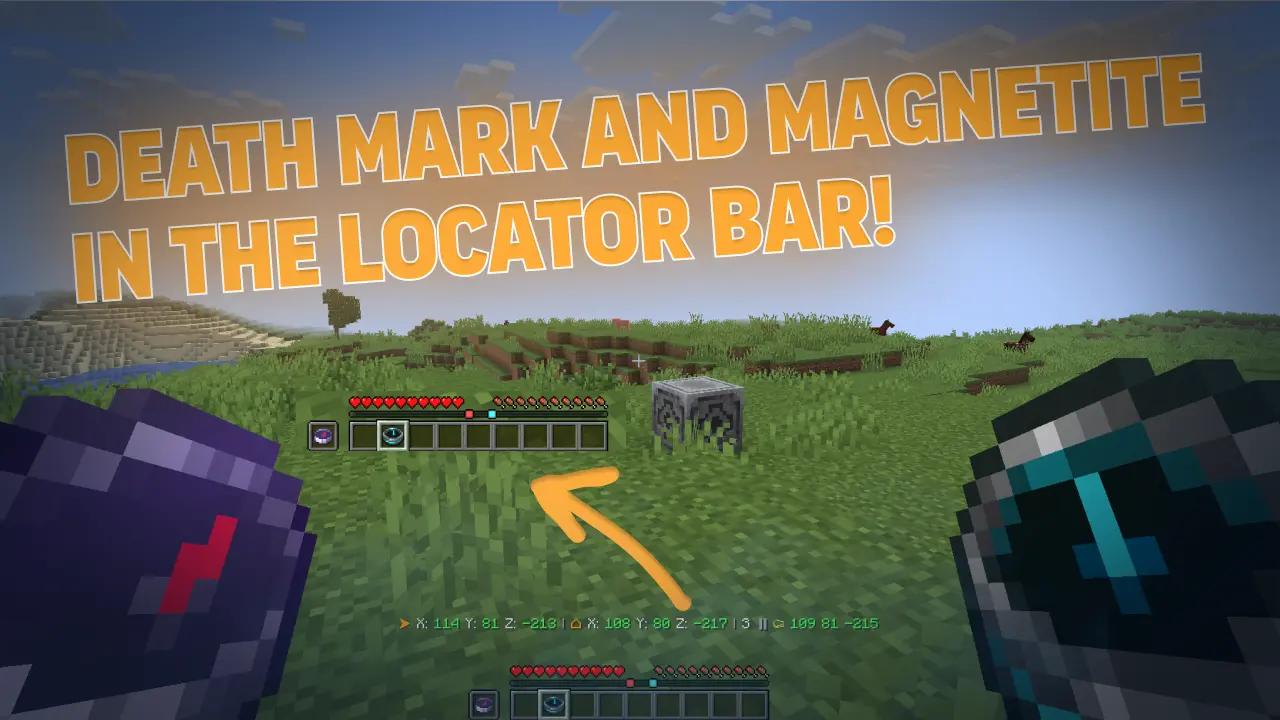
- The marker indicates the point of your death in the locator bar (v3.6.0)
- Height difference (up/down arrow) to your death point (v3.6.0)
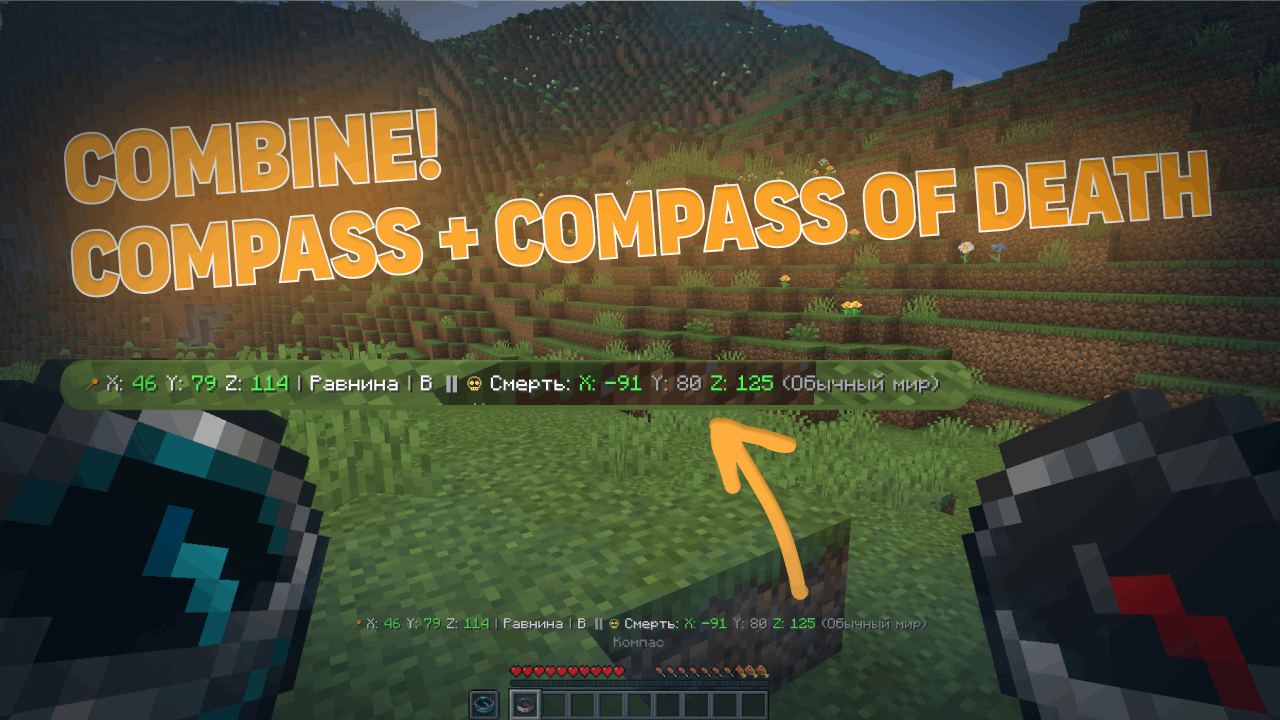
Combined Mode
- Hold a normal compass in one hand and a recovery compass in the other
- The action bar shows information from both at once
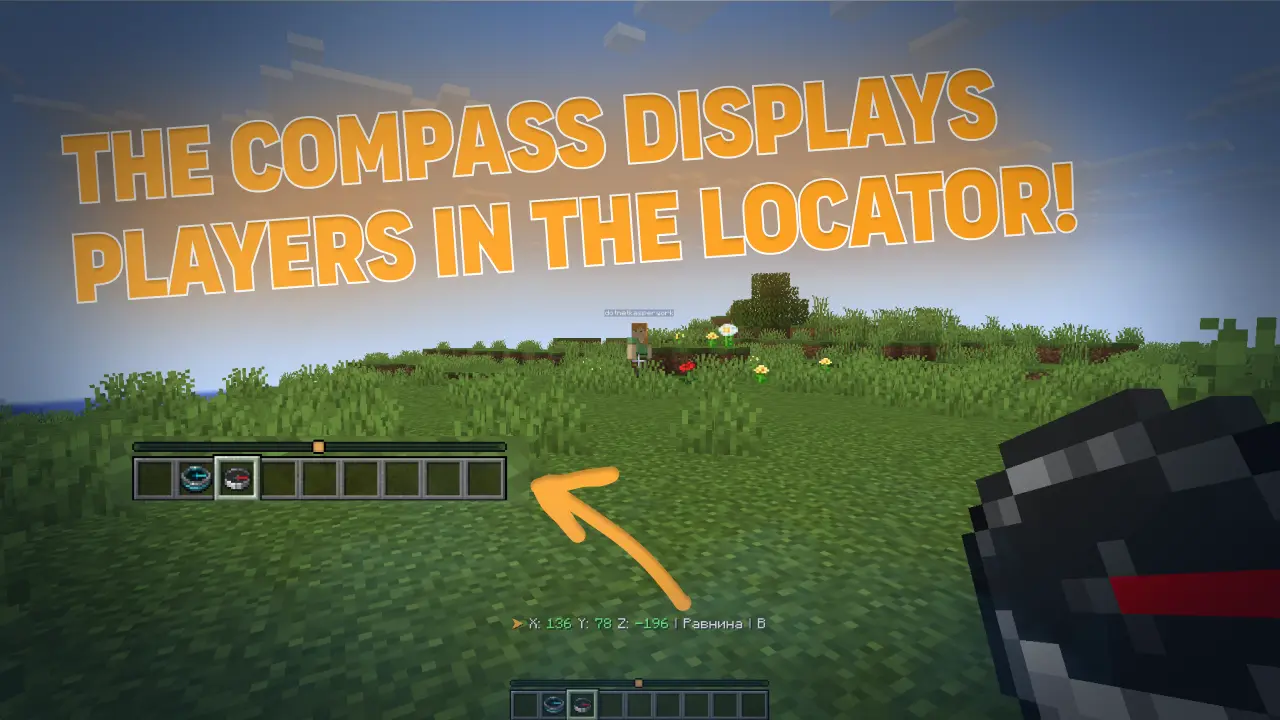
📡 Locator Bar (for 1.21.6+)
With a normal compass in hand, you can see other players on the radar (like a minimap). Range is configurable — up to the entire world.
New in v3.6.0:
- Death point markers on the locator bar (colored dot where you died)
- Lodestone markers on the locator bar (colored dot where your compass is bound)
- Hide low-health players from the radar (configurable)
- Per-world control — turn it off completely in specific worlds
🕐 Clock HUD (v3.6.0)
Starting from version 3.6.0, CompassLocator adds a clock HUD — hold a clock in your hand and see the in-game time, day number, and weather right in the action bar.
Features:
- Shows exact time (24h or 12h format — configurable)
- Displays the current day number
- Shows current weather (Clear / Rain / Thunder)
- Works independently of compasses — hold it alongside a compass or on its own
- Fully configurable: choose which info to show, toggle 24h format, use custom display presets, and more
💎 Why CompassLocator is the best choice
Unlike other solutions that give you just ONE feature, CompassLocator offers EVERYTHING in one plugin — no commands, no extra installations, no compromises.
Instead of installing a plugin for coordinates, a plugin for biome, a plugin for direction, a plugin for death compass, a separate datapack for radar, a mod for radar markers, and something else for clock HUD — just one plugin: CompassLocator.
⚡ Lightweight & Performance
CompassLocator is so lightweight you won't even notice it on your server.
- Minimal load — updates only when data actually changes (head rotation, movement, slot change), not every tick.
- Optimized events —
PlayerMoveEventonly triggers on block changes, not every step. - No unnecessary loops — built on events, not constant checks.
- Runs on any server — from small setups to large projects with hundreds of players.
Compare this to other plugins that refresh the action bar every second regardless of changes. CompassLocator is smarter — it updates only when needed.
🛠️ Full control — like coding your own plugin
In CompassLocator, you can customize absolutely everything. Every feature can be toggled on and off independently. No limits.
- Modular system — want only coordinates? Disable everything else. Need only radar? Done. Don't want clock HUD? One parameter turns it off.
- Every parameter is configurable — coordinate precision, time format, cardinal directions (full or short), what to show in action bar, what to hide.
- Flexible presets — choose
classic,compact, orminimalformat, or create your own. - Color & icon customization — all in language files, change to match your style.
- Radar customization — visibility range, who appears (everyone / compass holders only), hide wounded players, disable in specific worlds.
- Marker color customization — death and lodestone colors via
#RRGGBB. - Language — Russian, English, or auto-detect.
You enable only what your server needs. Everything else simply doesn't run — no wasted resources, no cluttered screens for players.
🎯 Bottom line
- One plugin instead of five — coordinates, death compass, radar, markers, clock HUD.
- No commands — no
/waypoint,/home,/settarget. Just right-click a lodestone. - Lightweight — no server lag, updates only on events.
- Flexible — toggle any feature on or off.
- Configurable — absolutely everything to fit your server.
- Vanilla — works like part of the game, not an add-on.
CompassLocator is the only solution that covers all your navigation needs. Install it and forget about F3 forever. 🔥
🖼️ Screenshots
| Normal Compass | Recovery Compass | Combined Mode |
|---|---|---|
 |
 |
 |
| Locator Bar | Death & Lodestone Markers |
|---|---|
 |
 |
🎮 For Players
- Works right out of the box — just hold a compass
- Information only appears when you're holding a compass
- Recovery compass shows the way to your items after death
- Hold a clock to see the time, day, and weather without opening F3
🛠 For Server Admins
The plugin is highly configurable via config.yml:
- Which information is shown (coordinates, biome, direction, world, time)
- Coordinate precision (integer or decimal)
- Short or full cardinal directions
- Action bar update frequency
- Who is visible in Locator Bar (everyone / only compass holders)
- Enable/disable any module
- Language (Russian, English, or auto-detect)
- Clock HUD settings (time format, day number, weather)
- Recovery compass settings (height hint, direction arrow, markers on locator bar)
- And much more
📥 Installation
- Download the
.jarfile - Put it in your
plugins/folder - Restart the server
- Done! (Optionally, edit
config.yml)
⚙️ Requirements
- Minecraft 1.21+
- Paper / Spigot / Purpur (or compatible forks)
- Java 21
Locator Bar requires Minecraft 1.21.6+ on the client.
🔄 There's also a client mod version!
A separate client-side mod for Fabric and Forge on Minecraft 1.21.6 — 26.1.2.
Functionality will differ from the plugin (client-side capabilities are broader). Details — after release.
❓ FAQ
Do I need to install anything on the client?
No. The plugin runs on the server. For Locator Bar, you need Minecraft 1.21.6+ on the client.Does the compass work in both hands?
Yes, you can hold it in either hand. Both are checked.What if the compass is linked to a lodestone?
The plugin will show lodestone coordinates after your own coordinates. If the lodestone is broken, you can configure it to show the last known coordinates.Does the recovery compass drop on death?
Configurable. If you enable the option, the compass stays in your inventory even on death (when keepInventory is disabled).What's the difference between the mod and the plugin?
The plugin is for the server, the mod is for the client. Functionality is similar but the mod has access to more client-side features.🔍 Поисковые теги / Search keywords
Русский: компас, координаты, направление, биом, радар, локатор бар, action bar, locator bar, компас смерти, death compass, recovery compass, точка смерти, магнетит, lodestone, навигация, стороны света, время суток, мир, часы, время в майнкрафт, F3, замена F3, текст над инвентарем, текст над сердечками, action bar текст, информация на экране, hud, интерфейс, плагин майнкрафт, серверный плагин
English: compass, coordinates, direction, biome, radar, locator bar, action bar, death compass, recovery compass, death point, lodestone, navigation, cardinal directions, time of day, world, clock, minecraft time, F3, F3 alternative, action bar text, above inventory text, above hearts text, hud, interface, minecraft plugin, server plugin
🔗 Links

Version: 3.6.0 (latest) · Released: 17 July 2026 · Supported: 1.21-26.2
© 2026 kasperoid — All Rights Reserved