
Compatibility
Minecraft: Java Edition
Platforms


Tags
Creators
Details
Licensed ARR
Published 5 months ago
Updated last week



Please contact me on Discord if you have any suggestions or edits.

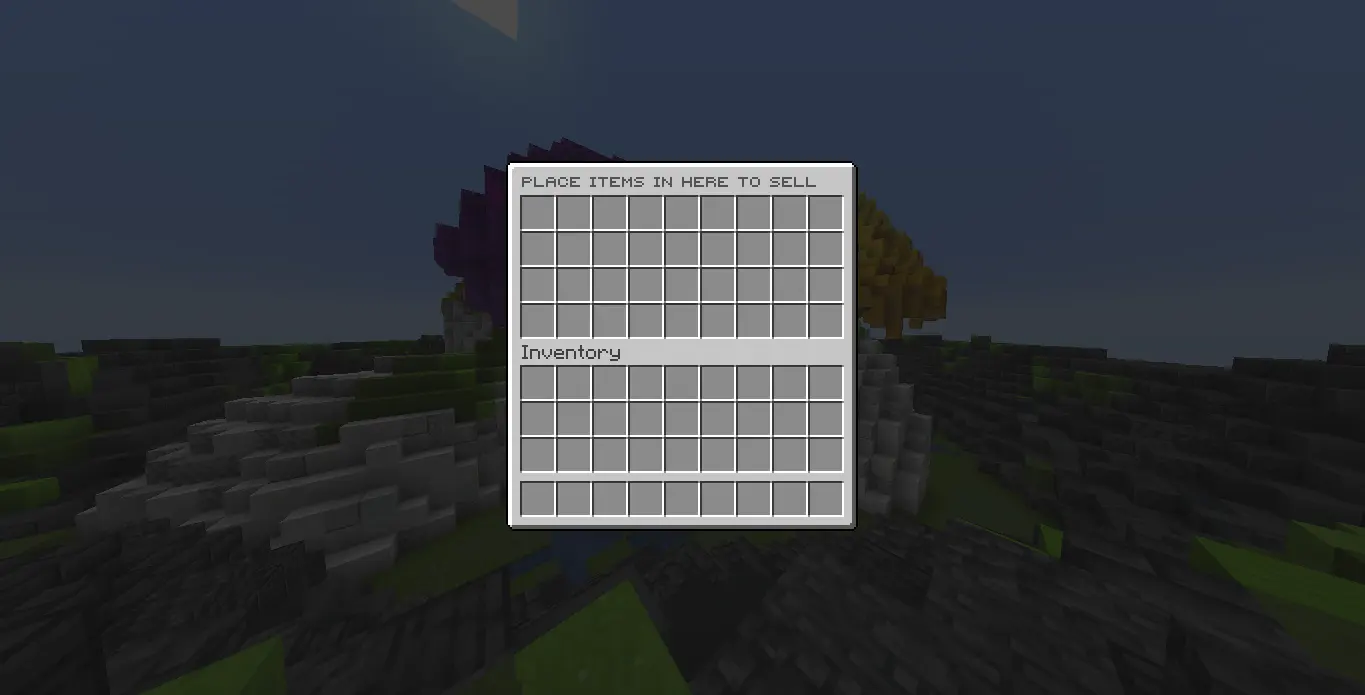
- DonutSell A simple plugin creates a Sell System using vault or any other economy plugin with multipliers, a full custom menu and a worth menu inspired by DonutSMP owned by DrDonutt

- Full Customization: The sell menu and the price menu are both built from files. Any slot you want, slot ranges like
0-8,18-26, per click actions, conditions, item names, lore, glow, enchantments, skulls and custom model data. Every key that worked before still works. - Vault or Command Economy: Use Vault by default, or disable it and give money through any custom console command from config.
- Configurable Item Prices: Every price lives in
prices.yml, potions and enchanted books have their own price per level, and any unconfigured item automatically sells for the default price of1. - Cash Multipliers: Give multipliers with
/donutsell multiplier set|add|remove|clear <player> <value> [time], or with permissions likedonutsell.multiplier.2. Timed ones, permanent ones, and%donutsell_multiplier%for scoreboards. - Sell On Close: The menu sells what is inside when it closes by default, exactly like it always did. Turn
sell-on-closeoff in config and the items go back to the player instead. - Shulker Boxes: The box sells for its own price and everything inside sells too, nested boxes up to 5 deep. Blacklisted or zero price items inside are handed back, never destroyed.
- Blacklist System: Operators can blacklist items from being sold, and blacklisted items are safely returned to the player instead of being removed.
- Dupe Safe: The sell menu is a safe zone. Shift clicking, dragging, swap clicks, dropping and closing are all handled, so items cannot be duplicated and cannot be destroyed.
- Worth Menu: Browse every price with categories, filters and sorting by highest price, lowest price or name, all from the GUI.
- Compact Money Format: Prices and sell totals are shown in clean compact format like
1K,1.2M,3B, or1T. - Folia Supported: Real region schedulers behind it, the same jar runs on Folia, Paper, Purpur, Spigot and Bukkit 1.21 and newer.
- PlaceholderAPI Support: Item prices can be displayed anywhere with placeholders like
%donutsell_netherite_block_price%.

Commands
| Command | Access | Description |
|---|---|---|
/sell |
Everyone | Opens the sell menu |
/worth |
Everyone | Opens the price menu |
/worth <item> |
Everyone | Shows the price of one item |
/donutsell |
Everyone | Shows plugin info and available commands |
/donutsell reload |
donutsell.reload |
Reloads every file |
/donutsell item <material> price <set|add|subtract> <amount> |
donutsell.item.priceset |
Changes a price in prices.yml |
/donutsell item <material> <blacklist|whitelist> |
donutsell.item.blacklist |
Stops an item from being sold, or allows it again |
/donutsell multiplier <set|add|remove|clear> <player> <value> [30m|1h|1d|perm] |
donutsell.multiplier.manage |
Changes what a player earns |
Permissions
| Permission | Default | Description |
|---|---|---|
donutsell.sell.use |
Everyone | Use /sell and the sell menu |
donutsell.worth.use |
Everyone | Use /worth and the price menu |
donutsell.reload |
OP | /donutsell reload |
donutsell.item.priceset |
OP | Set, add to or subtract from a price |
donutsell.item.blacklist |
OP | Blacklist or whitelist an item |
donutsell.multiplier.manage |
OP | Give, take or clear a multiplier |
donutsell.multiplier.<value> |
OP | Permanent multiplier for a player, like donutsell.multiplier.2 |
donutsell.admin |
OP | Every admin command at once |
Placeholders
| Placeholder | Description |
|---|---|
%donutsell_<material>_price% |
Price of an item, like %donutsell_diamond_price% |
%donutsell_potion_<type>_<level>_price% |
Potion price, like %donutsell_potion_speed_1_price% |
%donutsell_splash_potion_<type>_<level>_price% |
Splash potion price |
%donutsell_lingering_potion_<type>_<level>_price% |
Lingering potion price |
%donutsell_enchanted_book_<enchantment>_<level>_price% |
Enchanted book price, like %donutsell_enchanted_book_sharpness_5_price% |
%donutsell_multiplier% |
The player's current multiplier |

- A folder named
DonutSellis created in yourpluginsfolder automatically. Every file is plain and clean, straight to the point. config.ymleconomy, default price and sell on closeguis/sell.ymlthe sell menuguis/worth.ymlthe price menuguis/worth-filter.ymlthe filter categoriesprices.ymlevery item pricemessages.ymlevery message and soundblacklist.ymlthe blacklistmultipliers.ymlsaved multipliers
config.yml
config-version: "1.6"
vault-economy: true
economy-hook: "auto"
money-give: "example give [user] [amount]"
default-price: 1
prices-multiplier: 1
sell-on-close: true
guis/sell.yml
command: "sell"
aliases: []
title: "&8Sell"
rows: 6
open-sound:
enabled: false
sound: "block.chest.open"
volume: 1.0
pitch: 1.0
close-sound:
enabled: false
sound: "block.chest.close"
volume: 1.0
pitch: 1.0
confirm-button:
enabled: true
material: "LIME_STAINED_GLASS_PANE"
name: "�FF00$ &f[amount]"
row: 6
slot: 9
lore:
enabled: true
lines:
- "&7Click to sell items"
items: []
prices.yml
DIAMOND: 120
DIAMOND_BLOCK: 1080
EMERALD: 90
NETHERITE_INGOT: 6000
SPAWNER: 2500
ENCHANTED_BOOK:
  MENDING:
    1: 2500
  SHARPNESS:
    5: 400
POTION:
  HEALING:
    1: 60
    2: 150

- Download the latest version of DonutSell.
- Drop the
.jarfile into your server'spluginsfolder. - Restart your server.
- Done! No setup needed except prices, everything else already has a default.

© All Rights Reversed. Created by SirSnaryo.