Compatibility
Minecraft: Java Edition
Platforms
Supported environments


Tags
Creators
Details
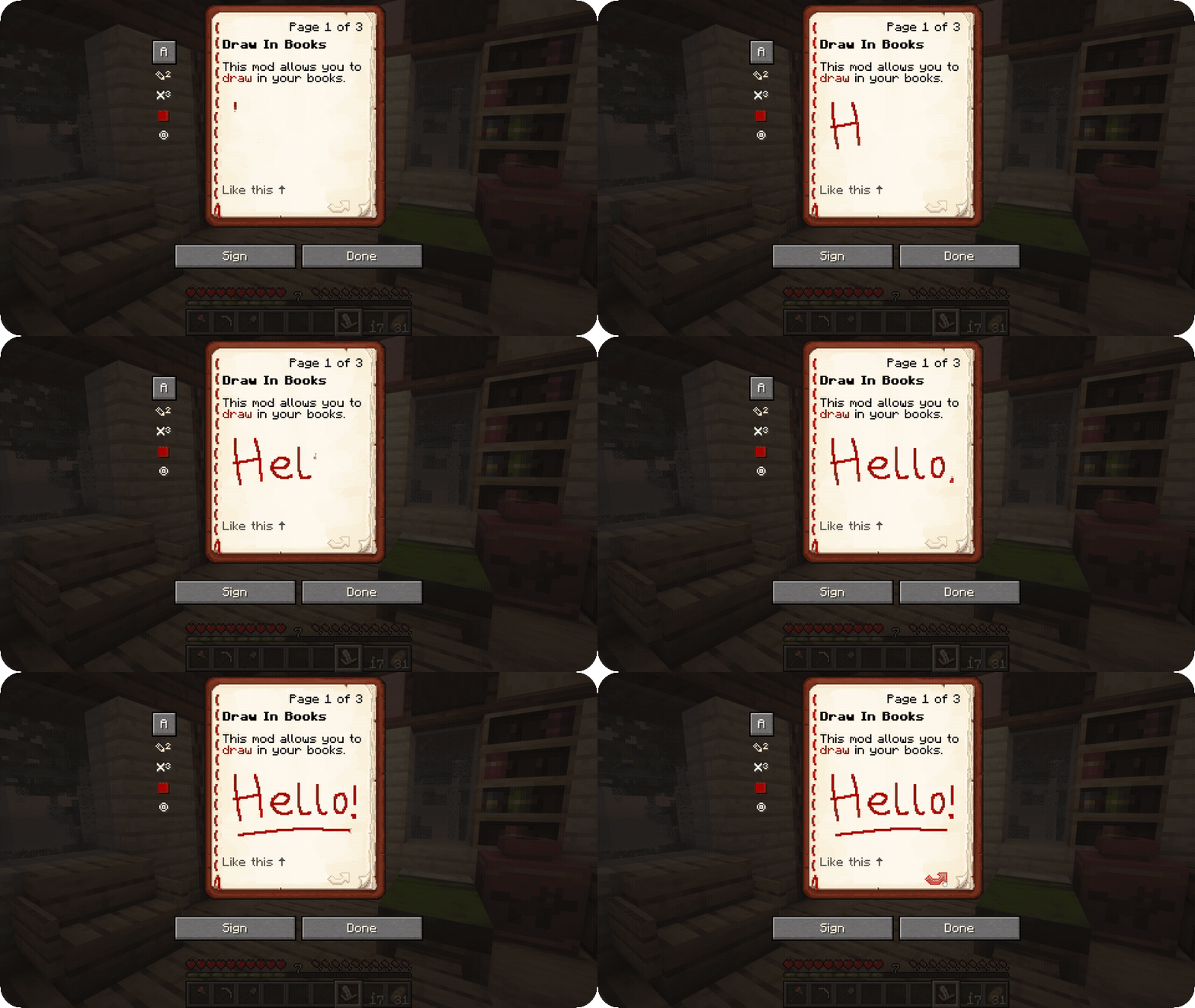
Draw In Books is a client-side mod that lets you draw directly in Book & Quill, right next to the text you can already write. Open a book, click ✎, and start drawing.
The best part is that other players who have the mod will also see your drawings, while players without the mod will simply see a normal book.
The mod is made to fit nicely into vanilla Minecraft. It only adds a small toolbar next to the book and does not change anything else about the game.
Everything Draw In Books offers:
- Draw in five colors! You can use red, black, blue, green, and yellow, and mix them together on the same page. Changing the color only affects what you draw after switching it. Anything already drawn stays the same.
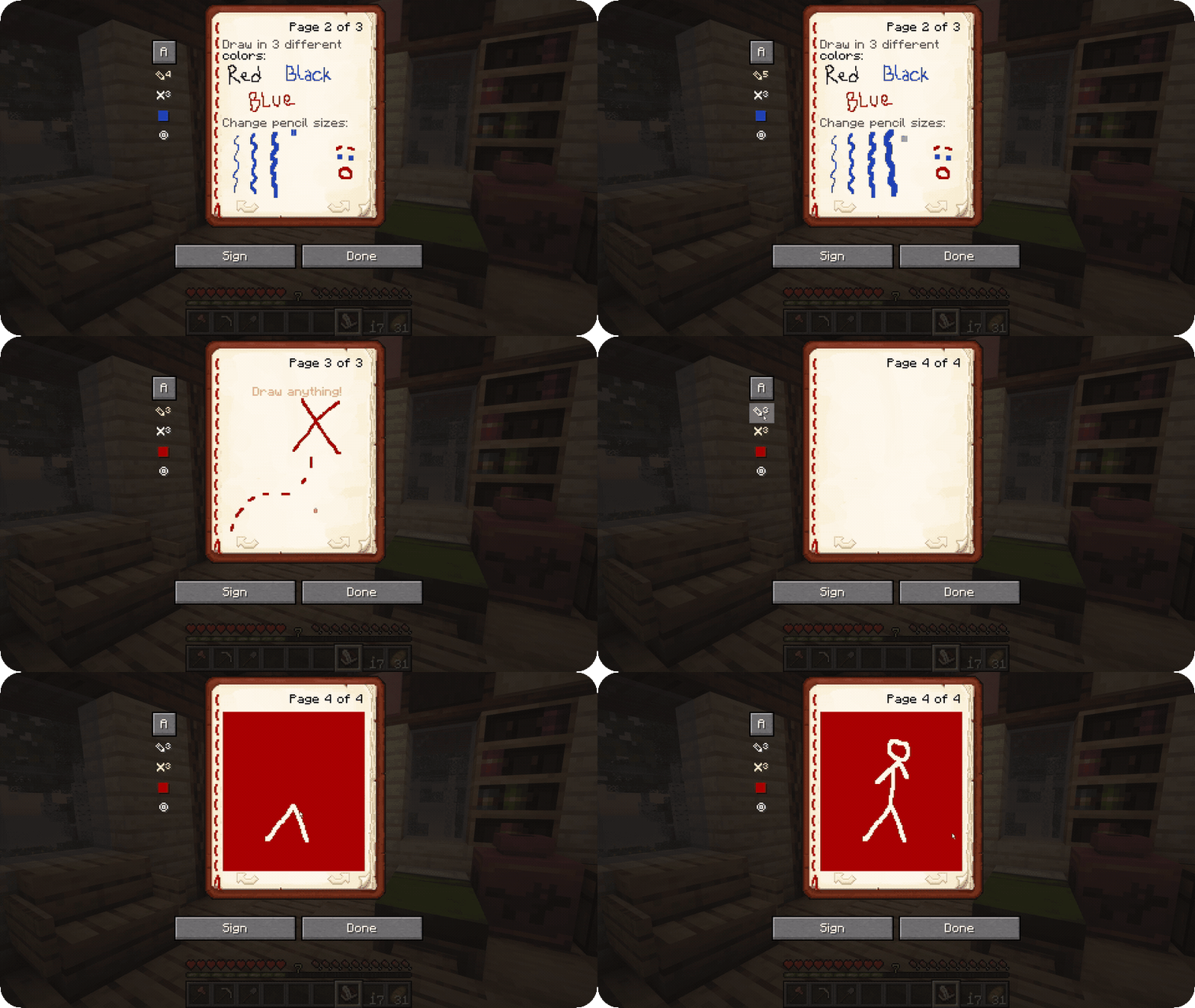
- Pen and eraser with different sizes. Ctrl + click a tool to make the brush bigger, or Alt + click to make it smaller. Shift + click fills or clears the entire page, and right click always works as an eraser.
- Pick colors straight off the page. Middle click any ink you have already drawn and the pen switches to that color, so you never have to cycle through all five to find the one you want.
- Copy and paste whole pages! Copy a page with
ⓒor Ctrl + C, then paste it onto another page, or into a completely different book, withⓟor Ctrl + V. Pasting draws over whatever is already there instead of wiping it, which makes it perfect for borders, signatures, and templates. Shift + clickⓟif you do want to replace the page completely. - Undo your strokes! Made a mistake? Just press Ctrl + Z to undo your last stroke.
- Drawings stay after signing the book. When you sign a book, the drawing stays with it and is shown above the text when the book is read.
- Lecterns work too! Put a drawn book in a lectern and anyone who reads it sees the drawing.
- Bigger book screen! Minecraft's book screen is pretty small for drawing, so the GUI is automatically increased by one scale step. You can disable this in the config.
- In-game settings. Click
◎on the toolbar, or press Ctrl + G in any book screen, to change the GUI scale bump, the default brush sizes, the default ink, which side the toolbar sits on, and more. - Works with Scribble Mod! The two mods work together, including Scribble Mod's two-page view.
- Drawings stay with the book. Put the book in a chest, trade it to another player, store it in a shulker box, or move it anywhere else. The drawing is stored directly on the item, not in the world.
On servers
If you install the mod or the included server plugin on the server, drawing will work in survival for everyone without needing any special permissions. The plugin uses only the Bukkit API, so it runs on Bukkit, Spigot, Paper, and the Paper forks alike.
If the server does not have the mod or plugin, the drawing tools simply will not appear, and the mod tells you why once in chat. This is on purpose: drawings made on a plain vanilla server would only ever stay on your own client, so it is better to know up front than to lose ten minutes of work. Vanilla Minecraft does not have a packet that allows survival players to attach this kind of data to an item, so being op makes no difference.
Singleplayer and creative mode always work, on any server.
The tools are very simple to use!
View Different Tools
| Tool actions | Result |
|---|---|
| Left click / drag | Draw with the selected tool |
| Right click | Erase, regardless of the selected tool |
| Middle click | Pick up the color under the cursor |
| Ctrl + click a tool | Make the brush one step bigger |
| Alt + click a tool | Make the brush one step smaller |
| Shift + click the pen | Fill the entire page |
| Shift + click the eraser | Clear the entire page |
| Ctrl + Z | Undo the last stroke |
| Ctrl + C | Copy the current page |
| Ctrl + V | Paste onto the current page |
Shift + click ⓟ |
Paste over the page, replacing it |
| Color button | Change the pen color |
| Ctrl + G | Open the settings |
Requirements
Minecraft 26.2+ · Fabric Loader 0.19.3+ · Fabric API 0.154.0+ · Java 25