Compatibility
Minecraft: Java Edition
Platforms


Links
Tags
Creators
Details
ElytraArmored
Never sacrifice your armor trim just to have a built in elytra. Automatically converts TeaksTweaks armored elytra, with support for setting automatic conversion from any other armored elytra plugin.
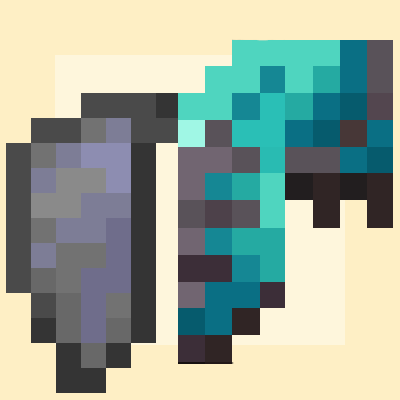
Combine a chestplate and an elytra on an anvil; split them apart again on a grindstone. Unlike most implementations, the result looks like the chestplate, so your armor trim stays visible while you fly.
Paper 26.1+.
How it works, and why the sprite is the chestplate
Most armored-elytra implementations keep the elytra as the base item and bolt armor onto it with attribute modifiers. That's why they show elytra wings and lose your trim.
This one inverts it. Minecraft's minecraft:glider data component makes any equippable
item glide — it's the component the vanilla elytra itself uses. Attaching it to a
chestplate gives elytra flight while the item stays a real chestplate:
- its own sprite and equipped model, so armor trims show normally
- its own armor and toughness values, with no attribute modifiers to fake
- its own durability bar and its own repair recipe
- its own enchantments, which behave exactly as they always did
Paper exposes this directly:
result.setData(DataComponentTypes.GLIDER);    // combine
result.unsetData(DataComponentTypes.GLIDER);  // split
Nothing is spoofed, so there are no client-side requirements and no resource pack. A player without anything installed sees a normal trimmed chestplate that happens to fly.
Using it
Combine: throw a chestplate and an elytra onto an anvil. They merge with an anvil clang and a burst of flame particles, and the result drops on top of the block.
Split: throw the combined item onto a grindstone. It comes apart the same way, and both items drop on top. The elytra comes back exactly as it went in — durability, enchantments, custom name and all — because the whole original item is stored inside the combined one rather than reconstructed from remembered fields. The flavour line is stripped from the chestplate at the same time, so splitting leaves no trace.
What the combined item is
It is your chestplate, unchanged, that can also glide. Nothing about the vanilla chestplate experience is altered:
- Its own enchantments, working normally — Protection, Unbreaking, Mending, Thorns.
- The enchanted glint, because the enchantments are really there.
- Its own durability bar, starting wherever the chestplate was. The elytra's wear is not copied onto it.
- Its own armor value, toughness and trim.
Elytra durability while combined. The stored elytra doesn't wear at all while it's
inside the chestplate. With drop.elytra-durability: preserved that makes combining
a way to park an elytra in stasis. Set it to proportional and the elytra returns worn to
the same percentage as the chestplate. Neither setting can destroy it; it stops one point
short of breaking.
Enchantments don't merge. The combined item keeps the chestplate's enchantments; the elytra's are stored and restored on splitting. This keeps the operation exactly reversible. Since gliding now draws on the chestplate's durability, it's the chestplate's Unbreaking and Mending that apply — which is coherent, just different from an elytra-based approach.
Migrating from another armored elytra plugin
If your server already has armored elytras from Teak's Tweaks, Vanilla Tweaks, a datapack, or another plugin, you can switch that feature off there and keep everyone's items working. Those items are elytras with armor bolted on via attribute modifiers; when the plugin that understands them is disabled, they become ordinary elytras carrying stray data.
This plugin detects them and rebuilds them as its own. Both halves are constructed fresh, so the other implementation's attribute modifiers and bookkeeping are dropped — the armor value now comes from a real chestplate, so none of it is needed. Durability, enchantments and custom name carry across.
Conversion happens automatically on login (compatibility.convert-on-join) and when an item
turns up later out of a shulker box or trade (compatibility.convert-on-click), or on demand
with /elytraarmored convert [player|all].
Commands and permissions
| Command | Effect |
|---|---|
/elytraarmored reload |
Re-read config.yml and the compatibility rules |
/elytraarmored info |
Show the current settings |
/elytraarmored inspect |
Dump the held item's matchable values, and which rule matches |
/elytraarmored convert [player|all] |
Convert legacy items on demand |
elytraarmored.admin— op by default, for the commands above.elytraarmored.craft— everyone by default; controls combining and splitting.
Alias: /earmored.
Complicated Stuff
Writing the detection rule
Detection is configured, not hardcoded, and this is deliberate. Every implementation marks its items differently, and none of it is reliably documented — Teak's Tweaks' own issue tracker describes their storage format as complicated. Rather than ship guesses that quietly fail, the plugin gives you a way to read the answer off a real item:
1. Hold a legacy armored elytra.
2. /elytraarmored inspect
3. Every value a rule can match on is listed, labelled with its option name.
4. Copy the distinctive ones into compatibility.rules, then /elytraarmored reload.
5. Hold the item and inspect again — it now reports which rule matched.
Upgrading an existing install?
config.ymlis never overwritten on update, so a config written before these rules existed still has an emptycompatibility.rulessection and nothing will convert. Deleteconfig.ymland restart to regenerate it, or paste the rules block below into your existing file. The plugin logs a warning at startup when no rules are loaded.
A rule now ships for Teak's Tweaks, verified against a real item. It stores both originals
inside the elytra (teakstweaks:chestplate_storage / teakstweaks:elytra_storage), so the
plugin recovers the actual chestplate — material, trim, enchantments and name intact — and one
rule covers every armor tier:
compatibility:
  rules:
    teaks-tweaks:
      material: ELYTRA
      pdc-keys: ['teakstweaks:armored_elytra']
      chestplate-from-pdc: 'teakstweaks:chestplate_storage'
      elytra-from-pdc: 'teakstweaks:elytra_storage'
      chestplate: diamond_chestplate      # fallback if storage can't be read
      chestplate-durability: proportional
For an implementation that does not store the originals, name a fixed material instead and write one rule per tier:
compatibility:
  rules:
    their-netherite:
      material: ELYTRA
      pdc-keys: ['someplugin:armored_elytra']
      name-contains: 'Netherite'
      chestplate: netherite_chestplate
      transfer-enchantments: true
      chestplate-durability: full        # or 'proportional'
Every condition you set must match; ones you leave out are ignored. A rule with no conditions at all is refused, since it would convert every plain elytra on the server.
Stored items are decoded from any of the common encodings — Bukkit's item byte format, Java
serialization via BukkitObjectOutputStream, base64 of either, YAML, or a nested container of
fields — so it doesn't matter which one the other plugin picked.
If inspect shows a PDC key whose value doesn't print as a plain number or string — something
like <312 bytes; a serialized item?> or a nested {...} — that key is holding a stored item.
Point chestplate-from-pdc at it. The decoder accepts serialized bytes, base64, YAML, and
field-by-field containers, so it doesn't matter which form the other plugin chose.
The commented example in config.yml has correct option names but placeholder values —
verify them with inspect rather than copying blind.
Configuration
drop.anvil-combine/drop.grindstone-split— enable each operation.drop.elytra-durability—preservedorproportional, described above.drop.sound/drop.particles— the feedback on a successful merge or split.drop.check-interval-ticks— how often loose items are polled; lower feels snappier.allowed-chestplates— restrict which chestplates qualify; empty allows all.lore.enabled/lore.text/lore.color— the tooltip line on combined items.