Compatibility
Minecraft: Java Edition
Platforms


Tags
Creators
Details
Genius Shop
A configurable economy shop that runs entirely through Minecraft menus!
Create shops, add items, configure prices, control stock, and let players buy or sell using your server’s Vault economy. Shops can be edited through YAML files or the included visual web editor.
Genius Shop requires Minecraft 1.21 or newer, Java 21, Vault, and a Vault-compatible economy plugin.
Installation
- Set up a Bukkit-based server such as Paper, Purpur, or Spigot. Paper is recommended.
- Install Vault.
- Install a Vault-compatible economy plugin such as EssentialsX.
- Download Genius Shop from this page.
- Place the plugin file in your server’s
pluginsfolder. - Restart the server.
- Run
/shopto open the shop menu.
Shops are stored in:
plugins/Genius-Shop/shops/
Menu layouts and messages can also be changed in the generated configuration files.
Highlights
Build your own shops
Create as many shops and categories as your server needs. Each shop can have its own name, icon, size, layout, items, prices, permissions, and availability schedule.
Items can be purchased, sold, or configured to support both actions.
Control prices and stock
Use fixed prices or enable dynamic pricing that responds to purchases and sales.
You can also configure:
- Global stock limits
- Player purchase limits
- Minimum and maximum prices
- Automatic stock resets
- Time-restricted shops and items
- Selling requirements based on item names and lore
Edit shops from your browser
Don’t want to manage everything through YAML?
Run /shop editor to generate a login link for the built-in web editor. It provides visual shop editing and a Minecraft-style preview of your menus.
New login locations must be confirmed in game before they can access the editor.
Design your own menus
Shop menus, purchase confirmations, selling menus, and the bulk-selling interface can all be customized.
Names and lore support legacy colour codes, HEX colours, text styles, and multi-colour gradients.
Use Minecraft item data
Genius Shop supports more than standard materials. Shops can contain configured potions, tipped arrows, spawners, enchantments, names, lore, and other item data.
Items held in game can be exported and imported into the web editor.
Connect it to your server
Genius Shop includes support for:
- Vault economies
- Discord transaction notifications
- SmartSpawner
- Floodgate
- bStats metrics
- Automatic update checks
- A developer API with custom events
Main commands
/shop— open the main shop/shop sell— open the bulk-selling menu/shop editor— generate a web editor login link/shop exportitem— export the item you are holding/shop reload— reload Genius Shop/shop wiki— open the plugin wiki/shop validate-prices— check configured prices/shop resetstock— reset global, shop, or item stock
Administrative commands require their corresponding permissions or geniusshop.admin.
Frequently asked questions
What do I need to use Genius Shop?
You need a Minecraft 1.21+ Bukkit-based server running Java 21 or newer. Vault and a compatible economy plugin are required.
Paper or Purpur is recommended, but Spigot is also supported.
Is Vault an economy plugin?
No. Vault connects Genius Shop to your economy plugin. You must install both Vault and an economy provider such as EssentialsX.
Do I have to use the web editor?
No. Every shop can be created and edited directly through YAML files. The web editor is optional.
Can I create multiple shops?
Yes. Add additional YAML files to plugins/Genius-Shop/shops/. Each file can contain a separate shop or category.
Can shops require permissions?
Yes. Permissions can be assigned to entire shops or individual items. Custom nodes such as rank.vip are supported.
Can players sell items?
Yes. Items can be configured as buy-only, sell-only, or both. Genius Shop also includes a bulk-selling menu opened with /shop sell.
Can stock reset automatically?
Yes. Stock can reset after configurable intervals or on daily, weekly, monthly, or yearly schedules.
Where can I get help?
Use /shop wiki in game to open the documentation. If you still need help, join the support Discord linked on this project page.
I found a bug or have a feature request
Please report it through the project’s issue tracker or support Discord. Include your Genius Shop version, server software, Minecraft version, and any relevant console errors.
Optional integrations
- SmartSpawner — additional spawner support
- Floodgate — improvements for Bedrock players
Statistics
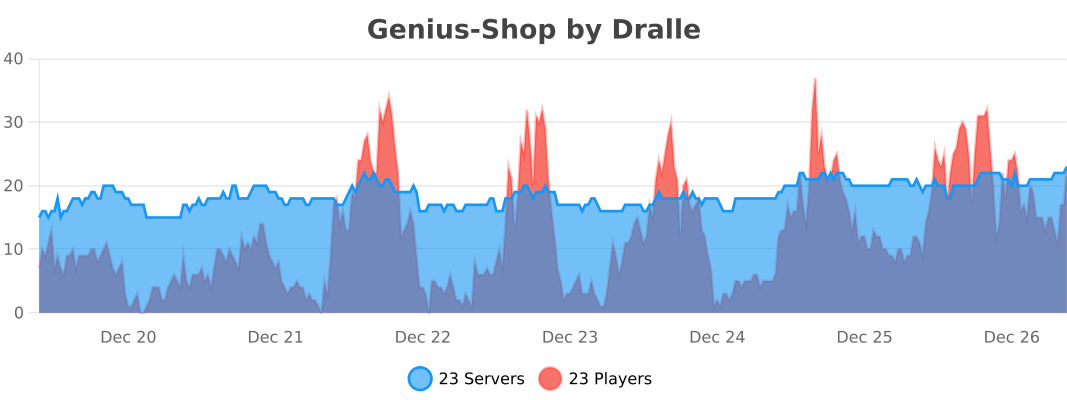
Genius Shop uses bStats to collect anonymous usage statistics.