
Compatibility
Minecraft: Java Edition
Platforms


Links
Tags
Creators
Details
hEnderChest
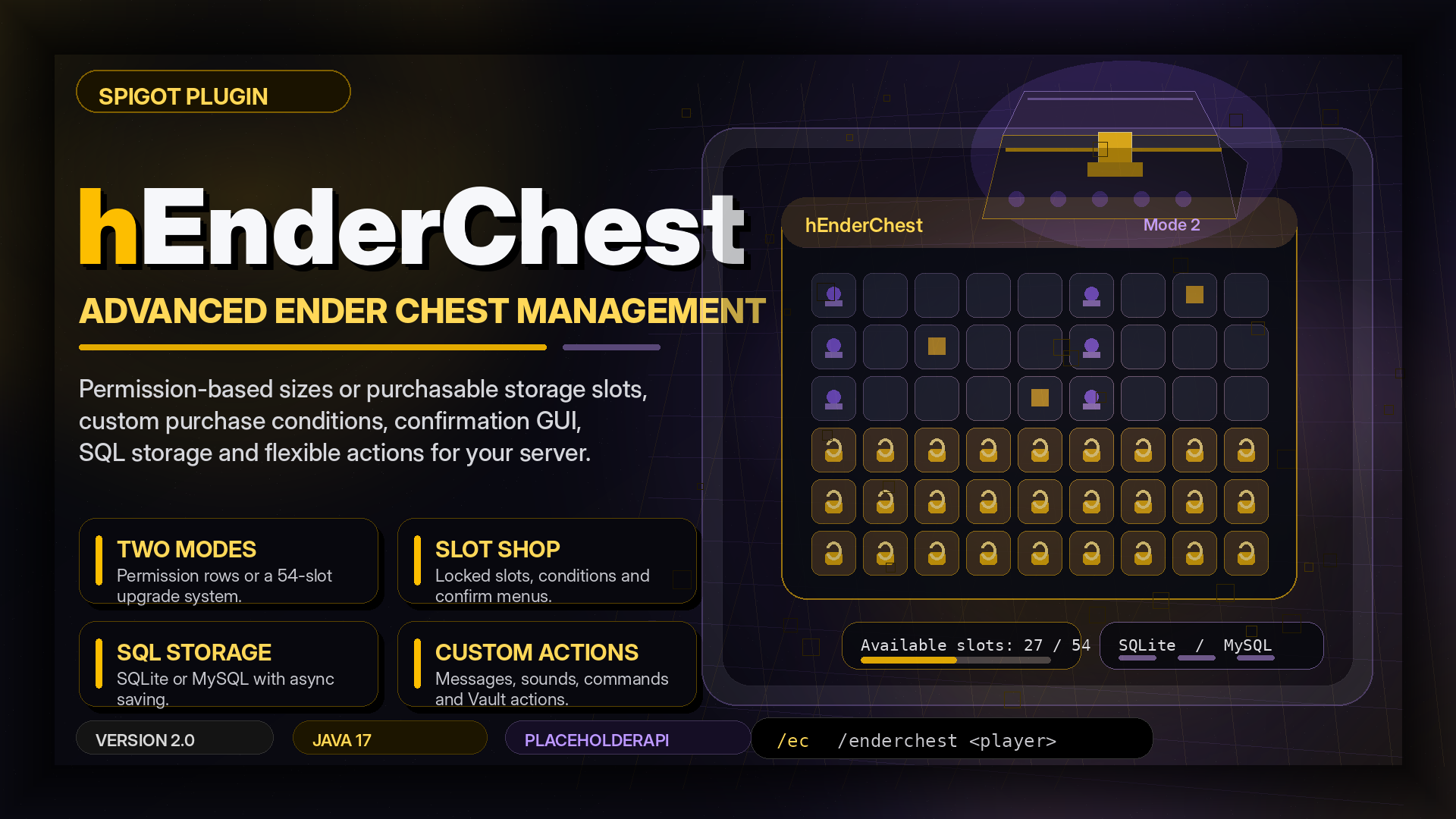
hEnderChest is a custom Ender Chest plugin for Minecraft servers.
It replaces the default Ender Chest experience with a configurable virtual storage system. You can use permission-based storage sizes, unlockable slots, purchase menus, confirmation menus, database storage, PlaceholderAPI placeholders, Vault actions and admin tools.
The plugin is useful for survival servers, economy servers, rank-based storage, donor upgrades and progression-based gameplay.
Overview
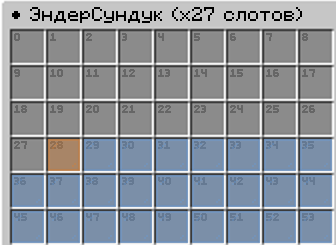
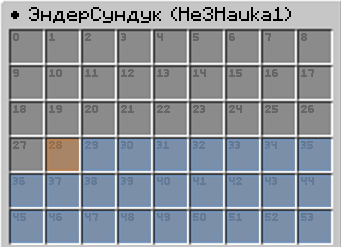
Players can open a custom Ender Chest by command or by interacting with an Ender Chest block. Server owners can control the available space through permissions or through the slot purchase system.
Player storage is saved in SQLite or MySQL. The plugin also includes a flexible action system for messages, sounds, commands, Vault payments and GUI feedback.
Features
Virtual storage
The plugin manages custom Ender Chest inventories, locked slots, storage size, inventory titles, purchased slots and database saving.
Two modes
Mode 1 uses permission-based storage sizes. Mode 2 enables locked slots and player slot purchases.
Size permissions
You can give different storage sizes through permissions:
henderchest.size.9
henderchest.size.18
henderchest.size.27
henderchest.size.36
henderchest.size.45
henderchest.size.54
Slot unlocks
In Mode 2, locked slots are shown as configurable items. Players can unlock them through custom conditions and actions.
Confirm menu
Slot purchases can require a confirmation menu before the player pays. The title, size, buttons, items and actions are configurable.
Conditions
Purchase conditions can use PlaceholderAPI values. This allows money, points, ranks, statistics or other placeholder-based checks.
Click actions
You can configure different behavior for left click, right click, middle click, shift click and all clicks.
Database
The plugin supports SQLite and MySQL storage.
Staff access
Staff can open another player's Ender Chest with:
/enderchest <player>
Editing another player's storage requires a separate permission.
Slot tools
Admins can add, remove or set purchased slots for players in Mode 2.
Actions
The plugin supports messages, broadcasts, console commands, player commands, sounds, titles, action bars, boss bars, particles, fireworks, effects, Vault actions and close actions.
Commands
| Command | Description |
|---|---|
/enderchest |
Opens your Ender Chest |
/ec |
Opens your Ender Chest |
/enderchest <player> |
Opens another player's Ender Chest |
/henderchest |
Shows admin help |
/henderchest help |
Shows admin help |
/henderchest reload |
Reloads the plugin |
| `/henderchest addslots <player> <amount | range>` |
| `/henderchest removeslots <player> <amount | range>` |
| `/henderchest setslots <player> <amount | range>` |
Permissions
| Permission | Description |
|---|---|
henderchest.open.command |
Allows opening by command |
henderchest.open.interact |
Allows opening by Ender Chest interaction |
henderchest.others |
Allows opening other players' storage |
henderchest.modify |
Allows editing other players' storage |
henderchest.offline |
Declared permission for offline access |
henderchest.admin |
Allows admin commands |
henderchest.size.9 |
Gives access to 9 slots |
henderchest.size.18 |
Gives access to 18 slots |
henderchest.size.27 |
Gives access to 27 slots |
henderchest.size.36 |
Gives access to 36 slots |
henderchest.size.45 |
Gives access to 45 slots |
henderchest.size.54 |
Gives access to 54 slots |
Recommended player permissions:
henderchest.open.command
henderchest.open.interact
henderchest.size.9
PAPI
The plugin registers PlaceholderAPI placeholders with the henderchest identifier.
| Placeholder | Description |
|---|---|
%henderchest_size% |
Current storage size |
%henderchest_purchased% |
Purchased slots in Mode 2 |
%henderchest_available% |
Available slots |
Variables
These variables can be used in plugin messages, actions, item names, lore and purchase feedback.
| Variable | Description |
|---|---|
{prefix} |
Plugin prefix |
{player} |
Player name |
{uuid} |
Player UUID |
{slots} |
Slot value or slot list |
{slot} |
Current slot |
{size} |
Current storage size |
{target} |
Target identifier |
{targetName} |
Target name |
{permission} |
Required permission |
{slotsText} |
Text representation of slots |
Install
- Install PlaceholderAPI.
- Place
hEnderChest.jarinto thepluginsfolder. - Restart the server.
- Open
plugins/hEnderChest/. - Choose the working mode in
config.yml. - Configure permissions for player groups.
- Configure
mode2.ymlif you use slot purchases. - Restart the server or reload the plugin.
Configs
Main files:
plugins/hEnderChest/config.yml
plugins/hEnderChest/mode2.yml
config.yml is used for main settings, mode selection, database settings, titles and global actions.
mode2.yml is used for locked slots, purchase rules, click actions, confirmation menu and slot unlock settings.
Use Cases
- Custom Ender Chest storage
- Rank-based storage sizes
- Donor storage upgrades
- Economy slot purchases
- Progressive storage unlocks
- Quest rewards
- Crate rewards
- Event rewards
- Staff storage inspection
Notes
- PlaceholderAPI is required.
- Vault is optional.
- MySQL is optional.
- Slot purchase commands are intended for Mode 2.
- Players need
henderchest.open.commandto open storage by command. - Players need
henderchest.open.interactto open storage by interacting with an Ender Chest block.