
Compatibility
Minecraft: Java Edition
Platforms


Links
Tags
Creators
Details
Where can it be used?
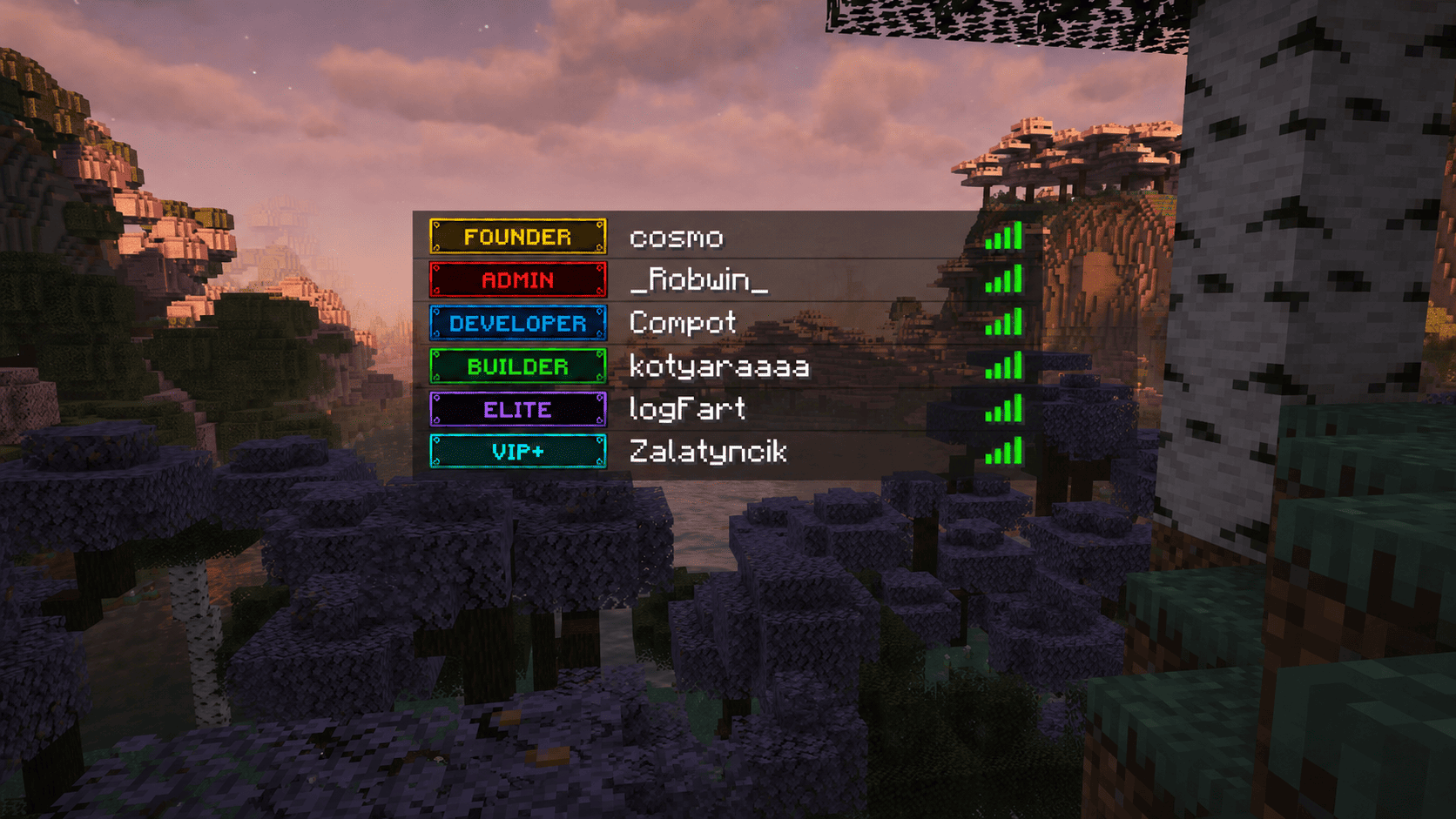
Turn any image into a grid of MineSkin-powered head textures, then use it in chat, TAB header/footer, prefixes/suffixes, nametags, holograms, titles, scoreboard and other. Image Display is perfect for server logos, icons, decorations, rank visuals, hologram art, lobby branding, and other visual UI elements without forcing a resource pack.
Features
- Display images without a resource pack
- Auto convert PNG/JPG/JPEG/WEBP images into player-head components. You don't need to manually crop images - the plugin will do it for you!
- You don't need to mess with resource bundles or search for glyphs, just upload your images and use a single placeholder!
- Use images with simple placeholders like:
%imagedisplay_<image_name>%
- Works in any chat through ProtocolLib component replacement
- Uses local JSON image cache after generation
- Permission control for usage
- Fallback text for unsupported clients
- Multi-API Key Pool: Supports up to 10 MineSkin keys in config with auto-balancing and
--apikeyselection - Real-time BossBar with percentage, tile counters, and Mojang queue status
- Instant cancellation of running tasks via
/imagedisplay cancel - Mojang rate-limit protection with automatic retry
Spoiler
Clients before version 1.21.9 cannot see such images. For them, you can specify a fallback text in the config
How to add and use any image?
1. Upload your image
Put your image into:
plugins/ImageDisplay/pictures/
⚠️ Make sure the image size is a multiple of 8 pixels.
Examples:
40x8 (recomended for donator ranks)
16x16
32x32
64x8
64x64
80x8
96x8
128x64
128x128
256x128
- Height rule: Use a height of 8 pixels for single-line text (chat, prefixes, TAB), as Minecraft font characters are 8px tall. Taller images will render across multiple lines.
- Tip: Draw your images as 1:1 pixel art with an 8px height to ensure crisp, pixel-perfect icons without any blur!
2. Specify your MineSkin API key in the plugin configuration It's free: You can get it here
Paste your key(s) into config.yml. You can add multiple keys to generate several images concurrently without hitting Mojang rate limits:
ImageDisplay:
  mineskin-api-keys:
    1: "your_primary_api_key"
    2: "optional_second_api_key"
3. Generate the image data
Run the command:
/imagedisplay generate <image.png> [optional_custom_id] [--apikey <slot>]
4. Monitor or cancel generation
Watch the live BossBar showing progress and queue status. If needed, you can cancel running generations at any time:
/imagedisplay cancel <id>
/imagedisplay cancel all
5. Use the placeholder
Use the generated placeholder anywhere supported:
%imagedisplay_your_image_name%
Permissions
Every generated image gets its own permission node:
imagedisplay_<id>
Example:
%imagedisplay_logo%
requires:
imagedisplay_logo
This permission check is applied only when players try to use Image Display placeholders in chat. I plan to expand the permissions in the future.
Required plugins
Image Display requires:
- PlaceholderAPI — for placeholders
- ProtocolLib — for image display and detection client version
Optional:
- ViaVersion — useful for client version detection
How it works?
Image Display takes an image, splits it into 8x8 pixel tiles, sends those tiles to MineSkin, and receives signed player head textures.
The plugin then stores the result in local JSON cache files. After generation, the server does not need to process the original image again. The placeholder simply renders the cached head components. Image Display is designed to be lightweight during normal server usage.
Tested and works with plugins:
- TAB
- Chatty
- ChatEx
- Citizens
- FancyNPC
- DeluxeHub
- LuckPerms
- EssentialsX
- EssentialsX Chat
- FancyHolograms
- LPC-Minimessage
- DecentHolograms
and more....
Notes
- If you use plugin TAB then has default MiniMessage support enabled for components — image rendering not work in prefixes/suffixes. Disable it in TAB config:
components:
  minimessage-support: false
Then run the command
/tab reload
- Support for multiple localizations
- I recommend fonts: Minecraftia, Press Start 2P, any bitmap-style or default font in pixel art style.