Compatibility
Minecraft: Java Edition
Platforms


Links
Tags
Creators
Details

ServerSuite
ServerSuite combines the core tools most Minecraft servers need into one plugin: staff ranks, moderation, homes, TPA, RTP, vanish, teams, spawn protection, stats, leaderboards, world controls, and server management. Built for Paper and Purpur 1.21.x (Java 21).
Instead of installing a bunch of different plugins for homes, TPA, bans, vanish, staff tools, RTP, leaderboards, and more, ServerSuite puts everything into one plugin so it all works together.
Why ServerSuite?
One rank system, permission system, config, Admin Panel, and sound system.
Everything is designed to work together without different plugins having their own formats.
There are also built-in sounds for many actions, making the server feel more responsive and polished.
Whether you run a small SMP or a larger server, ServerSuite gives you many of the tools you need. From testing, it can replace around 20 plugins entirely.
/Help
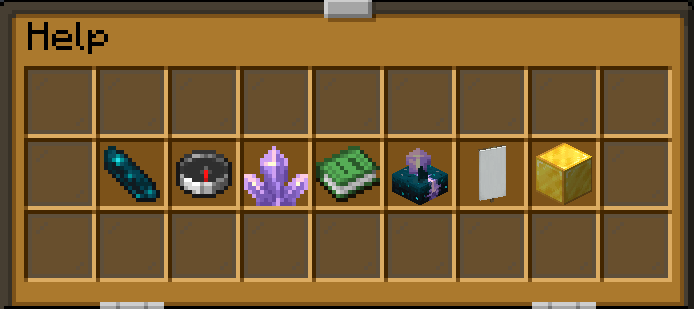
This is the /help view in-game for players to get an overview of the plugin.
/help (and /?) opens a Help GUI. The full categorized command list is available in-game with /commands (/cmd, /cmds).
Clicking a player's name in chat opens their stats.
Commands
/admin opens a 54-slot Admin Panel with the most important server settings.
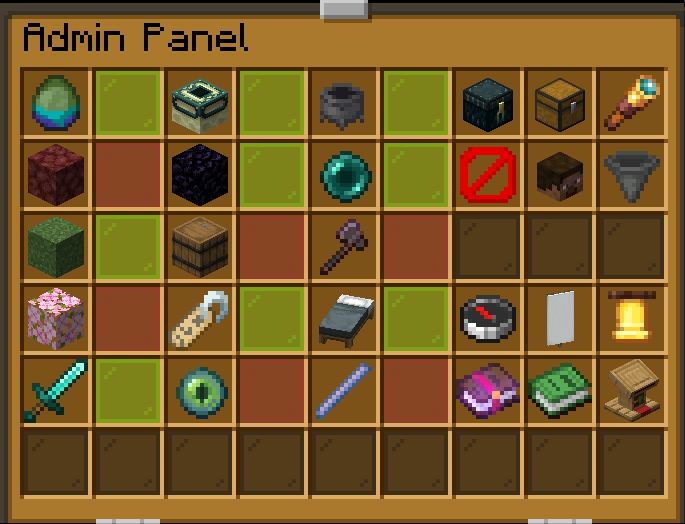
You can control things like mob spawning, End Portals, chat filters, difficulty (Peaceful/Normal/Hard), Nether Portals, RTP/TPA, Keep Inventory, PvP, Privacy Mode, name tags, Homes/Spawn, Combat Manager, and the locator bar.
The panel also gives access to tools such as the Ender Chest Viewer, Inventory Viewer, Spy, Ban/Unban, Hoppers, Coordinates, Teams List, Reported Players, Spawn Protection config, Enchantments and Custom Recipes. Banning or wiping from the panel asks for a second click to confirm.
Target selectors (@a, @p, @r, @s) work in staff commands for helper and above, and never pick up vanished players. Punishment and rank commands only accept exact player names, so a typo can't hit everyone.
Ranks
Ranks: player, helper → moderator → srmod → admin → owner → developer.
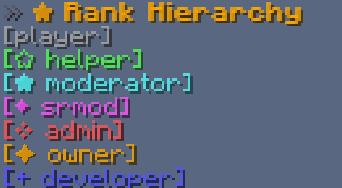
A proper staff hierarchy where ranks actually control what staff can do. Staff can never act on someone of their own rank or higher.
/rank [player] | check your own or another player's rank
/ranks | show the full rank hierarchy as a floating ladder in front of you; helper+ can click a rank to list everyone who holds it
/promote <player> / /demote <player> | move a player one rank up or down (owner+)
/setrank <rank> <player> | directly set a player's rank (owner/developer only, never above your own rank). Never gives OP
/rankscommand <command> <rank> | change which rank is required for a command while the server is running (developer only)
/rankshide [nametags|chat|tablist|list] | toggle rank icons in nametags, chat and tab list (developer only)
/taborder | toggle whether the tab list is sorted by rank hierarchy (developer only)
/ranksorder <rank> <rank> | swap two ranks' hierarchy positions, live with no restart (developer only)
/taghide [player] | hide your or another staff member's rank tag (admin+)
/logs [player] [full] / /history <player> | view a player's staff history: warnings, mutes, bans, freezes, wipes, inventory edits, spy and clone use, and rank changes, each with the staff member who did it
How the staff system works: helper can handle reports, warnings and short mutes, moderator can freeze players, issue temporary bans and view inventories, srmod can handle permanent bans, vanish, spy and inventory edits, and admin has access to the main server tools and Admin Panel. Higher ranks have more control, and everything follows the same rank system.
Moderation
/ban <player> <time|perm> [reason] / /unban <player> | temporary bans (moderator+, capped at 30 days by default) and permanent bans (srmod+)
/mute <player> <time> [reason] / /unmute <player> | mute players from public chat, whispers, replies and team chat (short mutes helper+, longer mutes moderator+)
/warn <player> <reason> | give a player an official warning
/unwarn <player> | clear a player's warnings back to zero
/report <player> <reason> / /reported | players can report each other, while staff can browse the report queue
/note <player> [text] | leave or view staff notes about a player
/alts <player> | see players who share an IP with the given player
/wipe [player] [inventory|echest|stats|homes|all] | wipe a player's inventory, Ender Chest, stats or homes, or open a picker with no player (srmod+)
/filter [bypass <player>|<player>|list] | manage chat filter bypasses and view every filtered word (srmod+)
/filter addword|delword <word> | add or remove filtered words (admin+)
/freeze <player> / /unfreeze <player> / /frozen | freeze players in place, encased in glass and ice with drifting snowflakes and freeze sounds, and view everyone currently frozen. Frozen players can still chat and message staff, and can't be hurt or hurt others
/maintenance <start|stop|bypass|list|allow|message <text>> | put the server into maintenance mode and control who can still join (developer only)
Staff Utility
/vanish | become invisible to normal players while remaining visible to appropriate staff (srmod+). Players see a normal leave message, and a join message when you reappear
/clone [player] | disguise yourself as another player, including their skin, nametag, chat, and kill/death messages (admin+). Run again with no args to undo
/spy <player|exit|lock|next> / /spy ground | watch a player from their perspective, including across dimensions (srmod+, ground view admin+). Starting and exiting spy look like leaving and rejoining; ground view is silent
/inventory <player> / /echest <player> | view and manage a player's inventory or Ender Chest (view moderator+, edit srmod+)
/cords <player> | view another player's coordinates (admin+)
/heal [player] | restore health and hunger (admin+)
/fakeleave | show a fake leave/join message and hide from the tab list (admin+)
/staffchat <message> (/sc) | send rank-tagged messages only to online staff
/nametags | toggle server-wide nametags (admin+)
/announce <join|welcome|routine|list|remove> | styled join, first-join and repeating broadcast messages as titles, actionbars or chat (admin+)
/fakevein <ore> / /fakechest | spawn a 2x2x2 vein of the given ore beneath your feet or a chest at your feet (developer only)
/tree <type> <size> | grow a real vanilla tree where you're looking (admin+)
Vanish, clone, spy and fake-leave messages are hidden while Privacy Mode is on.
Player Utilities
/fly [player] | toggle double-jump fly: double-jump to fly, double-jump again to fall, no fall damage (admin+)
/speed <1-10> | change your flight speed, including decimal values such as 8.75 (everyone, requires Creative or /fly)
/hide | hide your username on your own nametag
/nv | toggle permanent night vision
/ping [player] | check your own or another player's ping
/discord | show the server's Discord link
Spawn Protection
Create and manage protected spawn areas directly in-game without needing another region plugin.
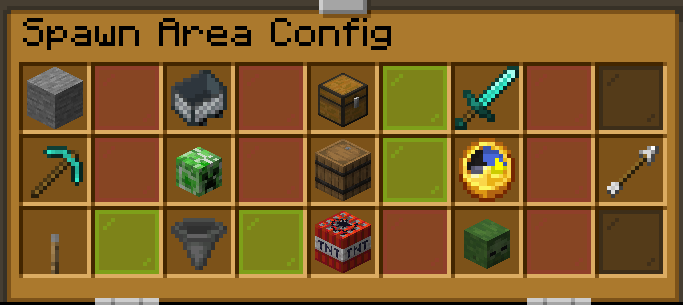
/sp (/spawnprotection) | manage Spawn Areas, regions and single-block exceptions with /sp area|region|block|config|clear|bypass|fly|doublejump, plus an in-game config GUI (/sp config) (admin+)
You can choose exactly what each area protects and connect regions together. Boundaries show as glowing dashed glass outlines (green area, blue regions, yellow blocks) that only you see and that show through walls, with a live preview while you pick corners.
Entry messages can use colors and fonts and appear as an actionbar, title, or chat message (/sp <area|region|block> text "<text>" <mode> [color] [font] ...).
Backspawn regions (/sp region backspawn [name]) can send players back to spawn as soon as they enter a region.
Spawn movement tools include spawn-only flight (/sp fly) and double-jump launch areas (/sp doublejump [height] [speed]).
/sp exact [clear] | set or clear the exact location where players spawn
World Management
/customrecipes | create and edit custom crafting recipes directly in-game (developer only)
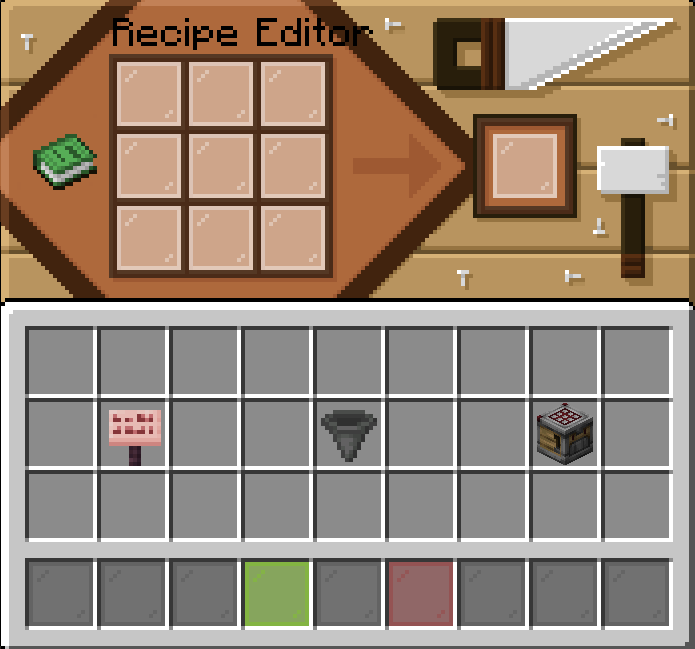
/recipes <item name> | look up saved custom recipes
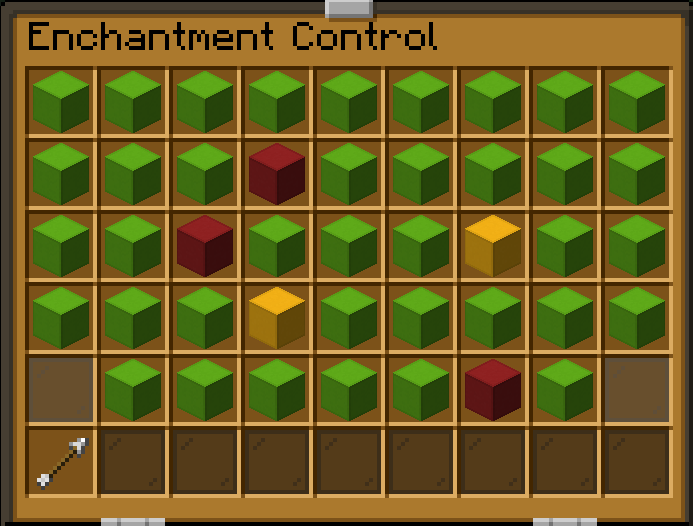
/enchantments | enable or disable individual vanilla enchantments and levels (developer only)
/launchpad (/lp) | create/update/remove a launch pad at your location (/launchpad <height> <speed> / /launchpad remove), or list them with no args (owner+). Pads are marked with a glowing frame and rising arrows
/limit | browse configured limits in a GUI, and set per-player or server-wide item caps (setting developer only)
/hopper | hopper placement limits, plus an experimental faster-hopper mode (off by default) with configurable speed and transfer amount. It respects chest-protection and shop plugins, and minecarts, brewing stands and other special blocks keep vanilla behavior (developer only)
/doublechest | change Ender Chests between 27 and 54 slots server-wide (admin+; extra-slot contents are handed back when turning it off, nothing is deleted)
/border [amount] [world] | view the world border (owner+), or change it for all dimensions or one world (developer only)
/tabname | customize the tab list header with colors and fonts, remove it, or toggle a player-count footer (developer only)
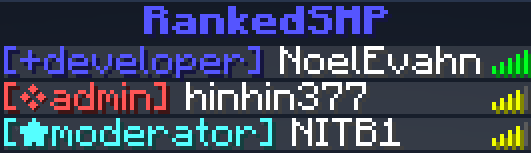
/pluginhide | hide your plugin list from non-OP players: blocks /plugins, /pl, /version, /about and hides plugin:command entries from tab-complete (developer only)
/commanddisable <command|list|enable <command>|disable <command>> | turn any ServerSuite command off or on live, no restart (developer only)
/toteminventory | choose whether totems anywhere in a player's inventory can trigger resurrection (developer only)
/setdiscord <link> | set the server's Discord invite (owner+)
/serversuite (/ss) | view diagnostics (/ss diag, developer only) and reload config.yml, messages.yml and sfx.yml (/ss reload, owner+)
Teleportation & Homes
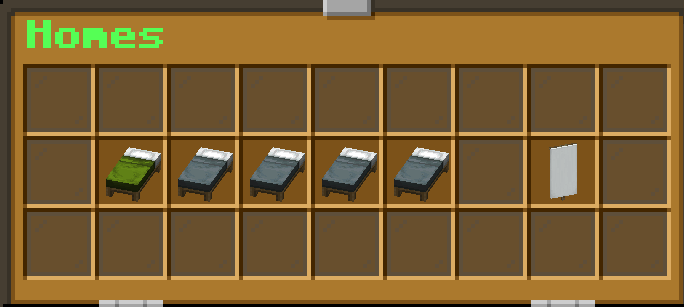
/sethome [1-5] / /home [1-5] | set up to 5 personal homes and access them through a GUI (5-second delay, unset beds turn red at the cap)
/sethome max [1-5] | set the home-slot cap (developer only, lowering it removes already-set homes past the new cap)
/tpa <player> / /tpahere <player> / /tpaccept / /tpacancel / /tpauto | simple teleport requests with a floating Send / Cancel confirmation and an auto-accept option
/rtp [world|nether|end] | randomly teleport within the world's border
/spawn | teleport to the exact spawn point, or world spawn if none is set
Social & Teams
/team (/t) / /tc | create PvP teams with invites, team homes, team chat, ranks, and more
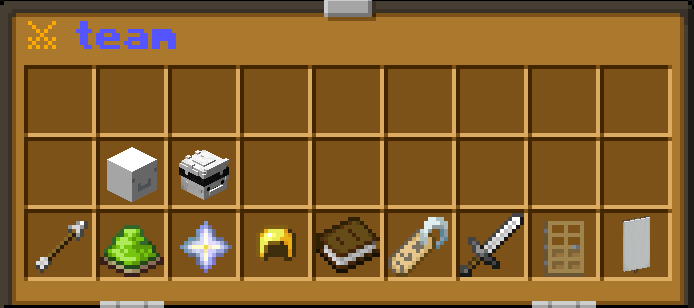
/team color <color> [fonts] | recolor your team's name with any tab list color plus bold, leaning or underline (team leader)
/w (/whisper) <player> <message> / /r <message> | private messages and quick replies
/ignore <player> / /ignored | ignore another player's chat and messages
/privacy | toggle global Privacy Mode: local-only deaths, no advancements, no join/leave messages (admin+)
Team visuals (only teammates see them): teammates glow for each other, gold for the leader, purple for moderators and blue for members (/team glow to turn it off for yourself), and the team home has a glowing team-colour banner over it.
Staff can also browse all teams through the Admin Panel.
Cosmetics & Stats
/stats [player|global|clear <player>] | a floating stats board with the player's head appears in front of you for 15 seconds (only you see it), with spinning icons: kills, mob kills, deaths, blocks broken, blocks placed, distance travelled and playtime (global/clear admin+)

/tags | choose up to 3 cosmetic PvP tags, including Sword PvP, Axe PvP, Mace PvP, Crystal PvP, UHC PvP, NethPot PvP, Creeper PvP, Cart PvP, and Elytra Mace PvP
/leaderboard [type] | view leaderboards for kills, mob kills, deaths, blocks placed, blocks broken, distance travelled and playtime, with search; click a head to see that player's stats board
Configuration
config.yml contains settings for cooldowns, limits, teleport delays, RTP, chat filters, homes, and other server options.
Chat messages can be changed in messages.yml, using placeholders such as {target} and {count} for names and numbers. Sounds can be changed or muted in sfx.yml.
Most feature toggles can be changed directly from the Admin Panel, so you don't need to constantly edit configuration files.
Rank permissions can also be changed in config.yml or moved live using /rankscommand.
LuckPerms is optional. If it's installed, rank permissions sync through it; manual temporary or context-based serversuite.* permissions are left alone.
Migration
Already using EssentialsX or CMI?
You can import your existing data with:
/migratedata <essentials|cmi> <scan|import|list> [overwrite] (developer only)
This can import homes, mutes, and bans from your existing setup. scan is a dry run, import skips players who already have data unless you pass overwrite.
Switching from offline to online mode? Player data such as homes and teams follows each player to their new account automatically. Ranks and punishments only follow if you turn on identity-migration.include-privileged in config.yml.
Important
Some features are disabled by default. Open the Admin Panel and turn on the features you actually want to use.
Questions or issues? Find me on Discord: NoelEvahn