
🛡️ SmartLogin v1.0.0
The Next-Gen Authentication, Identity & Cybersecurity Suite Minecraft Deserved.





🎙️ Manifesto: Why SmartLogin?
For nearly a decade, Minecraft server administrators have relied on legacy authentication plugins conceived in 2014–2016, filled with unoptimized queries, outdated hashing algorithms (like plain SHA256), and plain text chat menus.
SmartLogin was engineered to redefine server cybersecurity. It provides enterprise-grade protection, physical in-game 2FA QR code maps, native Bedrock touch PinPads, and autonomous recovery bots—all while remaining 100% asynchronous with zero TPS impact (0.00% lag).
⚔️ The Feature Matrix
| Feature | SmartLogin | Legacy Plugins (AuthMe / nLogin) |
|---|---|---|
| Default Hashing Algorithm | Argon2id (OWASP Military-Grade, GPU/ASIC-proof) | SHA256 / BCrypt / Plain MD5 |
| Two-Factor Authentication (2FA) | Physical In-Game QR Code Map (5s scan) | Chat URLs / Manual Secret Copying |
| Bedrock / Floodgate UX | Tactile Touch Numerical PinPad GUI + Auto-Login | Clunky Chat Commands |
| Streamer Privacy Shield | Real-time Chat Interceptor + IP/Email Masking | None (Passwords leak on typo) |
| Account Recovery System | Autonomous Discord & Telegram Bots in 10s | Manual Staff Intervention / Email only |
| Engine Performance | 100% Asynchronous (ForkJoinPool, 0.00% TPS Loss) | Partial Main-Thread Blocking |
| Database Migration | Universal Batch Migration (50,000+ accounts in ~1s) | Manual SQL queries / Slow row-by-row |
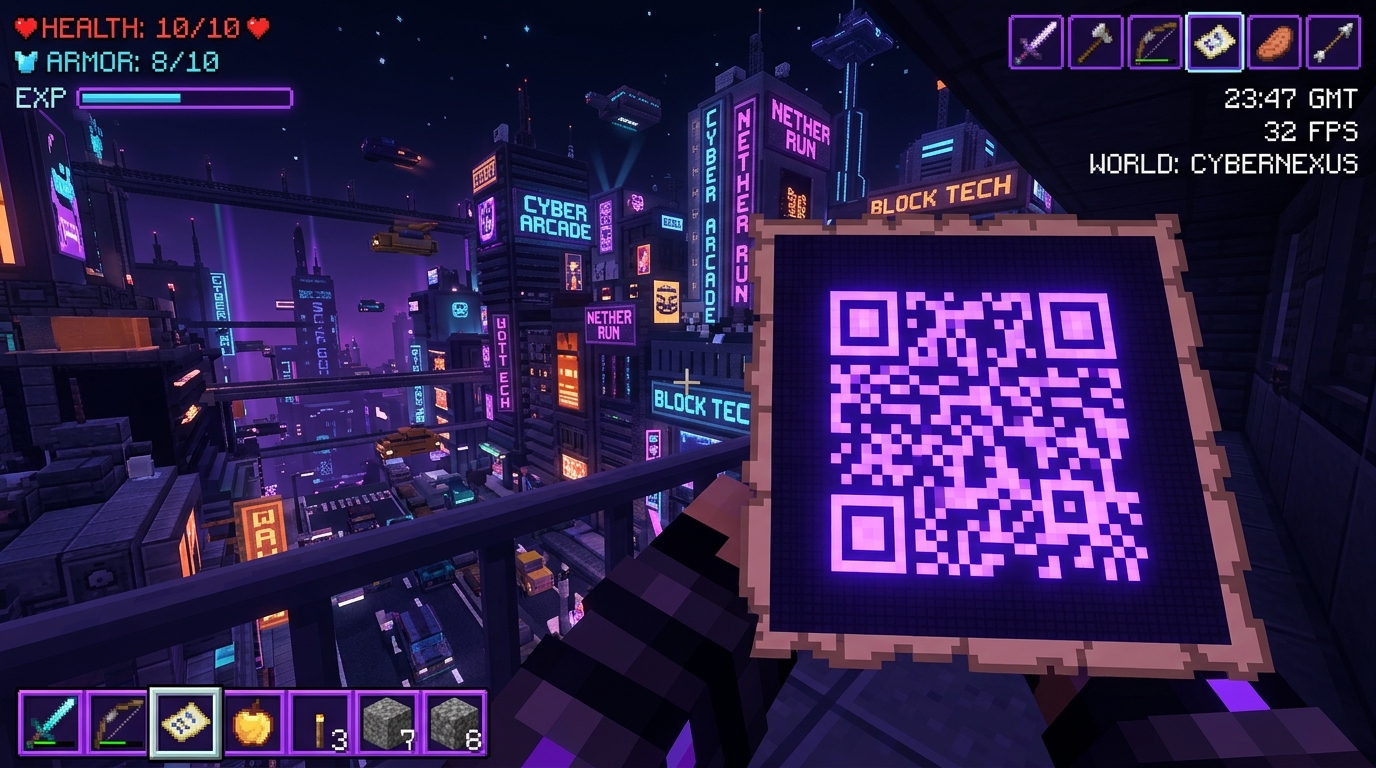
🗺️ In-Game 2FA QR Code Setup
Players receive a physical rendered Minecraft Map with an instant dynamic QR Code.
- Universal App Support: Scan directly with Google Authenticator, Authy, Microsoft Authenticator, or 1Password.
- Instant 5-Second Linking: No need to type tedious 32-character secret keys into chat.
- Client-Side Rendering: Does not clutter server world maps or item IDs.
- Emergency Backup Codes: Generates 5 one-time encrypted emergency recovery tokens.
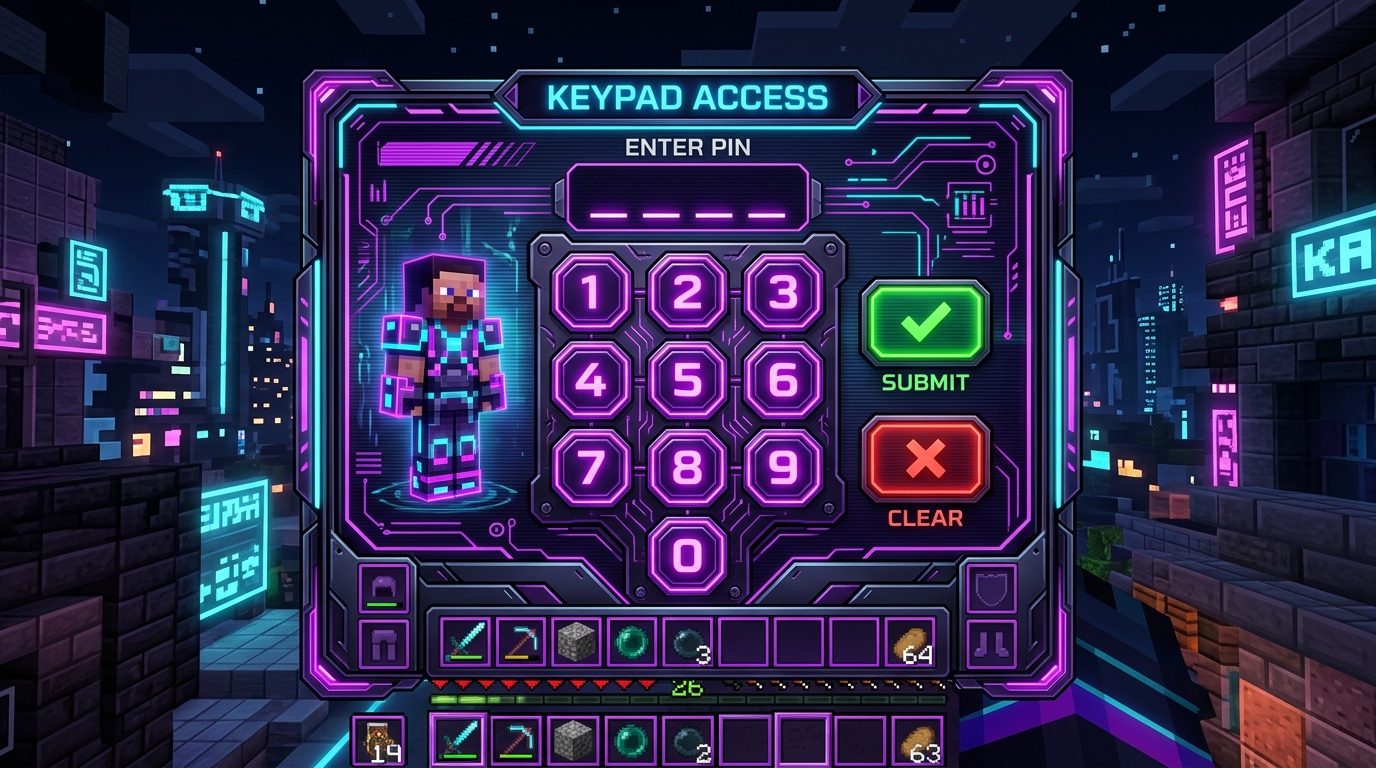
📱 Native Bedrock & Floodgate Mobile PinPad
- Tactile Touch Keypad: Mobile and console players enter their PIN code using an interactive visual inventory GUI without fighting mobile virtual keyboards.
- Zero-Command Auto-Login: Cryptographically authenticates linked Bedrock players seamlessly on join.
✨ Additional Core Capabilities
🛡️ Argon2id Cryptography (OWASP Standard)
Protects player passwords with the gold standard in cybersecurity. Resists brute-force dictionary attacks from GPU clusters and ASICs.
🤖 Autonomous Discord & Telegram Recovery Bots
Players link their accounts via /link or /tlink. If they ever forget their password, they can reset it autonomously in 10 seconds via bot buttons, eliminating 90% of support tickets for your staff team.
🎥 Streamer Anti-Leak Shield
Did a content creator forget the leading / slash and accidentally type their password into global chat? SmartLogin's neural pattern matching intercepts the packet before it is broadcast to the server. Sensitive IPs and emails are masked across all GUIs.
⚡ Universal 1-Second Database Migration
Switching from another plugin? Run /smartlogin migrate all! High-speed SQL batch transactions import over 50,000 accounts in approximately 1 second from AuthMe, nLogin, FastLogin, CrazyLogin, xAuth, or LoginSecurity. Legacy hashes are automatically upgraded to Argon2id on player login.
📜 Command Reference
Player Commands (Default Access)
/login <password>(Alias:/l) — Authenticate your session./register <password> <confirm>(Alias:/reg) — Register a new account./changepassword <old> <new>(Alias:/cp,/changepass) — Update account password./security(Alias:/seguridad) — Open the Security & 2FA Control GUI./streamer— Toggle Streamer Privacy Shield mode./2fa <setup|verify|disable>— Manage Google Authenticator 2FA./link— Generate linking token for Discord Bot integration./tlink— Connect with Telegram Bot recovery./email <add|verify>— Link recovery email address./anvil <login|register>— Visual login using Minecraft Anvil GUI./lang <en|es|de|fr|pt|ru|zh>— Change player interface language.
Administrator Commands (smartlogin.admin)
/smartlogin gui— Open the visual Administrator Control Panel GUI./smartlogin diag— Run live system diagnostics (YAML integrity, Latency, TPS)./smartlogin benchmark— Test CPU performance on Argon2id hashing./smartlogin migrate <all|authme|nlogin|...>— Instant batch database migration./smartlogin setpassword <user> <password>— Force change player password./smartlogin reset2fa <user>— Reset and unlink 2FA for a player./smartlogin unlink <user> [discord|email|all]— Remove security credentials./smartlogin unregister <user>— Delete player account from database./smartlogin history <user>— Inspect player login & IP audit logs./smartlogin setspawn— Set pre-login authentication spawn location./smartlogin backup— Create an instant SQLite database backup./smartlogin reload— Hot-reload configurations and language files.
⚙️ Installation
- Download: Drop
SmartLogin-1.0.0.jarinto your server's/plugins/folder. - Boot & Setup: Start your server (Paper/Purpur 1.21+ with Java 21). When an OP joins, the interactive Setup Wizard GUI will guide you through storage selection (SQLite / MySQL) and security levels.
- Migrate (Optional): If switching from AuthMe or nLogin, simply type
/smartlogin migrate alland you are done in 1 second!
🌐 Official Links & Resources
💻 GitHub Source Code • 📖 Full Documentation Wiki • 🐛 Issue Tracker
Licensed under GNU GPL v3.0. Crafted with passion for the Minecraft server community.