Compatibility
Minecraft: Java Edition
Platforms
Supported environments


Tags
Creators
Details
Velorise Simple Map





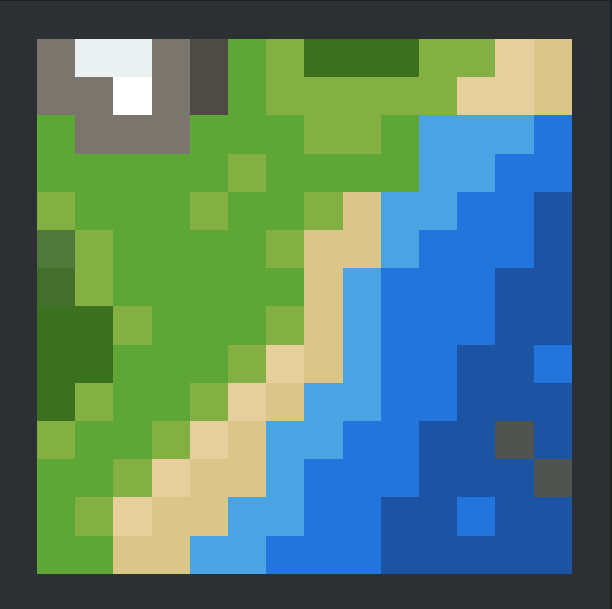
A clean, fast Minimap & World Map with Cave View, On-Screen Waypoints, True Block Colors, and Shareable Map Books.
Velorise Simple Map gives you an easy-to-use HUD minimap, a smooth full-screen world map, and on-screen waypoints in one lightweight mod. All map and waypoint features work client-side on any vanilla, Paper, or modded server—with optional physical Map Books when installed on both client and server.
Features
Minimap & Fullscreen World Map
- Smooth Zoom, Drag & Go-To Coordinates: Drag to pan, scroll to zoom smoothly (your zoom level is saved), and click the top coordinate bar to jump straight to any
X ZorX Y Zspot. - True Block & Biome Colors: Shows accurate colors for both vanilla and modded blocks, with optional Vanilla Map style, 2D/3D terrain shading, custom per-block color overrides, and automatic color updates when reloading Resource Packs (
F3+T). - Flexible HUD: Pick circle or square shape, Minimal / Vanilla / Frameless borders, player head or arrow pointer, movable coordinates, and Day / Night / Auto brightness.
Underground & Cave View
- Auto Cave Switch: Automatically switches to cave view when you go underground and back to the surface when you step outside.
- Browse Depth Layers: Scroll through underground layers or type a
Yheight directly. Loads fast from the center outward while keeping RAM usage low and FPS smooth. - Works on Existing Worlds: Add the mod to an old singleplayer save and it will read your world files to fill in areas you have already visited.
Pins & Waypoints
- On-Screen Waypoints (
Off/Locator Bar/In-World): See waypoints, your redXPin, and death markers on a top compass bar or floating in 3D in the world—even when the minimap is hidden. - Left-Click to Pin, Right-Click for Menu: Left-click on the map to drop or clear a red
Xpin with a dotted guide line (auto-clears within 5 blocks). Right-click anywhere on the map or on a waypoint to add/edit waypoints, teleport, follow, or share coordinates. - Quick Paste, Chat Links & Death Markers: Choose item icons, paste
120 64 -340into one coordinate box to fill all three fields, click coordinates in chat to view them on the map, and auto-mark where you died.
Map Books & Server Controls
-
Physical Map Books (Modded Servers & Singleplayer): Craft Empty Map Books (
Book + Compass + Map), save explored areas, copy or combine books to share maps with friends, and optionally require holding a Map Book to open the map. -
Paper / Spigot / Purpur / Folia Plugin: Server admins can drop
simple-map-paperintoplugins/to control Overworld and Nether cave map rules (/simplemap cave off|auto|on,/simplemap nether off|auto|on|inherit,simplemap.cave.bypass) with no mods needed on the server.

Default Keybindings
| Key | Action |
|---|---|
M |
Open / Close Full Map |
U |
Open Waypoint Manager |
N |
Show / Hide Minimap |
L |
Toggle North Lock |
= / - |
Zoom In / Zoom Out |
(Extra hotkeys—such as Add Waypoint Here, Cycle Cave View, Brightness, Clear Pin, and Open Settings—are left unbound by default in Minecraft's Controls menu so they never clash with other mods.)
Support the Development
If you enjoy Velorise Simple Map, consider supporting continued updates via GitHub Sponsors:
Modpack Policy
Yes! You are free to include Velorise Simple Map in any modpack on Modrinth, CurseForge, or third-party launchers.