
Compatibility
Minecraft: Java Edition
Platforms


Links
Tags
Creators
Details
Overview
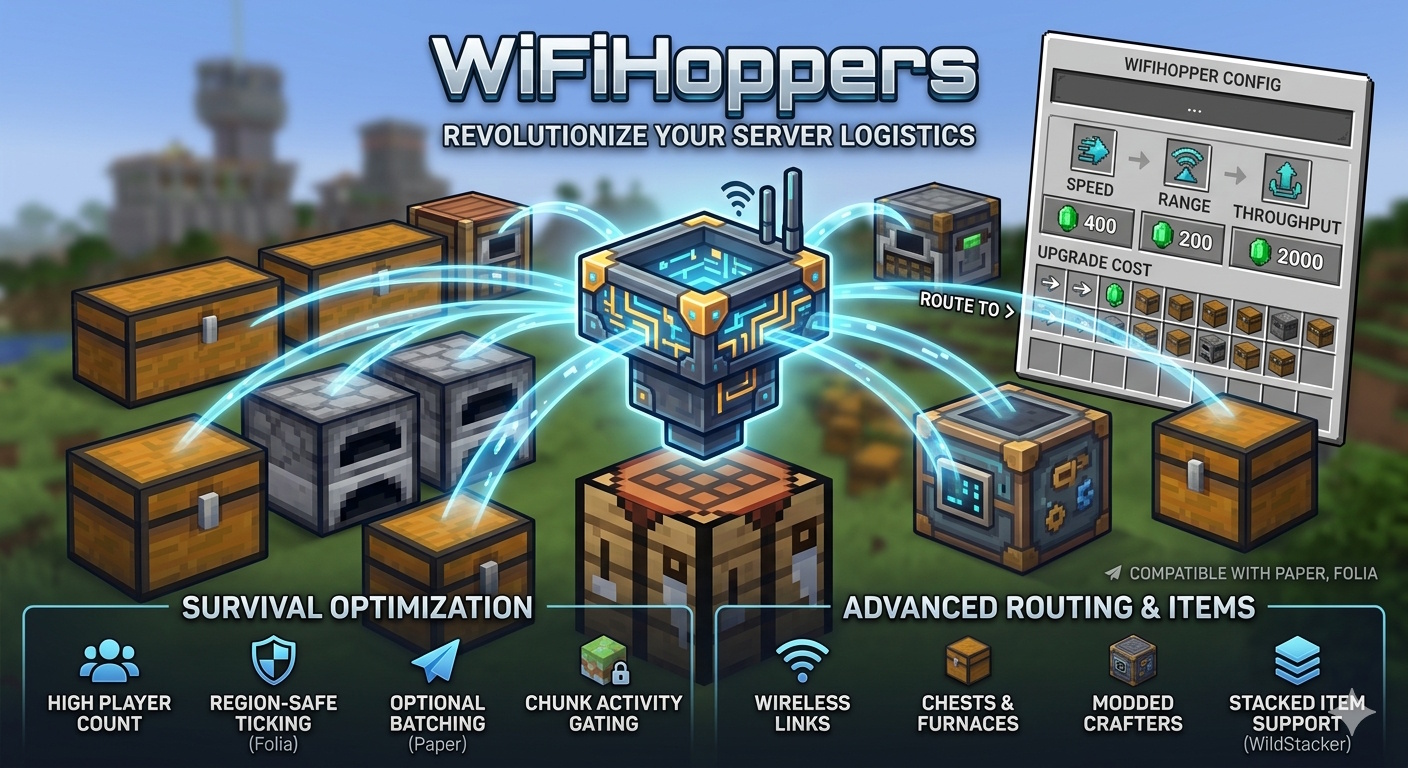
WifiHoppers replaces vanilla hopper logistics with wireless container links. Place a special hopper block, open its menu, upgrade stats with in-game currency, and route items to chests, furnaces, crafters, and more — without running hopper chains through the world.
The plugin is built for high-player-count survival servers: region-safe ticking on Folia, optional batch processing on Paper, player-chunk activity gating, and optional stacked-item support (WildStacker).
Core features
Wireless hoppers
- Place a Wifi Hopper item to register a managed hopper at that location.
- Break the block to recover a hopper item with saved levels, type, and link count on the item lore.
- Data is stored in a local SQLite database (bundled driver — no external DB setup).
Container linking
- Link hoppers to any inventory holder in the same world: chests, barrels, shulker boxes, furnaces, blast furnaces, smokers, campfires, crafters, etc.
- No physical hopper chain required — items teleport from the hopper inventory to linked targets within your configured distance.
- Per-link limits based on upgrade level (up to 36 link slots in the GUI, actual max links from upgrades).
- Reorder links (priority), rename links, and remove links from the menu.
- Link validation: same world, distance cap, duplicate prevention, max links.
Item suction (pickup)
- Pulls ground items into the hopper inventory on a configurable tick interval.
- Normal hopper: spherical radius around the hopper (upgradeable). Radius 0 = vanilla-style pickup from the block above only.
- Chunk hopper: sucks items from loaded chunks in a chunk-radius around the hopper (for large farms).
- Respects hopper inventory space and optional filter rules when links exist.
- WildStacker : correctly handles stacked item entities when plugin is installed.
Item transfer (output)
- Moves items from the hopper inventory into linked containers on a separate tick interval.
- Transfer amount per cycle is upgradeable (e.g. 8 → 320+ items per cycle on normal type).
- Supports furnaces (input + fuel slots only, never output), crafters (respects disabled slots), and normal inventories.
Advanced routing
- Insert by order (ON/OFF):
- ON: first matching link gets items first.
- OFF: distribute evenly across matching links.
- Delete non-filter items (ON/OFF):
- ON: items that match no filter are voided (suction can collect everything; routing deletes rejects).
- OFF: unmatched items stay in the hopper or go to unfiltered “overflow” links.
- Filter priority: STRICT filters → TYPE/NAMED → unfiltered overflow links.
Per-link filtering
Each link has its own filter GUI:
- Filter mode
- WHITELIST or BLACKLIST
- Match type
- TYPE (material), STRICT (exact item + NBT), NAMED (display name)
- TYPE filters
- Click items in your inventory to add/remove materials
- Shulker filters
- Empty/full shulker occupancy tokens (TYPE mode)
- STRICT filters
- Full item serialization — exact stack matching
- Clear filters
- One-click reset
Default new links: WHITELIST + TYPE.
Upgrades (GUI + economy)
Four upgrade tracks per hopper type, paid via Vault (if installed; free when Vault is absent):
- Links — max simultaneous container links
- Transfer — items moved per transfer cycle
- Suction radius — pickup range (blocks or chunks depending on type)
- Link distance — how far away targets can be
All costs and level values are defined in hoppers.yml (UpgradeableHoppers-style layout).
Active suction tuning
- Separate from max suction upgrade: set active pickup radius per hopper (increase/decrease in GUI).
- Lets players cap lag on busy farms without downgrading purchased upgrades.
Hopper types
Configurable in hoppers.yml:
- Normal
- Block-radius item pickup, high link/transfer ceilings
- Chunk
- Chunk-based pickup for large item farms; different upgrade curves
Give types with /hopper get [player] [amount] [type].
Controls
- Left-click hopper -> Open upgrade & link menu
- Right-click hopper -> Open vanilla hopper inventory
- Break hopper -> Drops hopper item with saved stats
- Link mode -> Menu → “Link to Containers” → left-click a container
- Rename link -> Shift + right-click link in menu → type name in chat (clear to reset)
- Reorder link -> Shift + left-click (up) / right-click (down)
- Remove link -> Press Q (drop) on link icon in menu
Commands permissions
wifihoppers.get
- /hopper get [player] [amount] [type]
- Give wireless hopper item(s)
- /hopper types -List configured hopper types
wifihoppers.admin
- /hopper reload
- Reload config + hoppers.yml + runtime
- /hopper import
- Re-import from UpgradeableHoppers DB
Aliases: hoppers, h, uhopper, uhoppers, uh, uhr, wifihopper, wifihoppers, wh Legacy permissions: uhr.get, uhr.admin (same as above)
Configuration
config.yml
engine:
  tick-interval: 2          # Engine runs every N server ticks
  paper:
    scan-stride: 2          # Paper: hoppers processed per batch (round-robin)
    adaptive-stride: false  # Auto-adjust stride when many hoppers exist
    target-batch-size: 300  # Target hoppers per tick when adaptive is on
import:
  uh-db-path: plugins/UpgradeableHoppers/Data/database.db
  completed: false        # Set true after first successful UH import
hoppers.yml
- Defines hopper types, display names, tick intervals, and all upgrade levels (value + Vault cost).
- Structure mirrors UpgradeableHoppers for easy migration and balancing.
Dependencies
- Paper (or Folia) -> Yes
- Vault -> Optional
- WildStacker -> Optional
No dependency on Citizens, WorldEdit, or other plugins.
UpgradeableHoppers migration
- WifiHoppers can import existing UpgradeableHoppers data on first start (or via /hopper import):
- Reads per-world SQLite tables from the UH database path.
- Imports hopper locations, levels, links, filters (including strict items, shulker tokens, named filters).
- Can sync default hoppers.yml values from the old UH config on first install.
- Set import.completed: true in config.yml after a successful import to skip auto-import on future restarts.
Tip: Back up plugins/UpgradeableHoppers/ and your world before importing.
Performance & Folia
- Folia: Uses region schedulers per hopper — safe cross-region linking with graceful skip when a target chunk is on another region thread.
- Paper: Optional round-robin batching so hundreds of hoppers don’t all tick in one server tick (scan-stride, adaptive-stride).
- Activity gating: Hoppers only process when a player is within server simulation distance (reduces idle-world CPU).
- Separate suction/transfer timers per hopper type (ticks.transfer, ticks.suction in hoppers.yml).
Requirements
Paper or Folia Minecraft 1.21.11 / 26.1.2 (tested on Paper 26.1.2) Java 25+ (matches Paper 26.1.x)
Installation
- Download WifiHoppers-x.x.x.jar.
- Place in plugins/.
- Restart the server.
- Configure hoppers.yml (upgrade costs/values) and config.yml (engine + import path).
- Optional: install Vault for economy upgrades.
- Give hoppers: /hopper get 1 normal
If migrating from UpgradeableHoppers, ensure import.uh-db-path points at the old database.db before first start.
What’s included in the jar
- Plugin classes + default configs (config.yml, hoppers.yml)
- SQLite JDBC (bundled — no separate download)