Compatibility
Minecraft: Java Edition
Platforms


Tags
Creators
Details
WorldGuardFlagPanel
A native GUI panel for managing WorldGuard flags — fully compatible with Folia





GitHub • Issues • Modrinth • Discord

📖 About
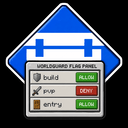
WorldGuardFlagPanel is a lightweight Paper/Folia plugin that adds a fully interactive in-game GUI to manage WorldGuard region flags — no complex commands needed.
Instead of typing /region flag <region> <flag> <value> every time, simply open the panel, click a flag, and the value cycles or a form opens for you to type a new one. Changes are saved instantly.
✨ Key Features
🖱️ Native In-Game Panel
- Click-through interface — Flags are listed with their current value; one click toggles or opens an editor
- State flags — Cycle through
ALLOW→DENY→ (unset) with a single click - Boolean flags — Toggle
TRUE/FALSEinstantly - Text / numeric flags — Opens a native input form pre-filled with the current value
- Set flags — Multiline editor, one entry per line
- game-mode flag — Dropdown selector:
Survival,Creative,Adventure,Spectator - Location flags — Accepts
x,y,zorx,y,z,worldformat
🏝️ Smart Region Detection
- Auto-detect — Opens the panel for the region you're standing in
- Multi-region selector — If you're inside overlapping regions, a picker lets you choose which one to edit
- Direct access — Target any region by name:
/wgfpanel <region> - Global region — Falls back to
__global__when no region is found at your position
🌍 Multi-language Support
- Ships with
fr_FR🇫🇷 anden_GB🇬🇧 - Language is picked automatically from each player's Minecraft client locale
- Fully customizable via
.tomlfiles
⚡ Performance
- Instant saves — Region changes are persisted to disk immediately after each edit
📋 Requirements
| Component | Minimum version |
|---|---|
| Paper or Folia | 1.21.8 |
| WorldGuard | 7.0.13 |
| WorldEdit | 7.3.11 |
| Java | 21 |
🚀 Installation
- Download the latest
.jarfrom GitHub Releases. - Place it in your server's
plugins/folder. - Make sure WorldGuard and WorldEdit are already installed.
- Restart the server.
No configuration file is required to get started.
🎮 Commands
/wgfpanel [region]
| Usage | Behaviour |
|---|---|
/wgfpanel |
Opens the panel for the region at your position. Shows a region selector if multiple regions overlap. |
/wgfpanel <region> |
Opens the panel for the specified region, wherever you are. |
Tab-completion is available for region names.
🔐 Permissions
| Permission | Description | Default |
|---|---|---|
worldguardflagpanel.use |
Allows opening the panel for regions the player owns | OP |
worldguardflagpanel.admin |
Full access to all regions in any world | OP |
Without
worldguardflagpanel.admin, players can only edit regions where they are set as owner in WorldGuard.
🌍 Languages
The plugin ships with two built-in translations:
- 🇫🇷
fr_FR— French - 🇬🇧
en_GB— English
The displayed language is automatically determined by each player's Minecraft client locale — no configuration needed.
To customize messages, edit the .toml files located in:
plugins/WorldGuardFlagPanel/language/
📊 Statistics
This plugin collects anonymous usage statistics (server count, player count) via FastStats. No personal data is ever transmitted. These metrics help track adoption and guide future development.
📞 Support
- GitHub: Euphillya/WorldGuardFlagPanel
- Issues: Report a bug
- Discord: Join the discussion
📜 License
WorldGuardFlagPanel is open source. See the LICENSE file for details.