
Compatibility
Minecraft: Java Edition
Platforms
Supported environments


Tags
Creators
Details
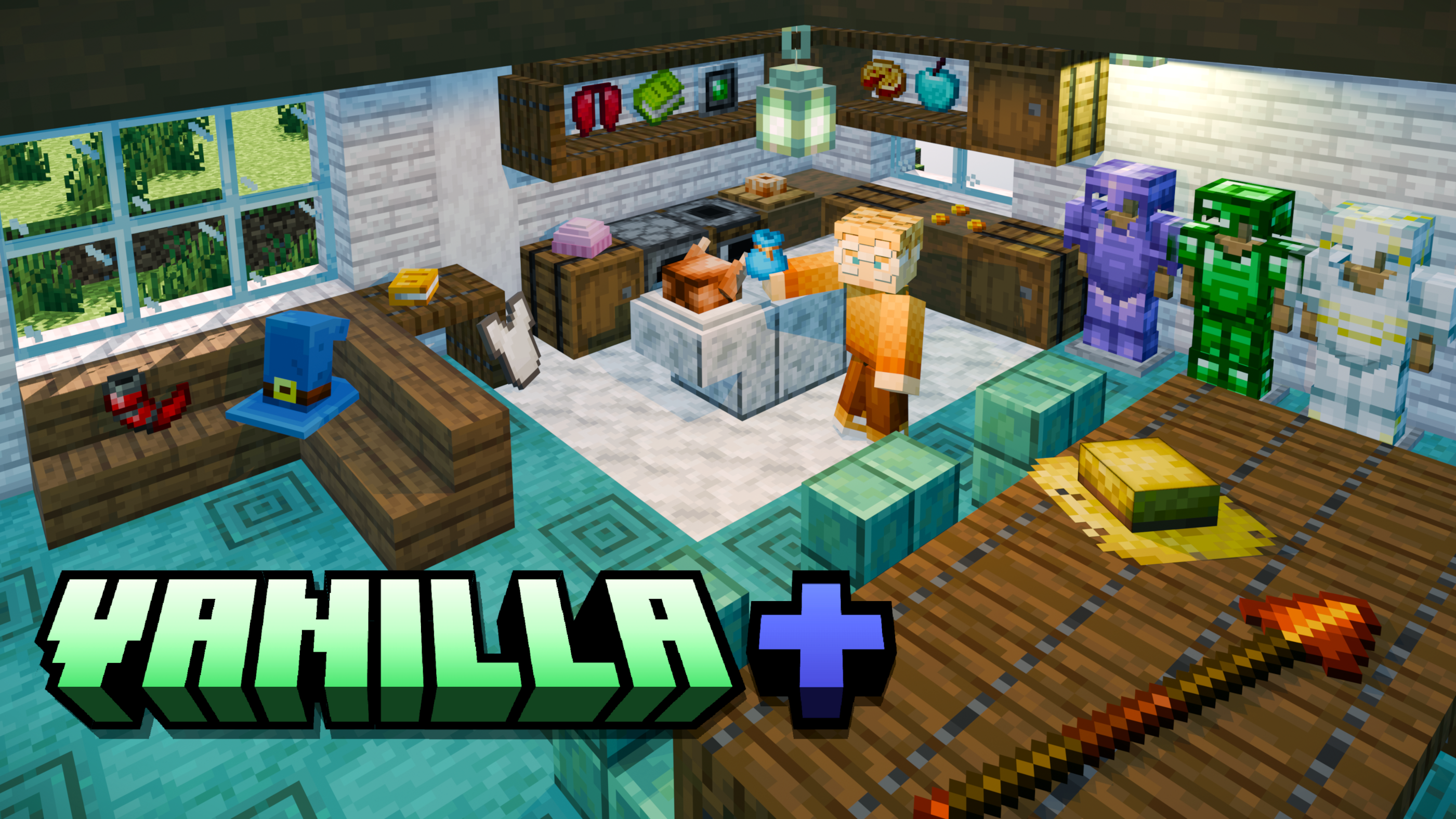
A Minecraft Data Pack for 26.3, 26.x and 1.21.x
This data pack includes over 300 items that can be crafted or found! In my opinion, the best part about this is that it can be used on Minecraft Realms, unlike some more complex data packs. Additionally, everything in this pack is translated when using Mexican Spanish in-game! Let me know if there are any mistakes, as I translated everything manually.
Here's a list of all features below:
Vanilla+ Wiki
Vanilla+ Wiki:
- I have a Google Doc that acts as a Wiki for Vanilla+ and Vanilla++! It is a more detailed list of every feature, crafting recipe, advancement, etc. that this project adds to the game. Check out the Vanilla+ Wiki now!
- Additionally, I have a Google Form that you can fill out. It allows anyone to submit suggestions and bug reports for Vanilla+ or Vanilla++. The second section of the Form is also a bit of a questionnaire, just for my own curiosity. Check it out here!
Custom Gear
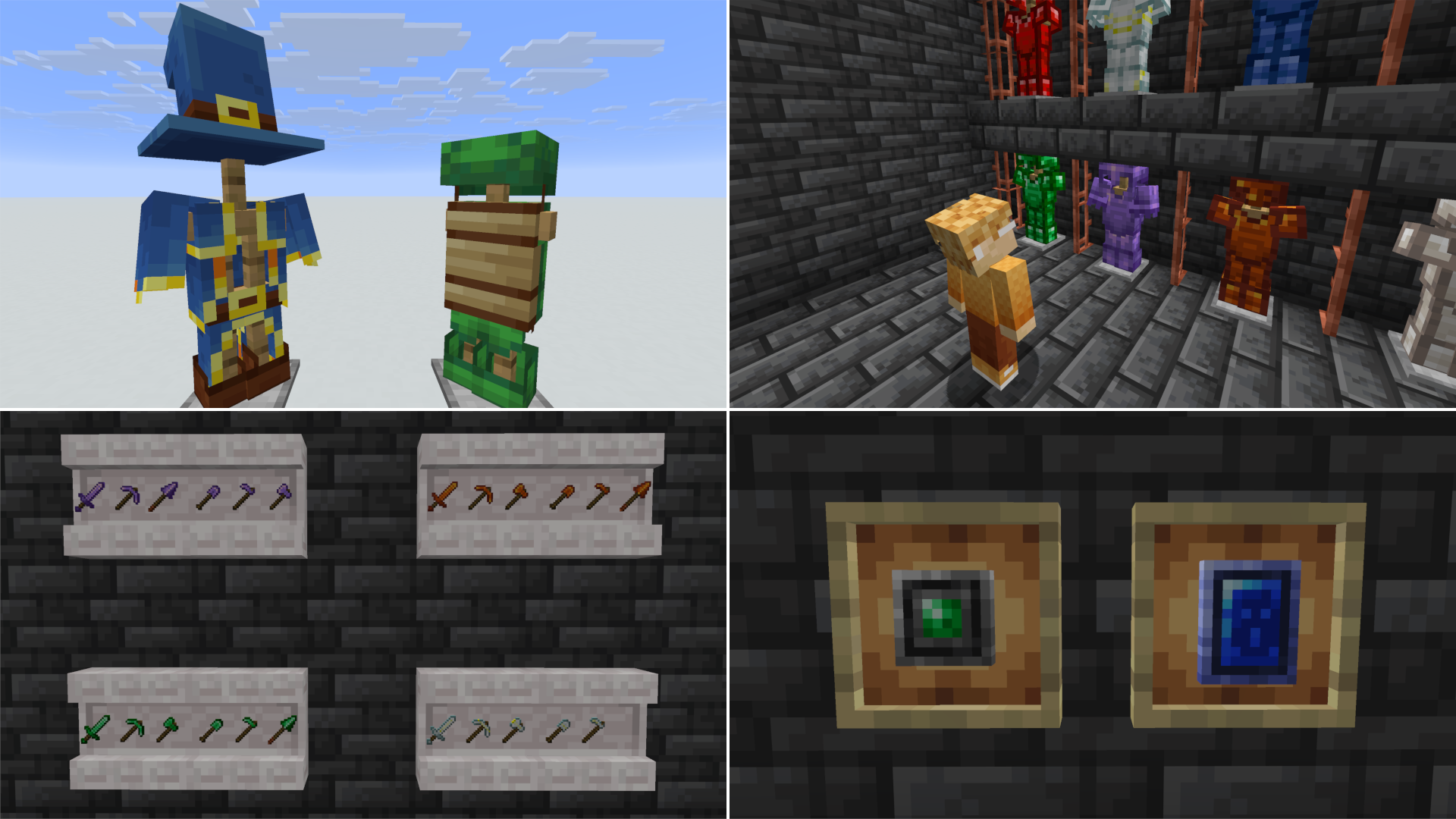
Custom Armor: 7 sets of Armor that can be crafted using Lapis Lazuli, Resin, Quartz, Emerald, Amethyst, and Nether Stars; there is also a set of Ruby Gear as of Version 26.0. Lapis is on the level of Iron, Quartz is on the level of Chainmail, Resin is on the level of Gold, Emerald and Ruby are on the level of Diamond, and Amethyst is on the level of Netherite (it is made by combining Amethyst Shards with Netherite Gear in a Smithing Table)! Nether Star Armor is built in a Smithing Table using either Netherite or Amethyst gear. You only need a Nether Star to transform the item.
Custom Tools: 7 new toolsets that each correspond to 7 of the new Armor sets! Quartz's tools are on the level of iron, since Chainmail does not have a toolset, while Amethyst and Nether Star tools are crafted the same way as their Armor Sets. Additionally, there are 5 custom Spears to match with other custom materials: Amethyst, Quartz, Resin, Emerald, and Ruby.
Amulets: Two new items inspired by Minecraft: Dungeons have been added that only work when held in the Offhand: the Emerald Amulet and the Soul Healer! The Emerald Amulet is found rarely in the rare loot of Trail Ruins, and the Soul Healer can be found in suspicious sand near Desert Temples! When holding the Emerald Amulet in your offhand, you get passive Resistance, and the Soul Healer gives passive Regeneration. Both are low-level, and particles are generated, so it's your choice on if the player prefers a Shield or constant passive effects when in fights.
Extra Armor: In addition to the 7 sets of new armor materials, I've also added a full set of Turtle Armor, which gives various underwater buffs, and Evocation Armor from Minecraft: Dungeons. Each piece of Evocation Armor comes with different effects which aid in general movement, and adds up to the same amount of armor as Copper Armor.
Dyeable Items & Food
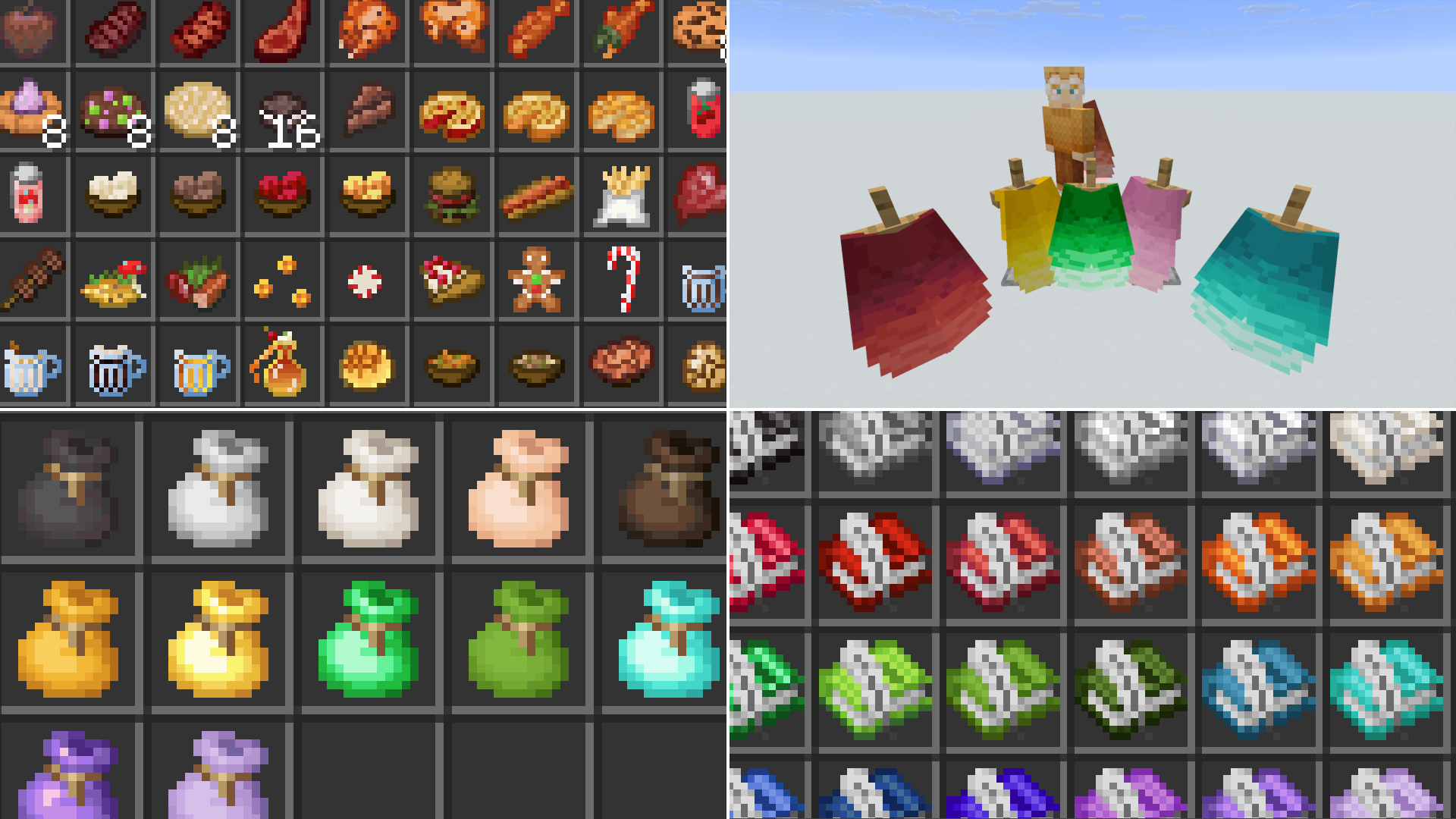
Custom Food: Both simple and complex dishes that can be crafted for a wider variety of food! Many of them include special effects, and some even spawn naturally in either structure chests or from certain kinds of leaves. Picking up key ingredients from these dishes will unlock their crafting recipes! Additionally, renaming the food in an Anvil and adding either "Dish" or "Plato" (works only for the Spanish names) afterwards will make it 3D! A plate will be added that will cover up item frames, allowing you to display food better!
Dye Colors: New for Java Edition 26.3 and Vanilla+ 26.0, each of the new Dye combinations has its own item! This means that you can now physically craft items like Coral Dye, Indigo Dye, Sepia Dye, and more! Additionally, each mineral in the game + Ruby can be used to dye the following items...
Dyeable Books: 36 different color options for Book and Quills! These dye colors include the 16 normal dye colors, as well as 20 extra options that are either minerals or combinations of dye. These are ideal for multiplayer and having different colored diaries for each player. You can also try collecting them all!
Dyeable Elytra: Following the same style as the Dyeable Books, Dyeable Elytra have 37 color options in addition to a "wings" option, crafted using a Feather! As of the
More Dyeable Bundles: Although Vanilla Minecraft already has bundles in the 16 default colors, the 21 extra colors seen in other dyeable items now apply to the bundle as well!
Miscellaneous Additions
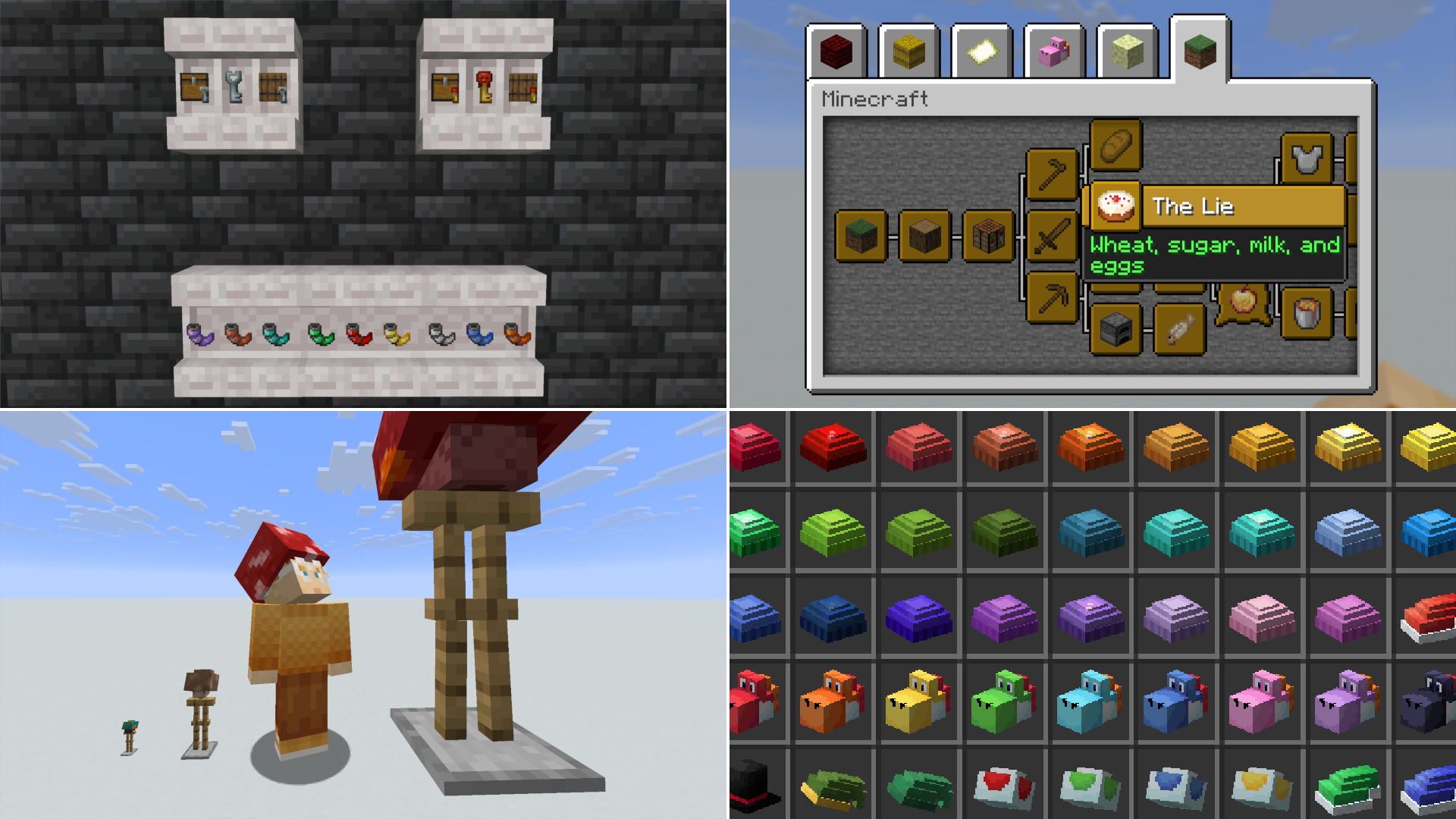
Hats: There are tons of different hat variants! Many are dyeable Beanies (the same color options as all other dyeable items), others are based on different Villager accessories, and others are hats based on Super Mario Bros. and The Legend of Zelda, meant for fun in multiplayer! The recipes for almost all of these are unlocked when you pick up leather. The Villager hat recipes are unlocked when you first pick up their corresponding job block.
Goat Horns: in the first beta versions of the Caves & Cliffs update, Mojang added 10 Copper Horns to the game, meant to be used in making music with friends, but they were removed soon after being introduced. However, I went back and found all the music files used and decided to add them back into the game as custom Goat Horns made with different materials! Try them out in multiplayer with friends!
Locked Blocks: Locked Chests and Locked Barrels can now be crafted using a Chest/Barrel and Iron Bars! They can only be opened by using Keys, which generate in Stronghold libraries. Small Keys can be used to open the normal Locked Blocks, while there are 2 other Locked Block variants that can only be opened by using Big Keys.
Mushrooms: Mushroom items that are based on the Super Mario Bros. series! These are mutated versions of fungi that are in the game by default. The Mutated Crimson Fungus makes you 5 blocks tall, the Mutated Red Mushroom makes you 3 blocks tall, the Mutated Brown Mushroom makes you 1 block tall, and the Mutated Warped Fungus makes you about 6 pixels tall. These must be equipped and give the appearance of having Mushroom caps on your head!
Advancements: In addition to a small advancement tree featuring items from Vanilla+ exclusively, there are also a few new advancements that are from the Achievement system of the old versions of Minecraft! While some have been adjusted, most are exactly the same as how they were when they were removed.
FAQ:
- "How do I download the Resource Pack?" Instead of just clicking the download button on the main page, go to "Versions" and click on a specific version number. At the top of the page, there will be a button that says "Required Resource Pack" with a download symbol next to it. Click that, and it will download a .zip file. You do NOT need to unzip it! Just place it in your resource pack folder and you're good to go!
- "Why isn't there a Creative Inventory tab for the mod?" Because this isn't a mod. Vanilla+ is a data pack, NOT a mod, Modrinth just allows data pack creators to convert their data packs into a .jar file that is compatible with all mod loaders. Therefore, I can't add a Creative Inventory tab since that requires custom code, which data packs don't use. However, I have /function and /trigger commands that help access groups of items, and all items can be individually accessed with /loot, so if you ever need a specific item you can do that as well!
- "How do I submit ideas for Vanilla+?" At the top of the page, I have a section called "Vanilla+ Wiki" that also includes a suggestion form! I also have the link to a YouTube video I made below going over a lot of features in Vanilla+ and my expansion Vanilla++, so you can comment there!
- "Can you make Vanilla+ compatible with (insert mod here)?" Maybe, maybe not. As I already said, Vanilla+ IS NOT A MOD. It is a data pack that Modrinth allows me to turn into a .jar file. There may be scenarios where something I do makes it incompatible with other mods, and in that case, I most likely cannot fix it. However, I will always check to verify whether I can or can't.
Check out Vanilla++ as well!
It's an expansion to Vanilla+ that makes it non-functional for Realms, but in doing so adds custom structures, custom animal variants, custom music discs, custom enchantments, and more! Check it out here!