
Compatibility
Minecraft: Java Edition


Tags
Creators
Details

Replaces vanilla ore textures with simple 3D mineral crystals, with varied shapes, orientations and emissive details.

Alternative Ores gives Minecraft's ores a more distinct appearance by replacing their flat mineral patches with large, simple 3D crystal formations.
Each ore keeps its familiar stone, deepslate or Nether base texture, while the mineral itself protrudes outward from the block in a clean vanilla-style shape.
Different crystal forms, placements and orientations help reduce repetition, giving ore veins a more varied appearance while keeping the overall design simple and readable.
Copper ores also mix fresh, exposed, weathered and oxidized crystal colors, while emissive details help valuable minerals stand out more clearly in darker environments.

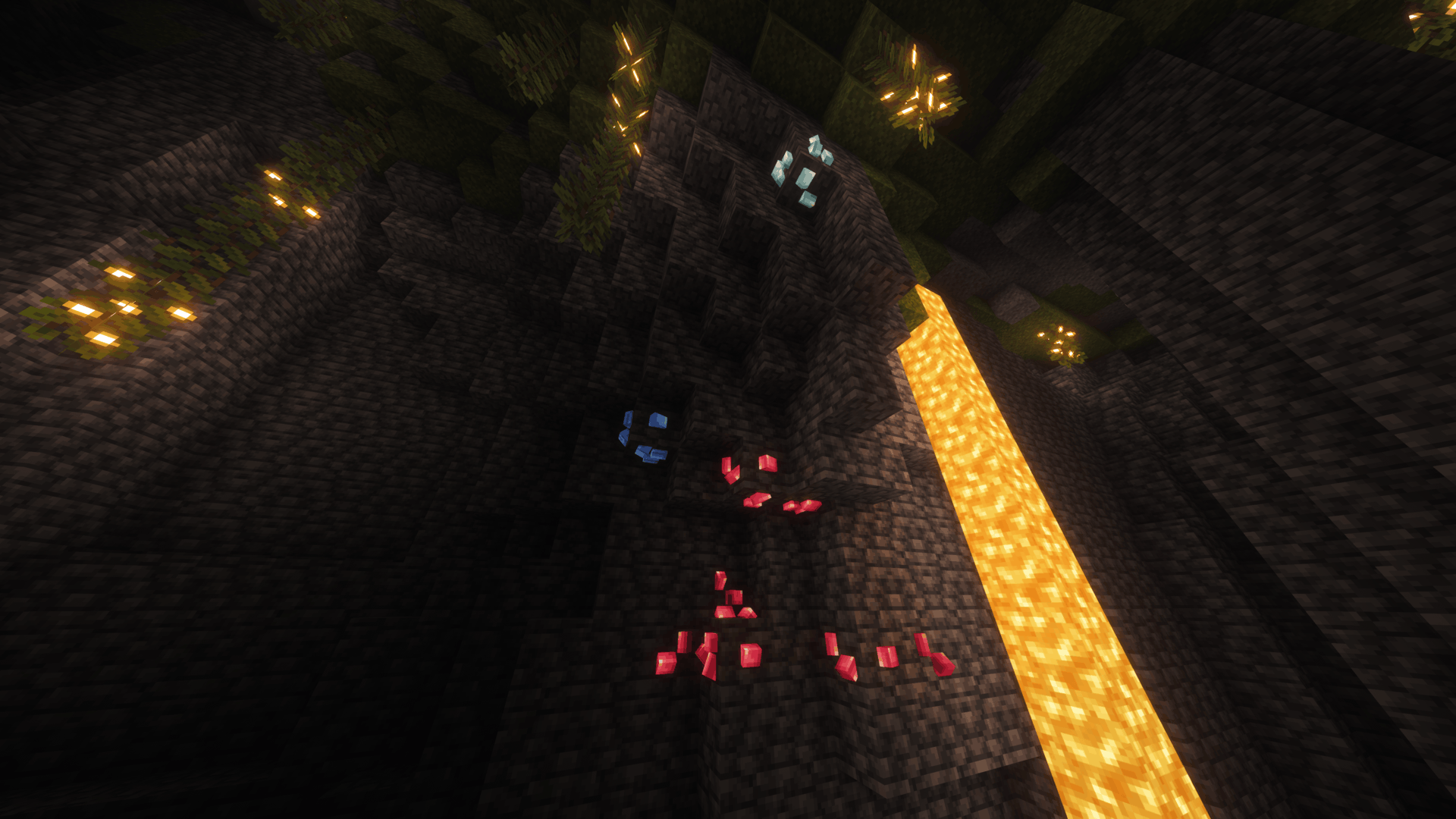
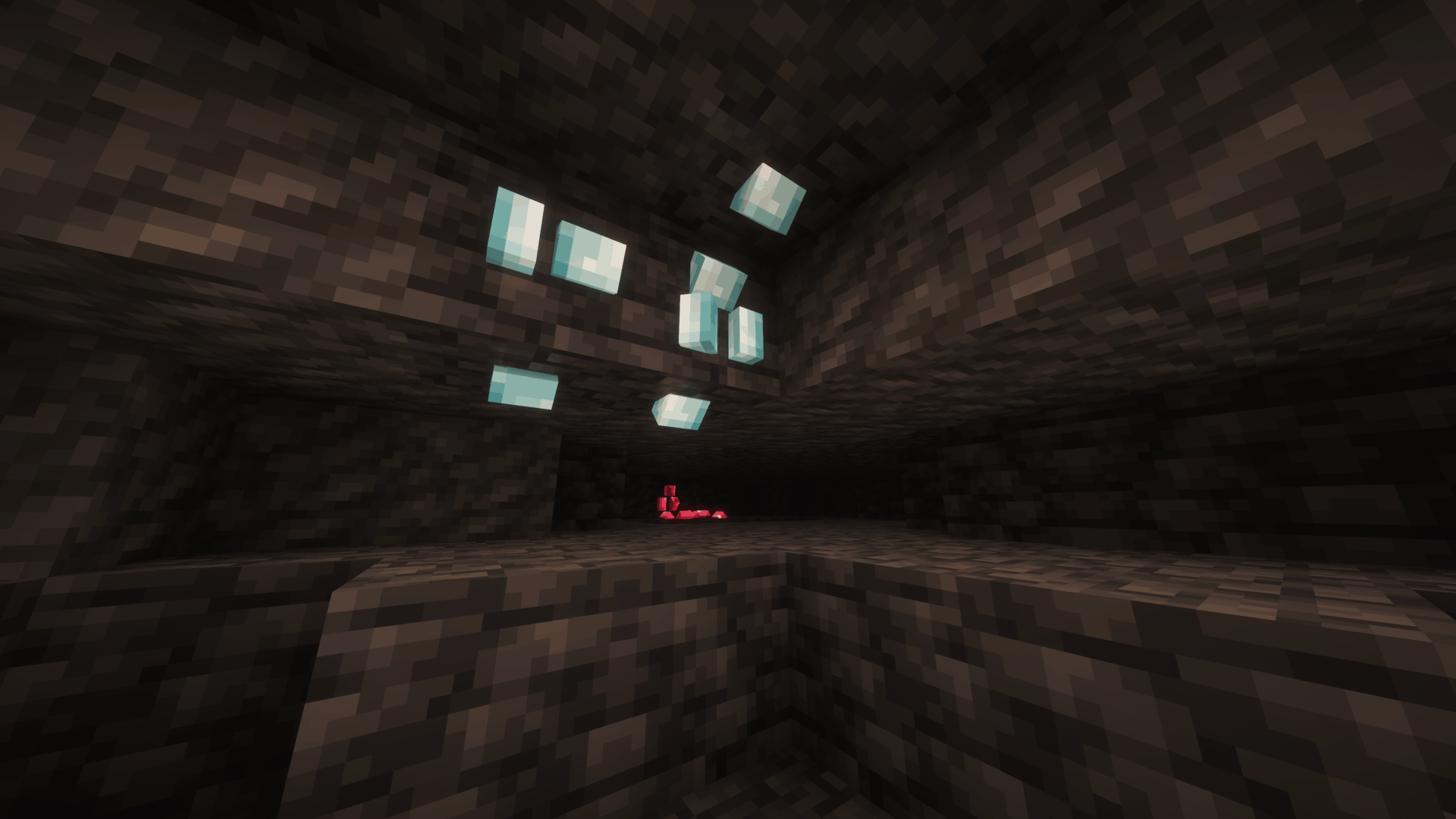
Click an image to view it in full size.

| 💎 3D Mineral Crystals | Replaces flat ore details with large crystal formations that protrude from the block surface. |
| ⛏️ All Vanilla Ores | Covers regular ores, deepslate ores, Nether ores and ancient debris. |
| 🔄 Natural Variation | Uses multiple crystal shapes, placements and orientations to reduce visible repetition. |
| 🪨 Original Base Textures | Keeps the normal stone, deepslate and Nether textures underneath the crystals. |
| 🟠 Varied Copper | Mixes fresh, exposed, weathered and oxidized copper crystal colors across copper ore. |
| ✨ Emissive Details | Selected crystal textures glow at full brightness where supported, helping ores stand out in darker areas. |
| 🎨 Vanilla-Scale Pixel Art | Uses custom crystal textures designed around Minecraft's original 16×16 pixel-art scale. |
📥 Installation
Recommended — Modrinth
The easiest way to install Alternative Ores is directly through Modrinth.
If you use the Modrinth App, simply add Alternative Ores to your Minecraft instance and Modrinth will handle the installation for you.
When browsing on the Modrinth website, use the available install option to open the project directly in the Modrinth App.
This is the recommended installation method, as it makes selecting and managing the correct resource pack version much easier.
Manual Installation
1. Download the Alternative Ores file matching your Minecraft version.
2. Place the downloaded .zip file inside your Minecraft resourcepacks folder.
3. Open Options → Resource Packs in Minecraft.
4. Move Alternative Ores to the active resource packs.
5. Enjoy!
If another resource pack changes ore models or textures, place Alternative Ores above it to prioritize Alternative Ores's models and crystal textures.

Have feedback, found a problem, or want to follow future projects?
Join the Intelligence Modding community for project updates, previews, support, and general Minecraft modding discussion.



