
Compatibility
Minecraft: Java Edition


Tags
Creators
Details
📥 Installation Guide
BeyondTexturePack is compatible with all Minecraft 1.21.x versions. To install the pack, simply download the .zip file and place it into your Minecraft resourcepacks folder. After that, open Minecraft, go to Options → Resource Packs, and enable the pack.
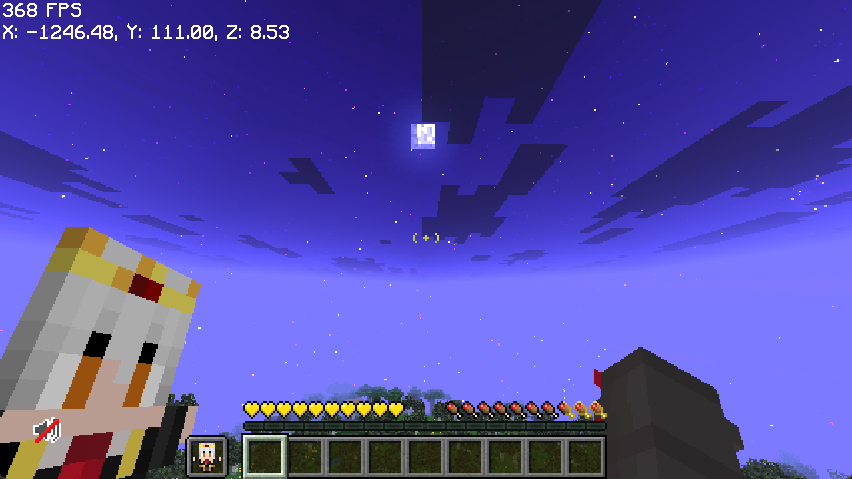
Not sure if the pack was installed correctly? You should immediately notice the custom totem, redesigned health and hunger bars, and the custom crosshair once you join a world.
BeyondTexturePack is designed to keep the vanilla Minecraft style while adding a cleaner and more modern visual experience. The pack works perfectly for survival, PvP, and casual gameplay without changing the core feel of Minecraft.
✨ Features
Custom Totem Personalized Health Bar Personalized Hunger Bar Custom Crosshair Vanilla-Friendly Style Compatible with all Minecraft 1.21.x versions
Credits to: Xisumavoid for the "vanilla tweaks" page
✅ Compatibility
BeyondTexturePack works with vanilla Minecraft and is also compatible with most popular mod loaders and clients, including Fabric, Forge, and NeoForge. No extra mods are required to use the pack. 😎