
Compatibility
Minecraft: Java Edition


Links
Tags
Creators
Details
Licensed ARR
Published 4 months ago
Updated last month
⚙️ Options Menu Preview

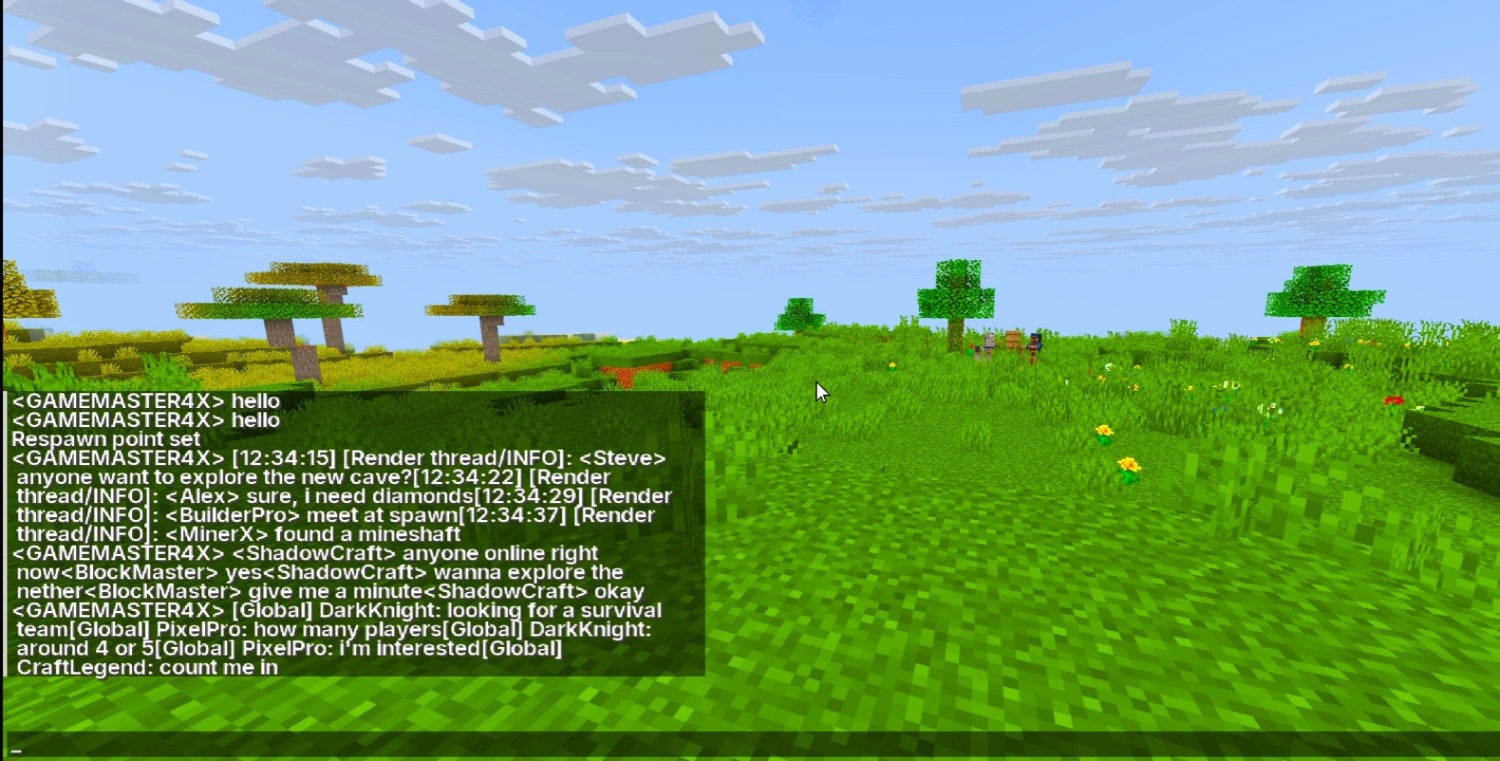
💬 Chat Preview
🌟 InterCraft UI - The Ultimate Modern Font Resource Pack
Tired of the old, pixelated default Minecraft text? InterCraft UI is here to completely overhaul your in-game typography! This resource pack integrates the highly acclaimed, premium-looking 'Inter' TrueType Font (.ttf) directly into Minecraft, giving your game a sleek, professional, and ultra-modern look.
🎮 What Inside the Pack? (Features & Changes)
Unlike basic font packs, this pack uses an official high-resolution .ttf file to replace the entire font engine. It changes EVERYTHING inside the game UI:
- 💬 In-Game Chat: Maximum readability during intense multiplayer or PvP sessions. No more blurry letters!
- ⚙️ Settings & Options Menu: Perfectly aligned, clean, and minimalist UI rendering.
- 🎒 Inventory & Item Names: Crystal-clear item descriptions and names, making advanced crafting easier.
- 📊 Scoreboards & Tab List: Sharp text presentation across all multiplayer servers.
⚙️ Compatibility & Supported Versions
This pack is built on modern tech and is highly optimized using TrueType Font formatting to ensure 0% game lag.
- 🛠️ Supported Minecraft Versions: Fully compatible from Minecraft 1.21.5 up to 26.3+ (and upcoming Java editions).
- 🌍 Language Support: Complete support for English (Standard ABCD) and all Latin-based characters.
- 🚀 Performance: Works perfectly alongside performance mods like Fabric API, Sodium, and Iris. (OptiFine is not required).
🛠️ How to Install
- Download the InterCraft UI .zip file from Modrinth.
- Open Minecraft and go to
Options>Resource Packs>Open Pack Folder. - Drag and drop the downloaded file into the folder.
- Activate the pack in-game and enjoy the clean modern typography!
📜 Credits: Font used: 'Inter' designed by Rasmus Andersson (Licensed under SIL Open Font License 1.1). Developed and packaged beautifully for the Minecraft community.