
Compatibility
Minecraft: Java Edition


Tags
Creators
Details
Modrinth Themed Loading Screen


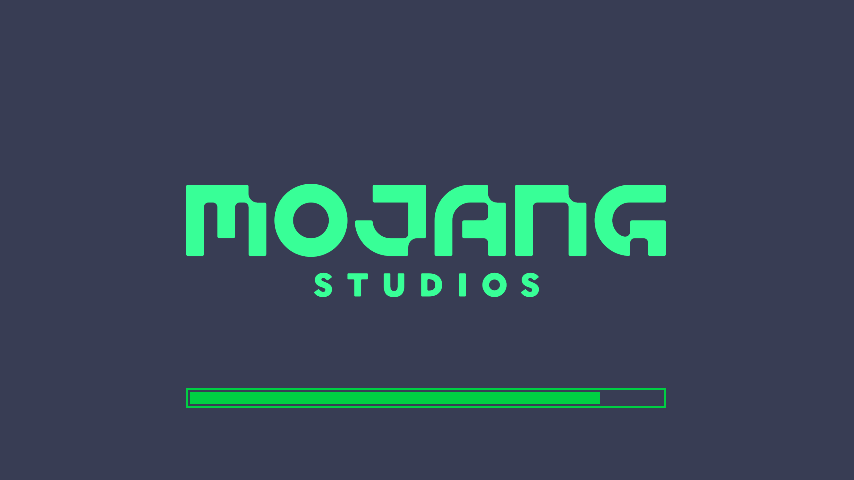
A clean Modrinth-inspired loading screen resource pack for Minecraft, designed to recreate the look and feel of the official Modrinth homepage.
This pack replaces the default Minecraft loading screen with a modern, minimal, green-themed design inspired by Modrinth’s visual identity.
Preview
Features
- Modrinth-style custom loading screen
- Modern dark background with bright green accents
- Clean and lightweight visual design
- Inspired by the Modrinth homepage aesthetic
- Improves the default Minecraft loading experience
- Simple resource pack with no gameplay changes
Requirements
This resource pack requires OptiFine or OptiGUI to work properly and display correctly.
At least one of them must be installed and active.
Without OptiFine or OptiGUI, some visual elements may not appear as intended.
Installation
-
Download the resource pack.
-
Open Minecraft.
-
Go to:
Options → Resource Packs → Open Pack Folder -
Place the
.zipfile inside the resource packs folder. -
Enable the resource pack in Minecraft.
-
Make sure OptiFine or OptiGUI is installed and active.
Compatibility
This resource pack is intended to work with Minecraft versions supported by OptiFine or OptiGUI.
For the best experience, use the latest compatible version of either OptiFine or OptiGUI for your Minecraft version.
Notes
This pack only changes the visual appearance of the loading screen.
It does not modify gameplay, blocks, items, mobs, menus, or game mechanics.
What Is This Resource Pack?
Modrinth Themed Loading Screen is a Minecraft resource pack that replaces the default loading screen with a custom design inspired by Modrinth. It is made for players who want a cleaner, more modern, and more polished startup/loading screen while keeping the game lightweight and simple.