
Compatibility
Minecraft: Java Edition


Tags
Creators
Details
Licensed ARR
Published 5 months ago
Updated last week
🟠 String Highlighter
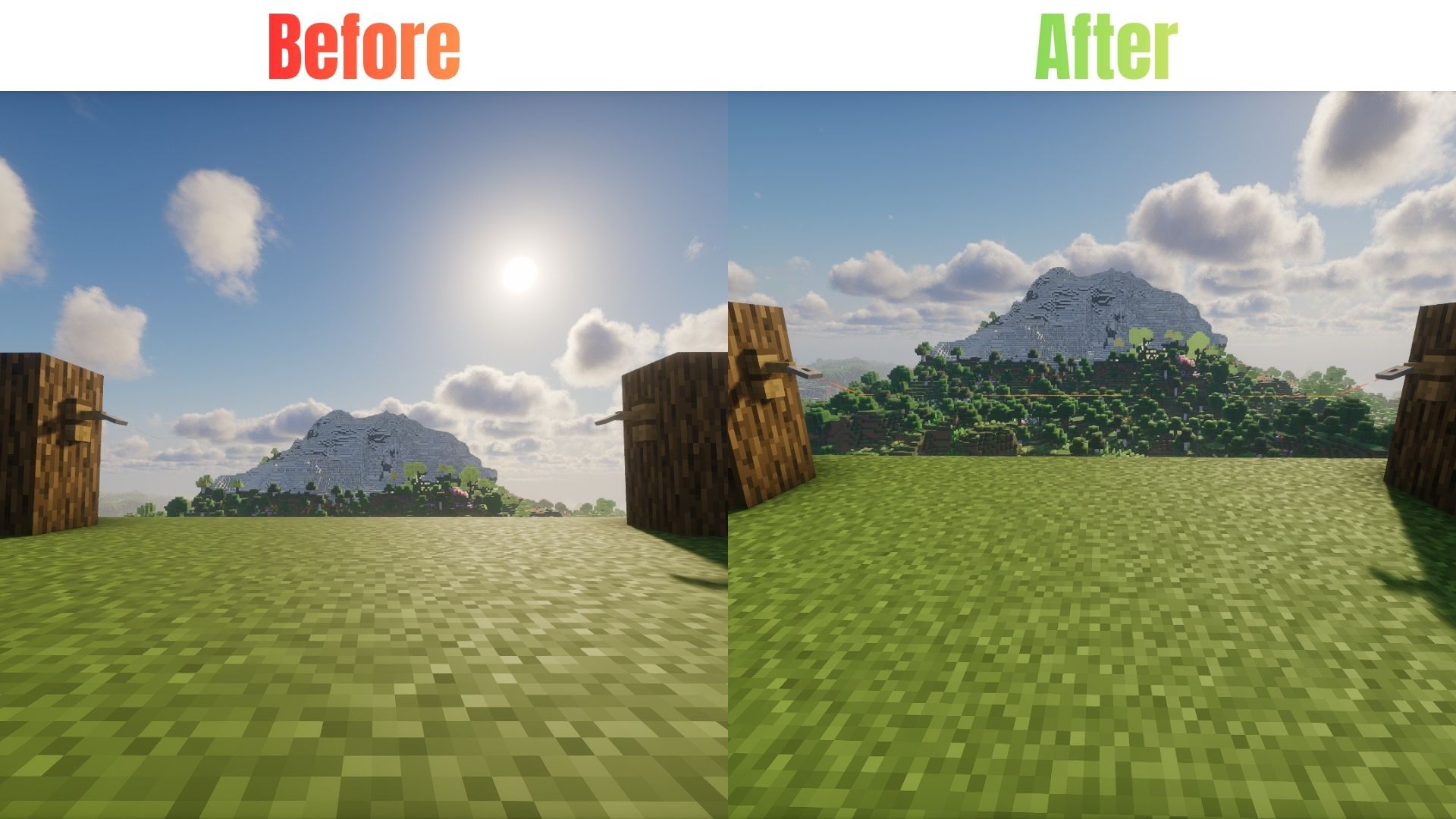
Tired of missing invisible tripwires or struggling to find placed string? String Highlighter makes hidden string easier to spot by changing its dull gray appearance to a bright, highly visible orange color!
Easily identify placed string, spot tripwire lines, and keep track of your redstone builds. Perfect for technical players, redstone builders, and survival players.
✨ Features
- 🟠 High Visibility — Changes dull gray string to bright orange.
- 🔴 Tripwire Detection — Makes tripwire lines easier to see.
- ⚙️ Redstone Friendly — Helps you locate string used in technical builds.
- ⚔️ PvP Friendly — Makes hidden tripwire traps easier to notice.
- 🎨 Vanilla-Friendly — Works as a standard resource pack without requiring additional mods.
- ⚡ Lightweight — Uses simple texture changes without unnecessary features.
🛠️ Installation
Java Edition
- Download the
.zipfile for your Minecraft version. - Open Minecraft and navigate to Options → Resource Packs → Open Pack Folder.
- Move the downloaded
.zipfile into the folder. - Return to Minecraft, find the pack under Available, and move it to Selected.
Bedrock Edition
- Download the
.mcpackfile. - Double-click the downloaded file to open Minecraft and import the pack.
- Go to Settings → Global Resources → My Packs.
- Select the pack and click Activate.
🌐 Availability
Java Edition
Available on Modrinth & CurseForge!
- Modrinth: String Highlighter on Modrinth
- CurseForge: String Highlighter on Curseforge
Bedrock Edition
Available on CurseForge!
- CurseForge: String Highlighter on Curseforge
💬 Support & Bug Reports
Found a bug or glitch, or need help with the resource pack?
Contact me on Discord: @legend242900
Feedback and bug reports are always appreciated! 🛠️
Happy building! 🟠