
Compatibility
Minecraft: Java Edition
Platforms


Tags
Creators
Details
Licensed CC-BY-4.0
Published 3 months ago
Updated 3 months ago
Refract Shaders
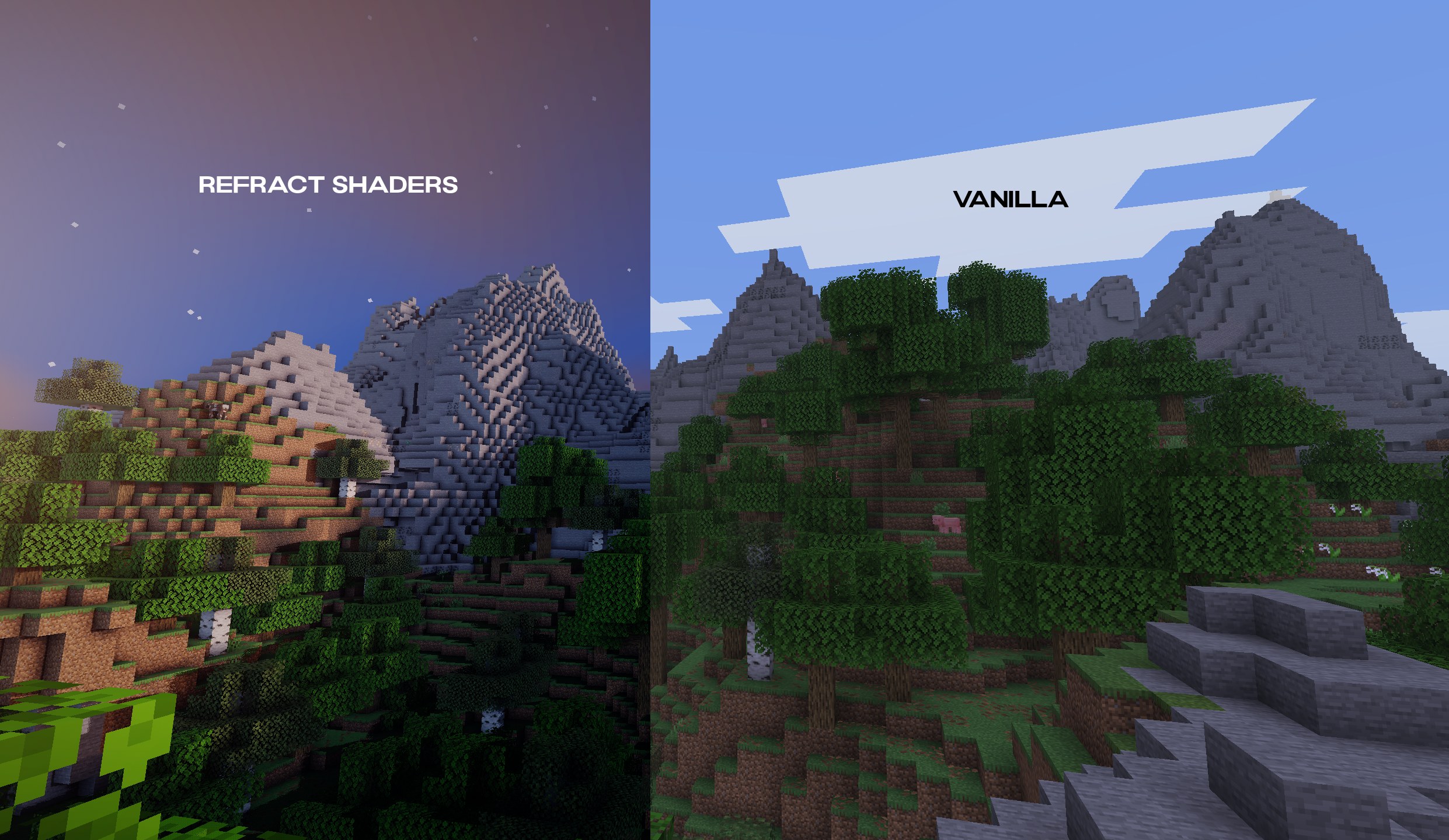
Refract Shaders, a visual overhaul designed to let a new light onto your Minecraft worlds! This pack focuses on creating a vibrant environment
Downloads
Click Here to Download Refract Shaders on Modrinth
Make sure to select the latest version
This shader pack includes:
- Colored Shadows Through Glass: look as sunlight filters dynamically through stained glass blocks, casting beautifully tinted shadows across parts of your interiors and builds.
- High-Quality Water: Dive into gorgeous, detailed water environments that look good whether you are standing on the shore or exploring the deep.
- Dynamic Shadows: Experience crisp, real-time shadows that ground your structures, foliage, and landscapes in reality during the day.
- Stunning Night Sky & Stars: Look up to experience a densely packed, glowing starry night sky that makes nighttime exploration a visual treat. (night work in progress)
Installation
To run Refract Shaders:
- Install a Shader Loader: First, ensure you have the Iris mod (recommended for performance) or OptiFine installed for your desired Minecraft version.
- Access the Shaders Menu: Launch the game, navigate to Options -> Video Settings, and click on Shader Packs (or Shaders).
- Open the Folder: Click the Open Shader Pack Folder button to open the directory on your computer.
- Add the Shader: Download the Refract Shaders
.zipfile from the downloads section above and drop it directly into the folder. (Do not unzip the file). - Activate: Return to the game, select Refract Shaders from the in-game list, click Apply
this shader pack is still in development