
Compatibility
Minecraft: Java Edition
Platforms


Tags
Creators
Details
⭐ Description
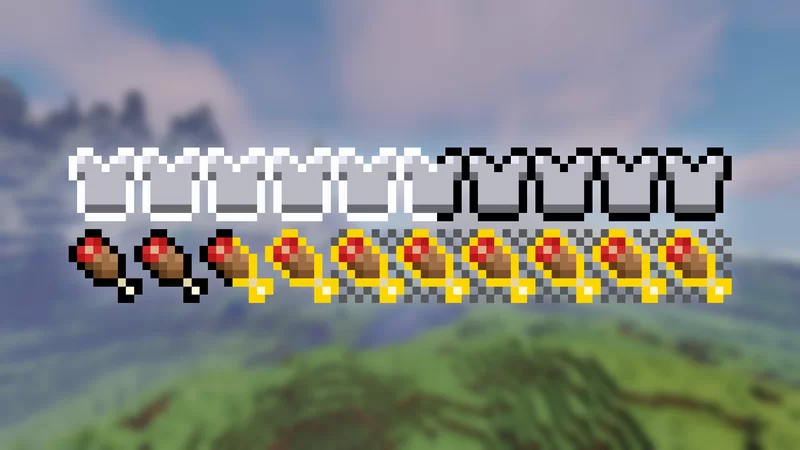
Inspired by AppleSkin Mod, This datapack adds saturation, exhaustion, and armor toughness bars to the game!
You can fully customize what bars to display in the settings menu (see commands section).
ℹ️ Bars Info:
Saturation Bar: It shows how much food is left before the player's food starts to decay. It is like a secondary hunger bar.
Exhaustion Bar: Shows how long it takes for the food bar or saturation to decrease by one.
Armor Toughness Bar: Explaining armor toughness is a bit complicated, but basically is an extra resistence. You can see more information in the wiki.
🪄 Commands:
/trigger satb_settings - Opens the personal settings menu, where you can activate or deactivate the bar display individually for yourself.
/function satb:global_settings - Opens the operator settings. Can enable and disable global settings (force settings for everyone).
/function satb:uninstall - Remove all scoreboards and data used by the datapack from the world
About the Resourcepack
This datapack requires a resourcepack to work. All players that are playing must have the resourcepack installed. If you are running on a dedicated server, you can configure it to force the use of resourcepack.
What the resourcepack changes:
- Add new fonts to the game.
- Add new translations for EN_US and PT_BR languages (for the chatmenu)
Players not using the resource pack won't see the bars.
Needs assistance or report some bug? Please contact me! I'm active on Discord: nodenotjs