
Compatibility
Minecraft: Java Edition
Platforms
Supported environments


Links
Tags
Creators
Details
Ingenium
A dynamic, hardware-aware performance mod for Minecraft 1.20.1 — Fabric.
So what is Ingenium?
Most performance mods apply the same static optimizations to every machine, every world, every situation. Ingenium takes a different approach: it monitors your JVM and server metrics in real time and shifts between optimization profiles on the fly — keeping your server at 20 TPS without you needing to configure anything.
It covers both client and server performance in a single mod, and is designed to stack with Sodium, Lithium, and FerriteCore rather than replace them.
Performance Comparison
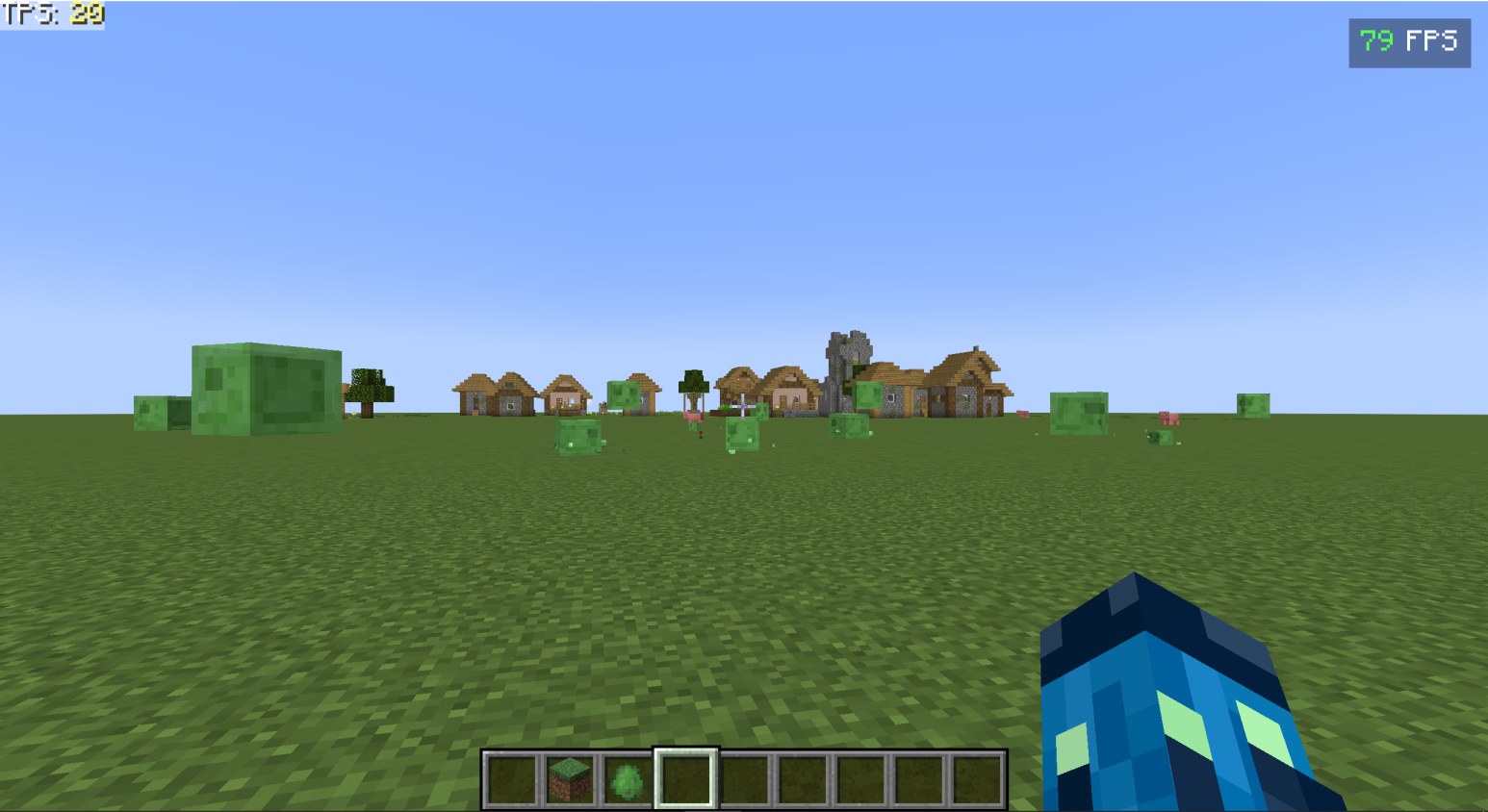
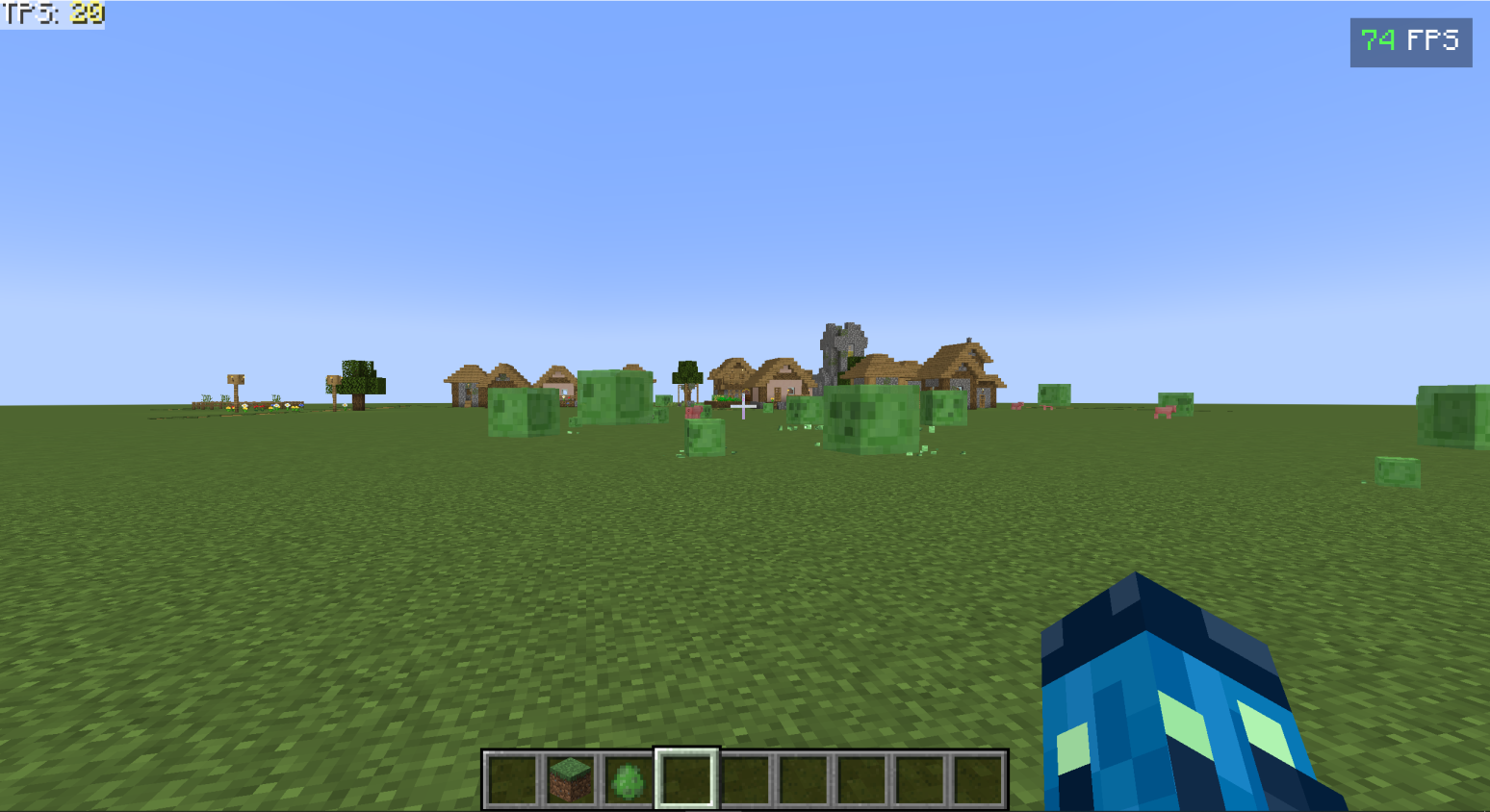
The screenshots below show FPS with Sodium(plus ferrite core, c2me, and lithium) versus Sodium paired with Ingenium(including previous mods mentioned), tested in the same scene.
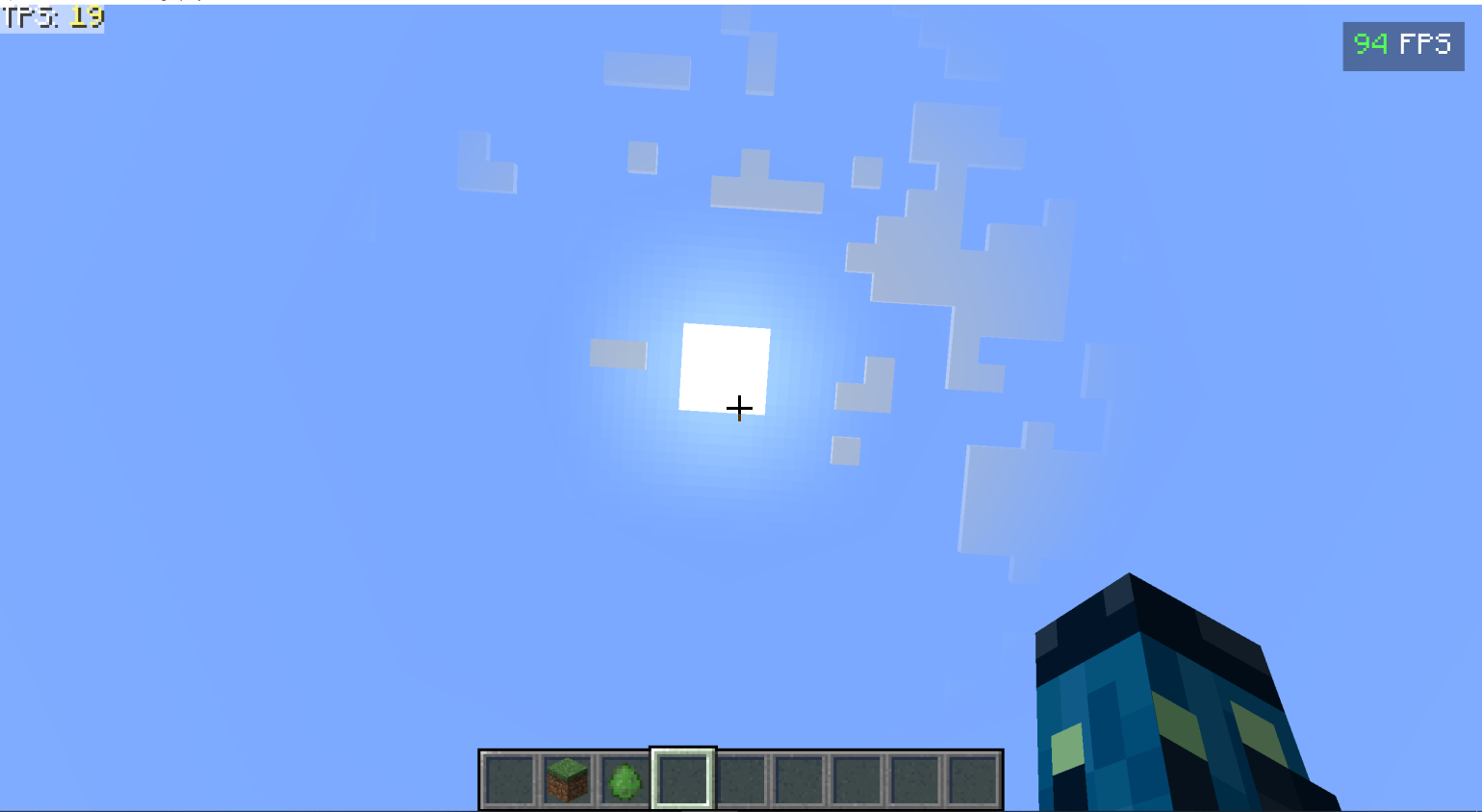
Sodium + Ingenium

⚠️ Alpha Notice
Ingenium is currently in alpha. Core systems are working, but you may encounter rough edges, unexpected crashes, or unusual behavior. Back up your worlds before installing.
If something goes wrong, please open an issue on GitHub — every report directly helps development.

Features
🔁 Adaptive Performance Governor
Ingenium's core system monitors live server MSPT and shifts between four profiles automatically:
- Balanced — default, minimal interference
- Reactive — activates when TPS starts to dip
- Aggressive — heavy intervention under sustained load
- Emergency — last-resort stabilization
Each profile controls how aggressively subsystems like render distance, block entity budgets, and chunk priority are managed. No manual configuration required — Ingenium probes your hardware on startup (processor count, heap size, throughput) and calibrates accordingly.
📉 Adaptive Render Distance
When the server is struggling, Ingenium automatically steps down your render distance to recover headroom, then gradually restores it once load stabilizes. The full state machine: STABLE → REDUCING → REDUCED → RECOVERING → STABLE. Your configured render distance is always fully restored once performance is healthy.
🧱 Entity Backface Culling
Polygon-level culling for entity models — geometry that isn't facing the camera is skipped entirely before it reaches the GPU. Produces measurable FPS gains in areas with many entities, with no visual difference.
⏱️ Timing Wheel Scheduler
Replaces vanilla's block and fluid tick scheduler with a timing wheel — a data structure purpose-built for high-volume time-ordered scheduling. Only activates when Lithium is not installed, so there is no overlap if you use both. Particularly effective in worlds with large numbers of active blocks.
🌍 SIMD-Accelerated World Generation
Uses Java's Vector API to run noise interpolation across multiple values simultaneously. On Java 21+ this works automatically. On Java 17, add --add-modules jdk.incubator.vector to your JVM flags, or Ingenium will fall back to scalar math automatically with no breakage. Does not alter terrain output.
🗃️ Off-Heap Block Entity Storage
Moves block entity metadata off the JVM heap using direct memory allocation. Reduces GC pressure and the frequency of GC pauses — especially noticeable in worlds with many block entities like chests, furnaces, and hoppers.
♻️ GC-Adaptive Scheduling
Monitors the JVM's garbage collector MX beans in real time and coordinates with the governor to avoid scheduling expensive work during or immediately after a GC cycle.
🗺️ Dimension Cache
Snapshots block entity and cache state when you leave a dimension, then restores it when you return — so frequently visited dimensions don't have to rebuild from scratch every time. Caches are evicted automatically if they get too old.
📦 Chunk Priority Engine
Prioritizes chunk loading and generation work based on player position and movement, so the chunks that matter most get processed first.
🔌 Network Buffer Pooling
Pools FriendlyByteBuf network packet buffers to reduce allocation pressure on the packet pipeline — fewer short-lived objects, less GC churn from network traffic.
🔧 Additional Optimizations
- Hopper throttle — intelligent cooldown scheduling for hoppers under load
- XP orb coalescing — merges nearby XP orbs to reduce entity count
- POI spatial cache — caches point-of-interest queries for villagers and similar AI
- Voxel shape comparison — faster axis-aligned bounding box checks for collision
- Vec3i hash improvement — better hash distribution for block position lookups
- Particle frustum culling — skips particle updates outside the view frustum
- Async pathfinding — offloads entity pathfinding (toggleable via keybind)
- Built-in benchmark tool — measure real impact on your specific machine with
/ingenium benchmark
Mod Compatibility
Ingenium automatically detects other performance mods and steps back where there is overlap:
| Mod | Behavior |
|---|---|
| Sodium | Integrates settings into Sodium's Video Settings screen; uses Sodium's vertex buffer API for bulk rendering |
| Iris / Oculus | Detected at startup; compatibility layer adjusts rendering systems accordingly |
| Lithium | Timing Wheel Scheduler deactivates — Lithium's tick system takes over |
| FerriteCore | StateIndexedCache uses FerriteCore's fast blockstate backend when available |
| Spark | Benchmark tool bridges to Spark profiler data when Spark is installed |
| C2ME | Chunk latency hooks operate safely alongside parallel world generation |
| OptiFine / OptiFabric | ❌ Incompatible — will not load alongside these |
📥 Installation
- Install Fabric Loader for Minecraft 1.20.1
- Install Fabric API
- (Optional but recommended) Install Sodium, Lithium, FerriteCore, and Spark
- Drop Ingenium into your mods folder and launch
Ingenium is safe to install on existing worlds. No configuration is required to get started.
For best SIMD performance: use Java 21 or add --add-modules jdk.incubator.vector to your JVM arguments. Ingenium runs fine without it — it just falls back to scalar math for worldgen noise.

🐛 Reporting Issues
If you encounter a bug or crash, please open an issue on GitHub and include:
- Minecraft version (1.20.1)
- Fabric Loader + Fabric API versions
- Your full mod list
- Your
latest.logfile - Steps to reproduce, if possible
FAQ
Does Ingenium replace Sodium or Lithium? No. It complements them. Ingenium handles systems those mods don't cover and explicitly yields where they do — the Timing Wheel deactivates if Lithium is present, and the StateIndexedCache plugs into FerriteCore if available.
Does it work server-side only? Yes. Ingenium can be installed server-side only, client-side only, or both. Client-side features (entity culling, render distance adaptation, particle culling) require client installation. Server-side features (governor, tick scheduler, chunk priority, block entity throttle) only need server installation.
Will it change how my world generates? No. SIMD acceleration speeds up noise calculations but produces the same output. Your world will look identical.
What if something goes wrong? Ingenium's safety system catches errors at the subsystem level. If a component fails, it disables itself and the rest of the mod continues running normally. It will not crash your game.
What are the keybinds?
- Toggle Governor (enables/disables the adaptive performance system)
- Toggle Instanced Rendering
- Toggle Async Pathfinding
- Open Settings All keybinds are rebindable in Minecraft's Controls menu under the Ingenium category.
⏱️ Timing Wheel Scheduler
Replaces vanilla's block and fluid tick scheduler with a timing wheel — a data structure purpose-built for high-volume time-ordered scheduling. Only activates when Lithium is not installed, so there is no overlap if you use both. Particularly effective in worlds with large numbers of active blocks.
🌍 SIMD-Accelerated World Generation
Uses Java's Vector API to run noise interpolation across multiple values simultaneously. On Java 21+ this works automatically. On Java 17, add --add-modules jdk.incubator.vector to your JVM flags, or Ingenium will fall back to scalar math automatically with no breakage. Does not alter terrain output.
🗃️ Off-Heap Block Entity Storage
Moves block entity metadata off the JVM heap using direct memory allocation. Reduces GC pressure and the frequency of GC pauses — especially noticeable in worlds with many block entities like chests, furnaces, and hoppers.
♻️ GC-Adaptive Scheduling
Monitors the JVM's garbage collector MX beans in real time and coordinates with the governor to avoid scheduling expensive work during or immediately after a GC cycle.
🗺️ Dimension Cache
Snapshots block entity and cache state when you leave a dimension, then restores it when you return — so frequently visited dimensions don't have to rebuild from scratch every time. Caches are evicted automatically if they get too old.
📦 Chunk Priority Engine
Prioritizes chunk loading and generation work based on player position and movement, so the chunks that matter most get processed first.
🔌 Network Buffer Pooling
Pools FriendlyByteBuf network packet buffers to reduce allocation pressure on the packet pipeline — fewer short-lived objects, less GC churn from network traffic.
🔧 Additional Optimizations
- Hopper throttle — intelligent cooldown scheduling for hoppers under load
- XP orb coalescing — merges nearby XP orbs to reduce entity count
- POI spatial cache — caches point-of-interest queries for villagers and similar AI
- Voxel shape comparison — faster axis-aligned bounding box checks for collision
- Vec3i hash improvement — better hash distribution for block position lookups
- Particle frustum culling — skips particle updates outside the view frustum
- Async pathfinding — offloads entity pathfinding (toggleable via keybind)
- Built-in benchmark tool — measure real impact on your specific machine with
/ingenium benchmark
Mod Compatibility
Ingenium automatically detects other performance mods and steps back where there is overlap:
| Mod | Behavior |
|---|---|
| Sodium | Integrates settings into Sodium's Video Settings screen; uses Sodium's vertex buffer API for bulk rendering |
| Iris / Oculus | Detected at startup; compatibility layer adjusts rendering systems accordingly |
| Lithium | Timing Wheel Scheduler deactivates — Lithium's tick system takes over |
| FerriteCore | StateIndexedCache uses FerriteCore's fast blockstate backend when available |
| Spark | Benchmark tool bridges to Spark profiler data when Spark is installed |
| C2ME | Chunk latency hooks operate safely alongside parallel world generation |
| OptiFine / OptiFabric | ❌ Incompatible — will not load alongside these |
📥 Installation
- Install Fabric Loader for Minecraft 1.20.1
- Install Fabric API
- (Optional but recommended) Install Sodium, Lithium, FerriteCore, and Spark
- Drop Ingenium into your mods folder and launch
Ingenium is safe to install on existing worlds. No configuration is required to get started.
For best SIMD performance: use Java 21 or add --add-modules jdk.incubator.vector to your JVM arguments. Ingenium runs fine without it — it just falls back to scalar math for worldgen noise.
🐛 Reporting Issues
If you encounter a bug or crash, please open an issue on GitHub and include:
- Minecraft version (1.20.1)
- Fabric Loader + Fabric API versions
- Your full mod list
- Your
latest.logfile - Steps to reproduce, if possible
FAQ
Does Ingenium replace Sodium or Lithium? No. It complements them. Ingenium handles systems those mods don't cover and explicitly yields where they do — the Timing Wheel deactivates if Lithium is present, and the StateIndexedCache plugs into FerriteCore if available.
Does it work server-side only? Yes. Ingenium can be installed server-side only, client-side only, or both. Client-side features (entity culling, render distance adaptation, particle culling) require client installation. Server-side features (governor, tick scheduler, chunk priority, block entity throttle) only need server installation.
Will it change how my world generates? No. SIMD acceleration speeds up noise calculations but produces the same output. Your world will look identical.
What if something goes wrong? Ingenium's safety system catches errors at the subsystem level. If a component fails, it disables itself and the rest of the mod continues running normally. It will not crash your game.
What are the keybinds?
- Toggle Governor (enables/disables the adaptive performance system)
- Toggle Instanced Rendering
- Toggle Async Pathfinding
- Open Settings All keybinds are rebindable in Minecraft's Controls menu under the Ingenium category.