Compatibility
Minecraft: Java Edition
Platforms
Supported environments


Tags
Creators
Details

thanks to MarioKartWii for icon
Item Editor
A powerful client-side in-game component and NBT editor for Minecraft: Java using the Fabric mod-loader.



Overview
Item Editor opens a comprehensive GUI for the currently held item, allowing you to safely modify item data on a draft before applying changes. Designed as a modern alternative to traditional raw NBT data editors, this mod utilizes Minecraft's modern data component system instead of relying solely on outdated raw-NBT workflows.
It features dynamic custom UI editors for modifying item properties, metadata, and components, including menus for special item types such as books, banners, custom fireworks, containers, signs, potions, and more.
Key Features
- Draft-first Editing - Safe modifications with live preview
- Modern Component System - Native support for Minecraft 1.20.5+ data components
- Dynamic Editors - Specialized UIs for books, banners, fireworks, containers, villager trades, command blocks and more
- Raw NBT Fallback - Full text editor with syntax highlighting and validation
- Built-in Storage - Save, search, and organize items, and import saved items from other mods
- Multiplayer Compatible - Does not require a server-side plugin to function, only requires creative mode.
Installation
Requirements
- Minecraft Fabric (compatible version)
- Fabric API
- owo-lib
Steps
- Install Fabric Loader
- Download the following files:
- Item Editor (this mod)
- Fabric API
- owo-lib
- Place all
.jarfiles into yourmodsfolder - Launch the game
- Open the editor via Controls → Item Editor (default key:
I)
Core Workflow
Item Editor uses a draft-first editing system to ensure safe, predictable modifications:
| Feature | Description |
|---|---|
| Draft Editing | All edits are made on a temporary copy of the held item |
| Live Feedback | Preview updates while editing, with validation shown inline |
| Safe Apply | Save / Apply shows a diff/verification flow before committing |
| Discard Safety | Close/Reset asks for confirmation when needed |
Editor Categories
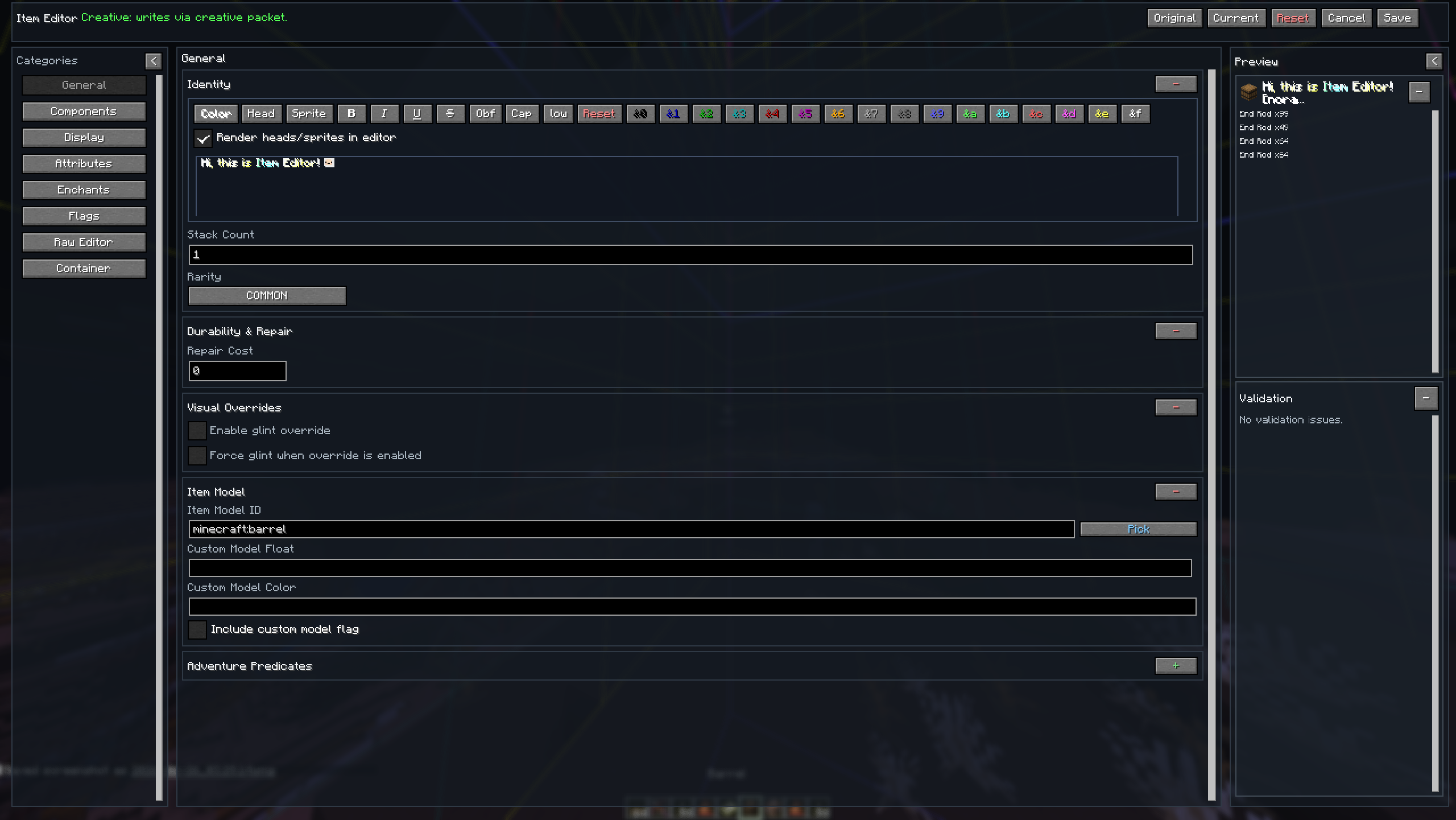
General
- Custom Name Editing: Styled formatting with presets, gradients, and color picker
- Core Values: Count, Rarity, Durability/Damage, Repair Cost, Unbreakable
- Visual/Model Fields: Glint override, Item Model, Custom Model values
- Adventure Predicates: Can Break / Can Place On with searchable block picking
Components
Always Available
- Name/Stack/Flags: Item Name, Glider, Death Protection
- Food/Consumable: Nutrition, Saturation, Use Behavior
- Combat Behavior: Animation Type & Duration, Hit Sounds with searchable sound picking
- Registry Components: Damage Type, Note Block & Break Sound, Painting Variant
- Equipment / Combat: Equipment Slot, Equip and Shearing Sounds, Asset ID, Camera Overlay, Weapon & Tool settings, Attack Range
- Block Attacks: Block Attacks timings, Damage Reduction, Item Damage
- Custom Data: Raw Editor for Custom Data compounds
Item Specific
- Block State: Block State properties
- Charged Projectiles: Item ID, Count
- Map Metadata: Map Color, Post-Processing (Lock/Scale)
- Advanced Map: Map ID, Decorations, Lodestone Tracker
- Container Metadata: Lock ID, Loot Table, Bee Occupants, Pot Decorations
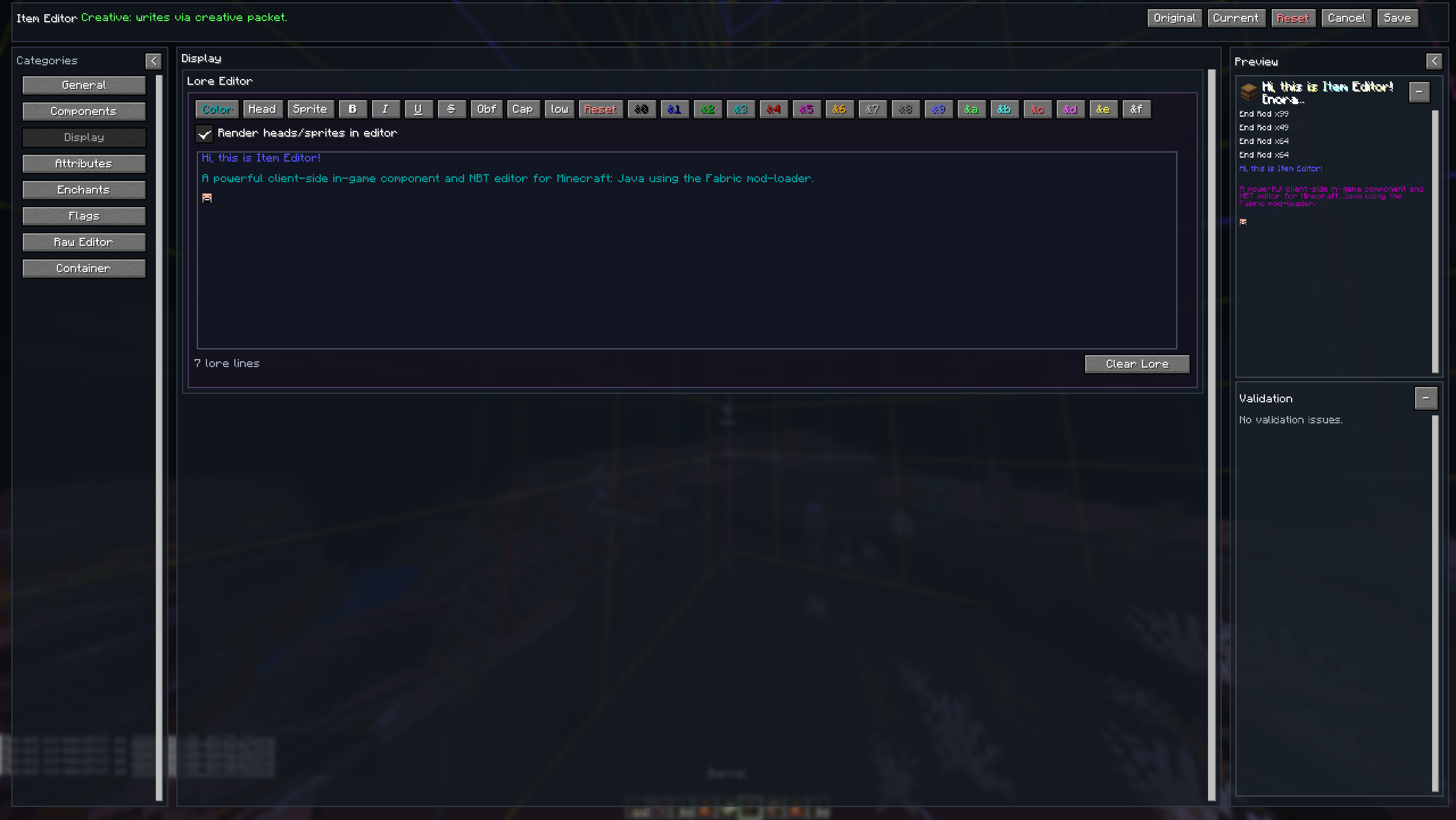
Display
- Rich multi-line editor with formatting toolbar
- Color/Gradient styling, Head & Sprite insertion and rendering
- Save system for your favorite colors, gradients and shadows
Attributes
- Add, Edit or Remove Attributes
- Menu for each Attribute, with Attribute, Amount, Operation, Slot, and Modifier ID fields
- Summarizes current attribute values and allows resetting to original
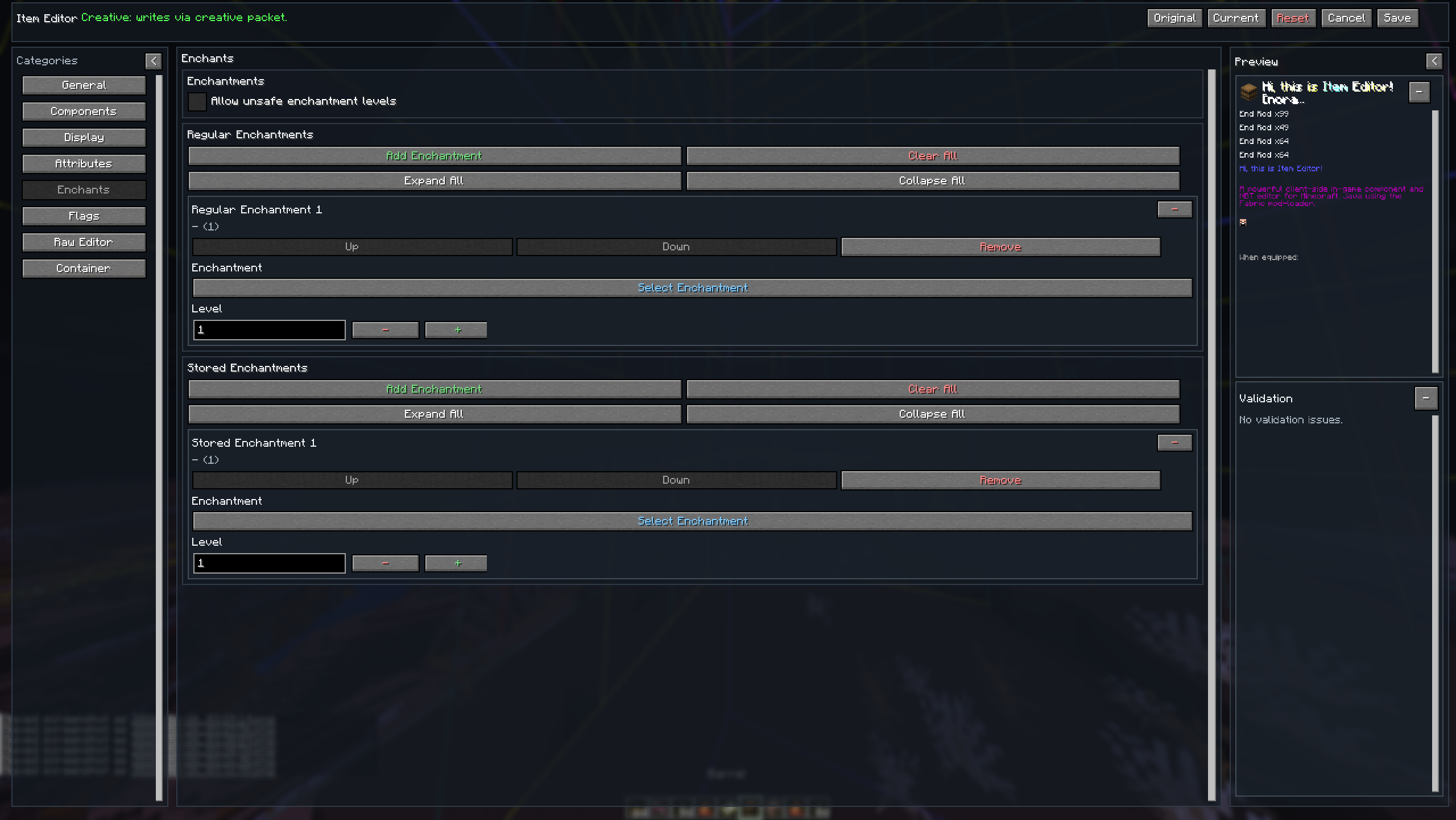
Enchantments
- Searchable Enchantment picker and Level adjuster
- Reorder or remove Enchantments
- Allow "unsafe" enchantment levels over the survival limit
Flags
- Hide all or specific components from the tooltip or hide the entire tooltip
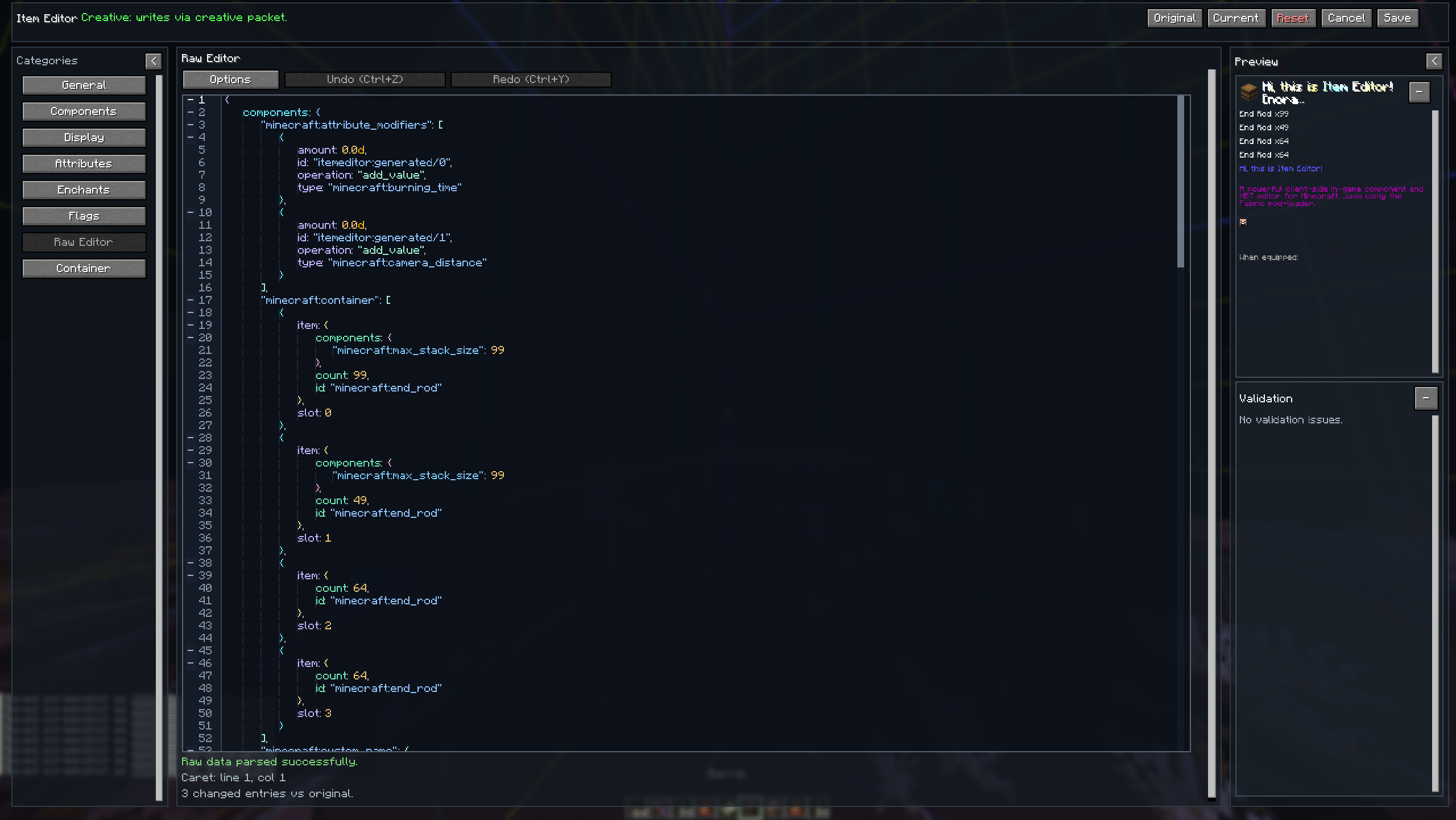
Raw Editor
- Full raw text editor for direct control
- Format/Minify tools in editor options
- Syntax-aware editing with inline error targeting and validation
- Collapse components at multiple levels
- Smart suggestions while editing
Special Data
Dynamic category. Sections appear only for compatible items.
- Written Book/Writable Book/Sign: Rich multi-line editor with formatting toolbar, even insertion, and preview
- Potion/Suspicious Stew: Potion ID, Color, Custom Name, Custom Effect with searchable picker
- Firework Explosion: Add Explosions, editing Shape, Material, Colors, Fade Colors, Trail and Twinkle
- Banner/Shield: Creator with Layer Picker, Color Picker, and Preview
- Container/Bundle: Add and Modify Slots of Chests, Shulkers and Bundles
- Spawner/Spawn Egg/Bucket: Add and Modify Entity Data
- Armor Stand: Pose with Presets and Preview, Custom Name, Inventory Locks, Scale
- Item Frame: Custom Name, Flags, Item Rotation, Drop Chance, Facing
- Command Block: Type, Command, Custom Name, Activation, Output / Runtime State
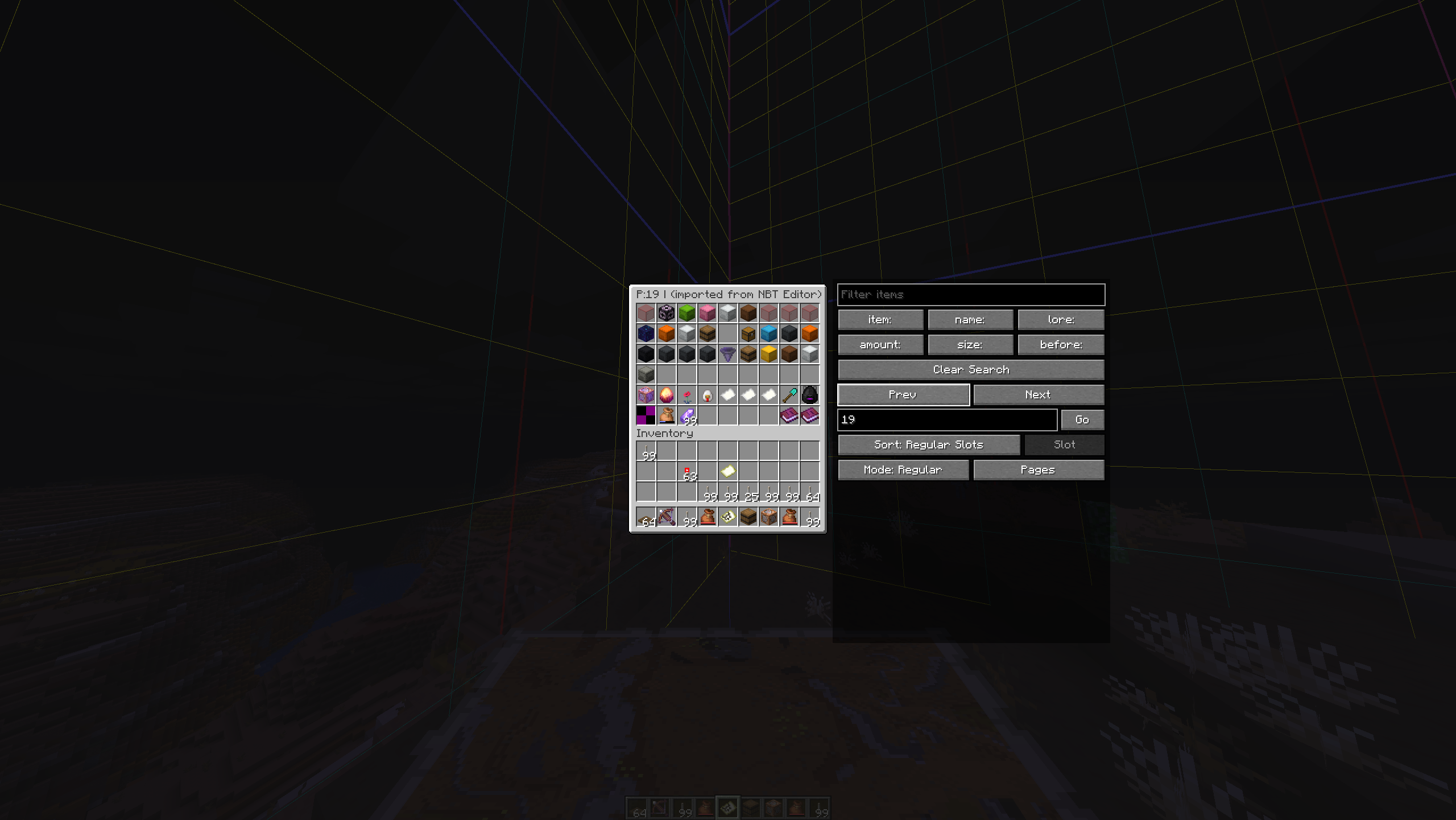
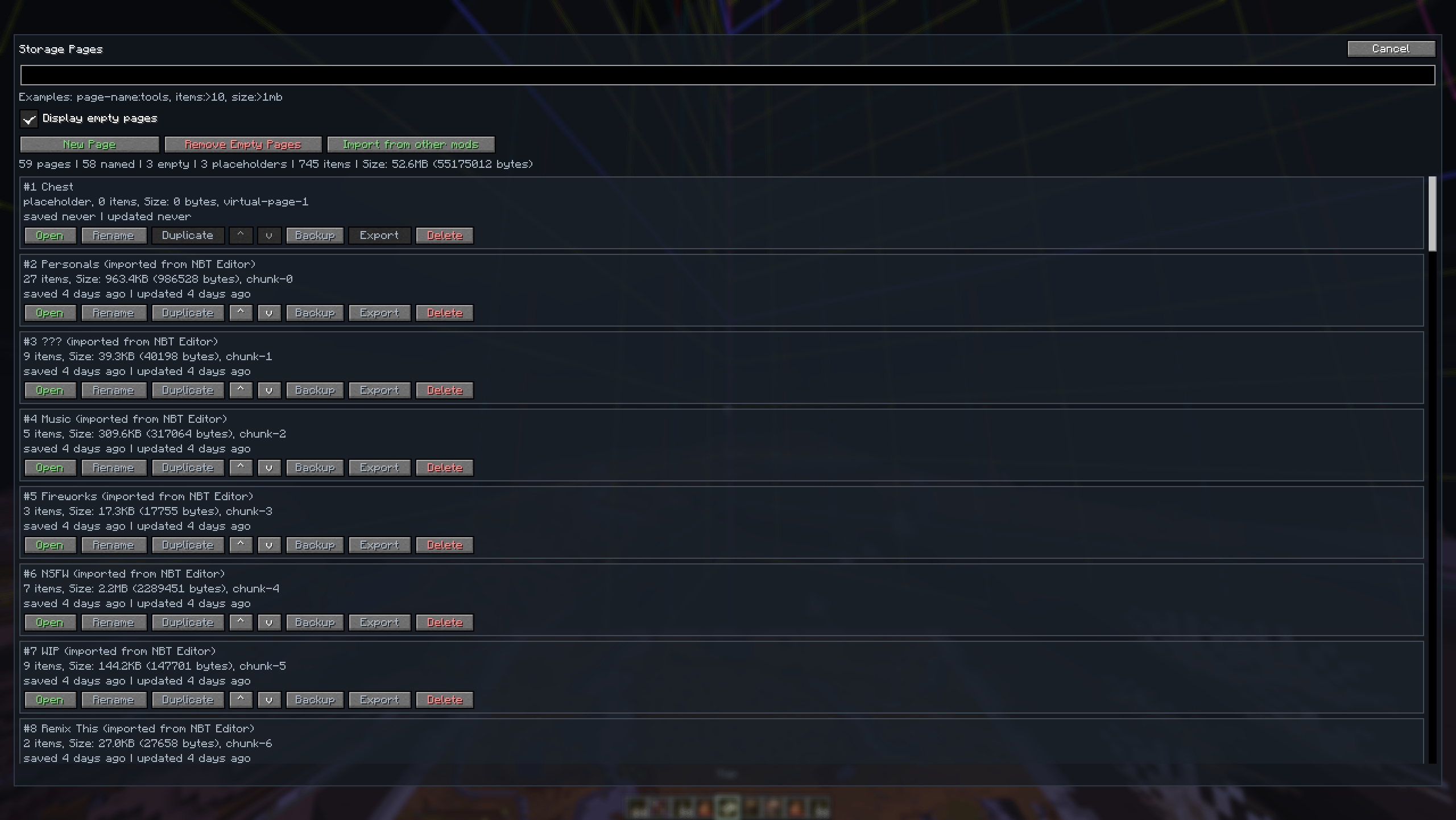
Storage
Save items into a built-in storage menu:
- Browse/Search/Sort: Filter saved items by Item, Name, Lore, Amount, Size, and Modification Date
- Sort Modes: Regular Slot, Saved Time, Alphabetical, Stack Count, or Size
- Page Organization: Set custom page names and orders
- Import: Bring saved items from other mods (NBT Editor, Librarian)
- Access: Open via
/storagecommand, or viaOkeybind (rebindable)
Screenshots




Supported Languages
| Language | Native name | Code |
|---|---|---|
| English | English | en_us |
| Japanese | 日本語 | ja_jp |
| Spanish | Español | es_es |
| Russian | Русский | ru_ru |
| Ukrainian | Українська | uk_ua |
| Simplified Chinese | 简体中文 | zh_cn |
| Traditional Chinese | 繁體中文 | zh_tw |
| Hindi | हिन्दी | hi_in |
Contributing
Contributions are welcome! Please feel free to:
- Report bugs via GitHub Issues
- Submit feature requests
- Join the Discord for discussion
NBT Library
If you are interested in item making, NBT etc, also check out NBT Library. The NBT Library is focused on a "quality over quantity" approach, providing meticulously curated hotbars full of items, kits, books, and more for your creative servers and single-player worlds.
Also thanks a lot to Kaddicus for his countless helps while developing this mod, without him this mod would be a simple Lore Editor.
License
This project is licensed under the terms of the license specified in the LICENSE file.