
Compatibility
Minecraft: Java Edition
Platforms
Supported environments


Links
Tags
Creators
Details
Licensed GPL-3.0-only
Published 3 months ago
Updated 3 months ago

Replace one material everywhere in Litematica in a few clicks.



| 🔁 Replace everywhere | 🔎 Find blocks fast | 💾 Save your way |
|---|---|---|
| Changes the actual schematic block data. | Search by block name or ID. | Overwrite the original or export a copy. |
See it in action
1. Choose a material
Every material row gets a Litematica-styled Replace button.
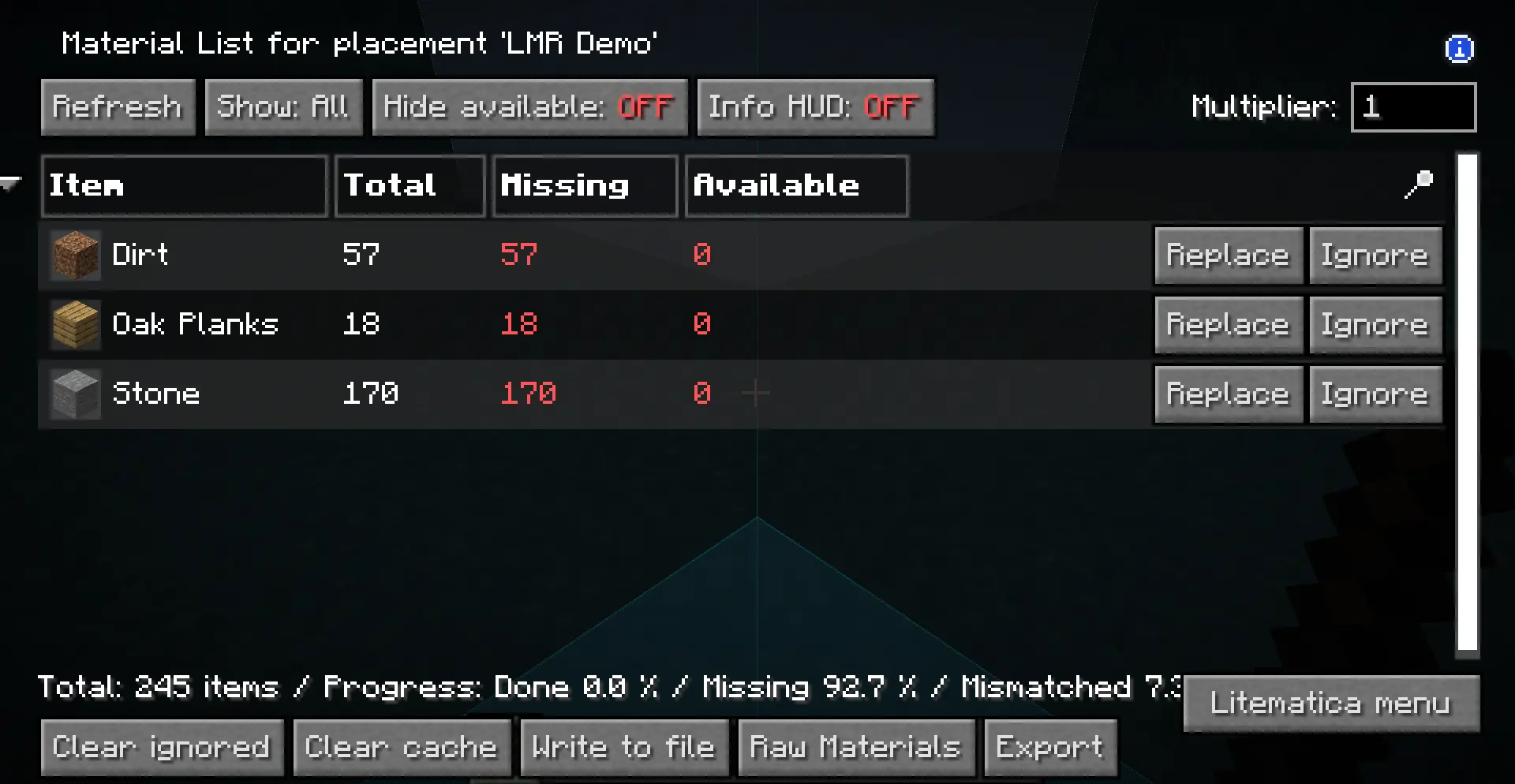
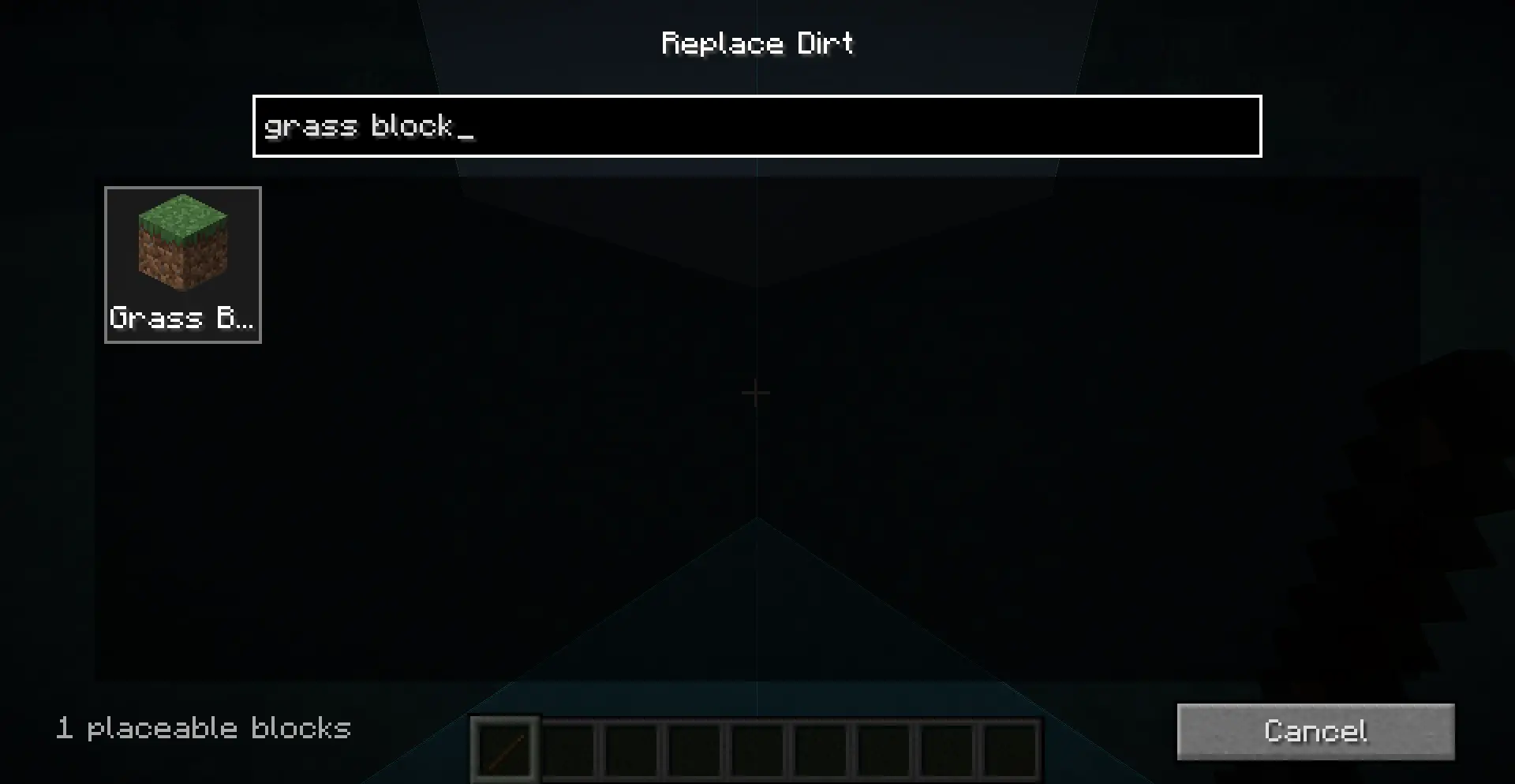
2. Find the replacement
Type a name or namespaced ID and choose from rendered block previews.
Install
- Install Fabric Loader.
- Download Litematica and MaLiLib for your exact Minecraft version.
- Download the matching LMR jar
and place all three mods in your
modsfolder.
Supported: Minecraft
26.1,26.1.1,26.1.2, and26.2on Fabric. LMR is client-side and does not bundle Litematica or MaLiLib.
Use
- Open a schematic or placement Material List.
- Click Replace beside the material you want to change.
- Search for and select the new block, then confirm the preview.
- Choose Overwrite Original or Export as New.
Tip: Export as new if you want to keep the original schematic untouched. Replacements use the target block's default state; NBT and orientation are not preserved.
GPL-3.0-only · © 2026 NullKeeper-dev