
Compatibility
Minecraft: Java Edition
Platforms
Supported environments


Tags
Creators
Details
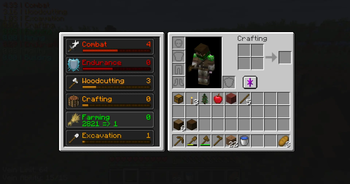
Inventory Skills View
View skill progress in your inventory

Tooltip
Customizable tooltips let you see information about items at a glance
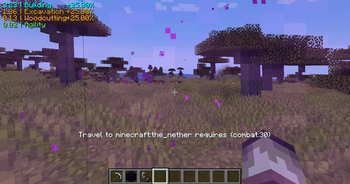
Travel Restrictions
Dimensions can be locked to skill requirements
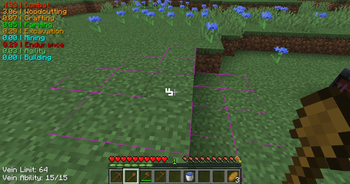
Vein Mining
As you get better equipment, you gain even stronger vein mining capabilities. Vein mining allows you to break multiple of the same block in a single action.
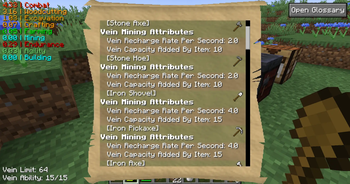
Glossary (full view)
The glossary lets you look at all the XP, requirements, bonuses, perks, vein capabilities, and more about objects in the game.
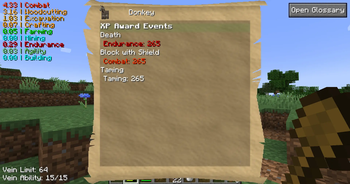
Glossary (Specific view)
When looking at/hovering items and using the glossary key (P), you can view the specific settings for that thing. This is especially helpful if your modpack is using NBT values for settings.

Glossary (Select menu)
When first opening the glossary, you will need to select the type of information you want to see.
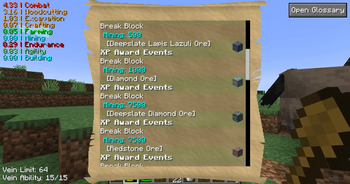
Glossary (Filtered View)
This view shows a filtered view where the player chose only to see XP sources for the Mining skill

Glossary (Dimension/Biome View)
Opening the glossary when not looking at an entity/block will show you the settings for the dimension and biome you are in.
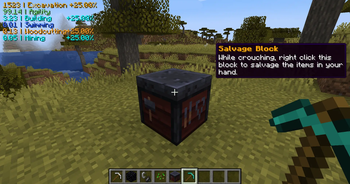
Salvaging
The smithing table doubles as a salvage station. You can break down the items in your hands at the smithing table.
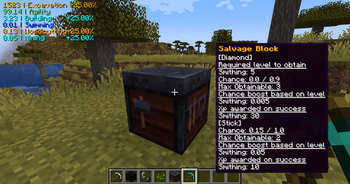
Salvaging (Previewing)
To Salvage, shift right click the smithing table with the item in hand you want to salvage. Before you right-click, the tooltip will show you what you might get based on your salvage chances.

Earning XP
Actions in game, like breaking blocks, award you XP based on the type of block!
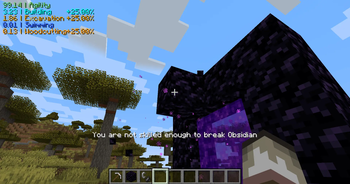
Requirements
Everything in the game can be given requirements for skill levels needed to perform an action. In this case, the player needs to level up their Mining skill to break Obsidian.