
Compatibility
Minecraft: Java Edition
Platforms


Tags
Creators
Details
Keep Illegal Blocks
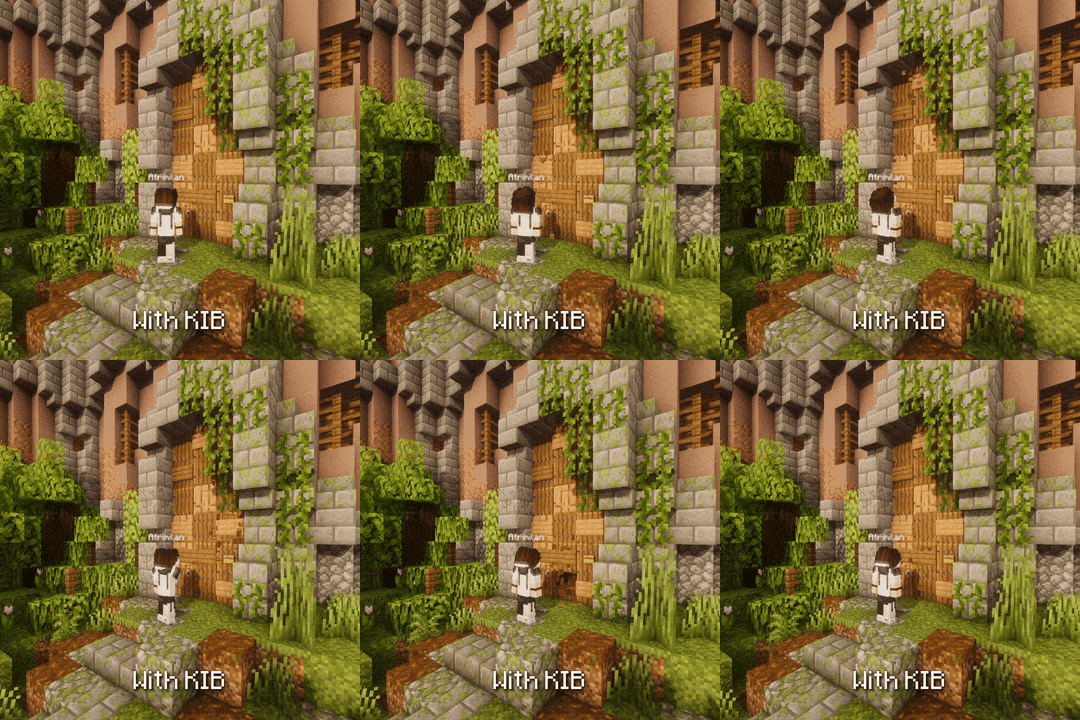
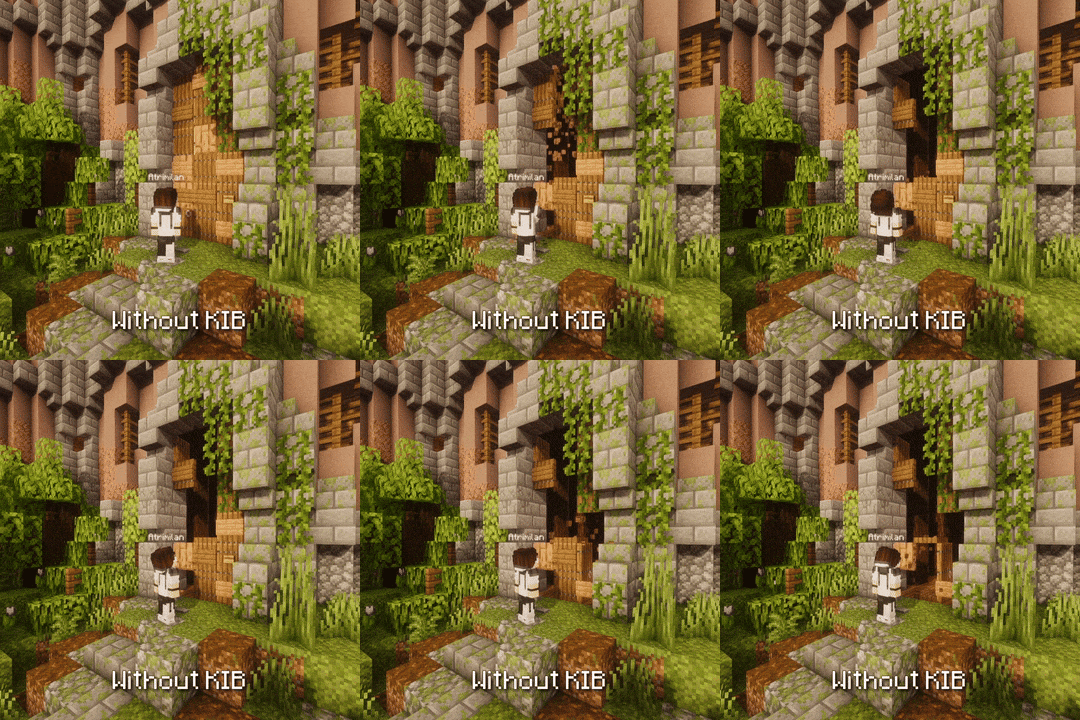
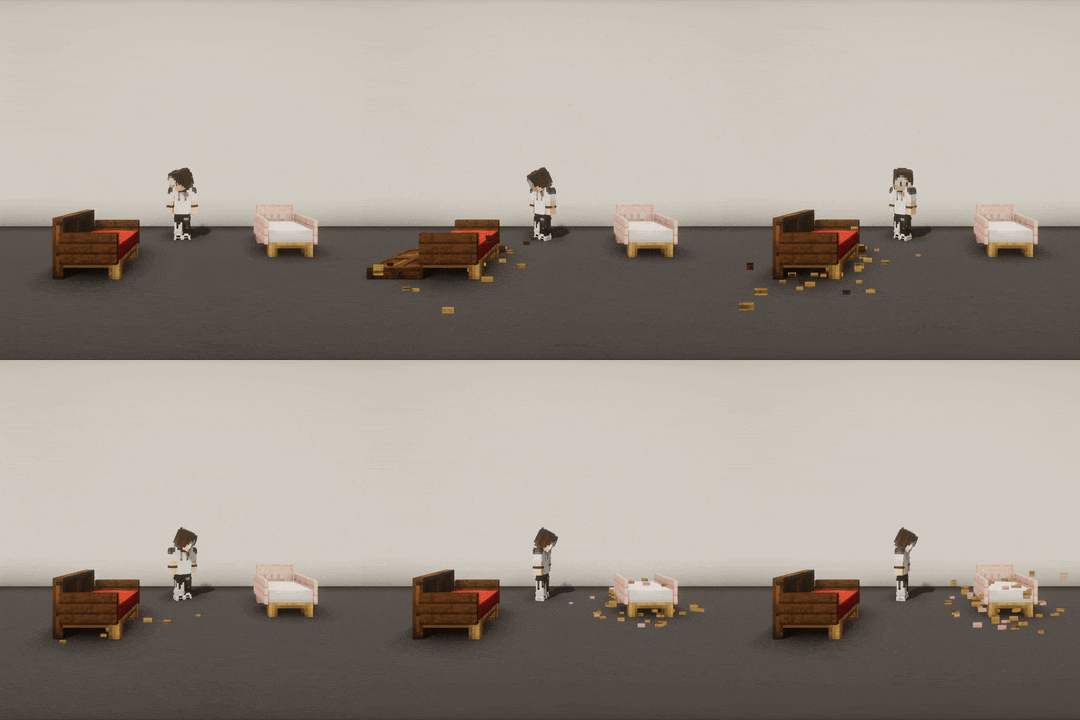
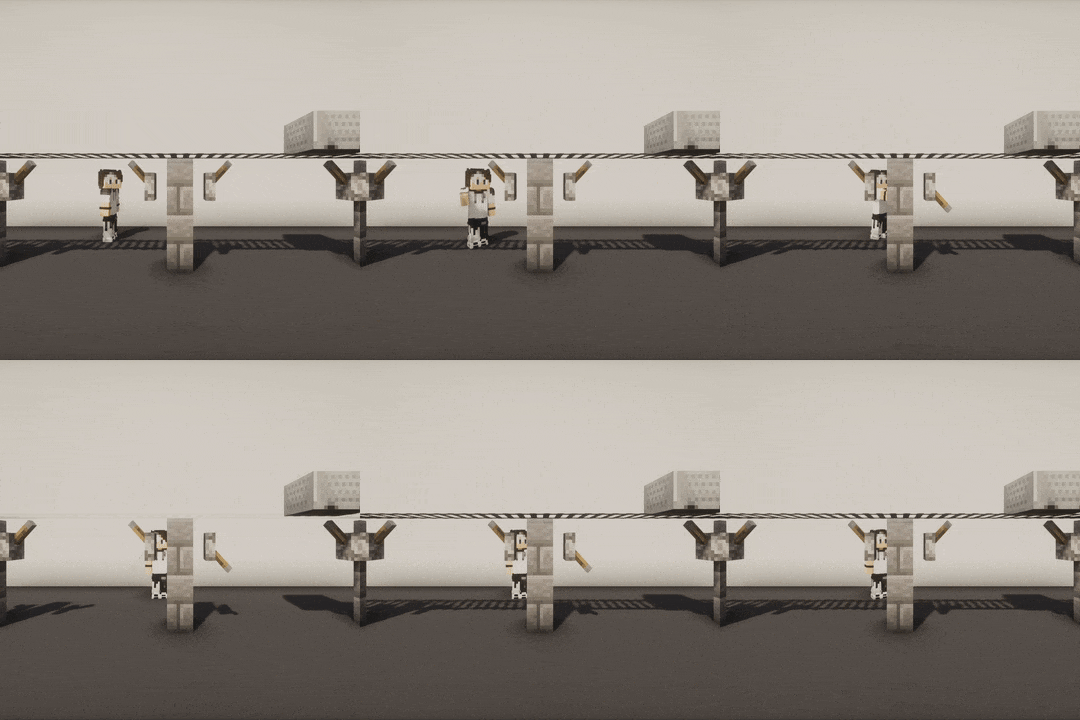
KIB is a Paper plugin that prevents illegal blocks from breaking when a player interacts with an adjacent block.
 |
 |
🖼️ More GIF examples
There you go 😎:
 |
 |
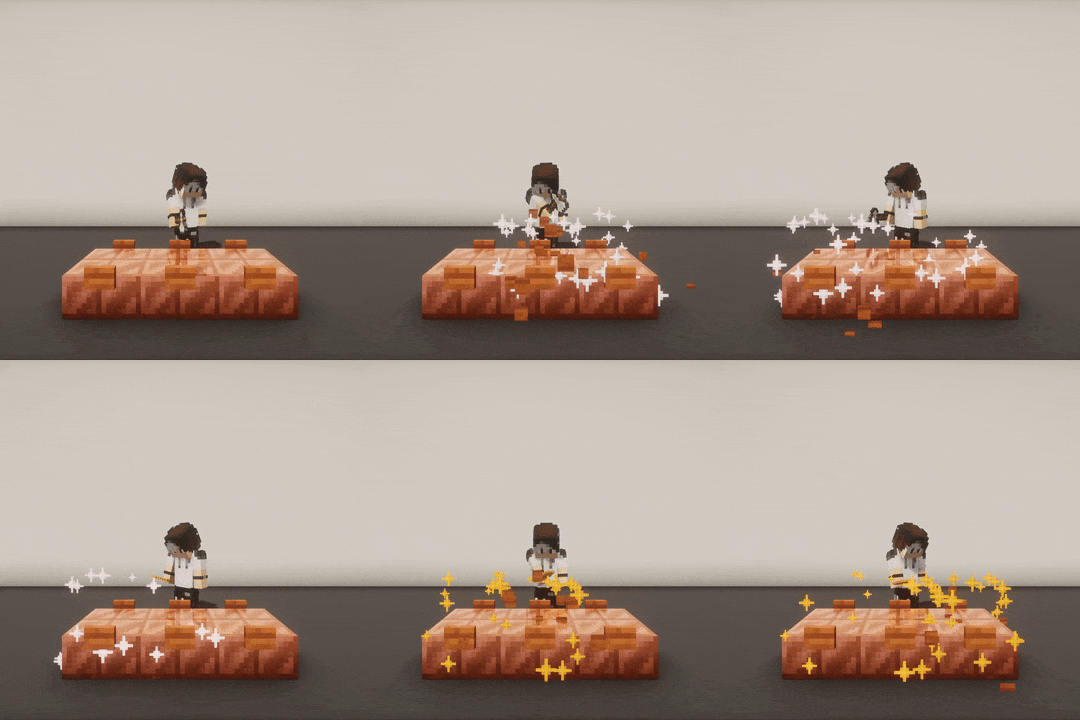 |
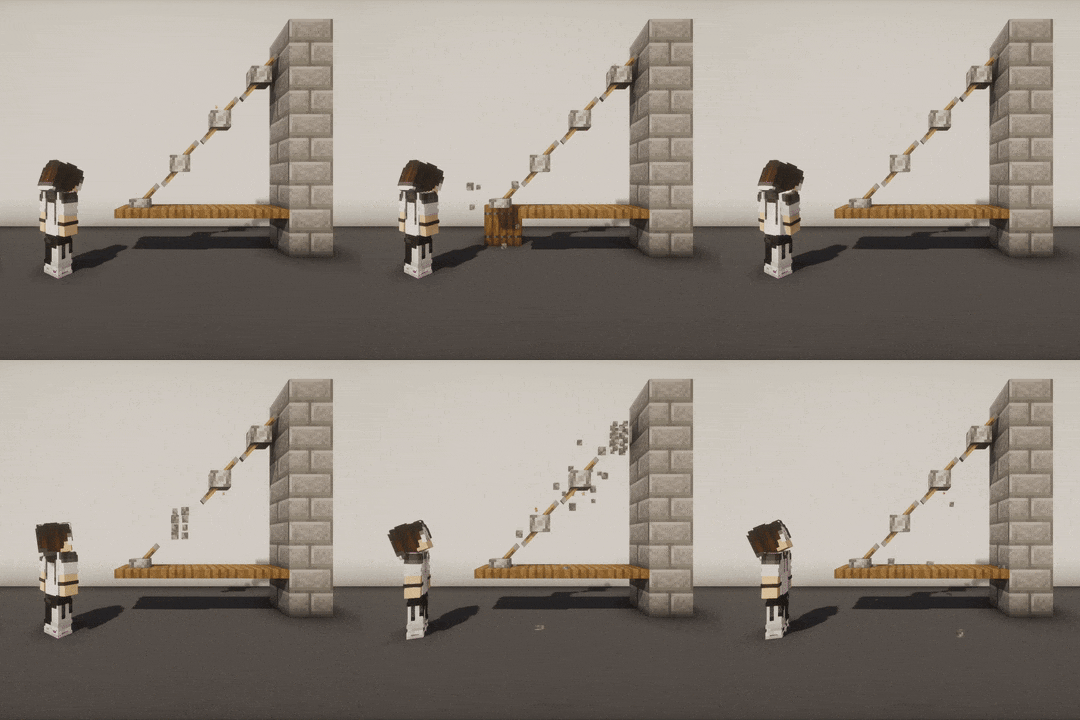 |
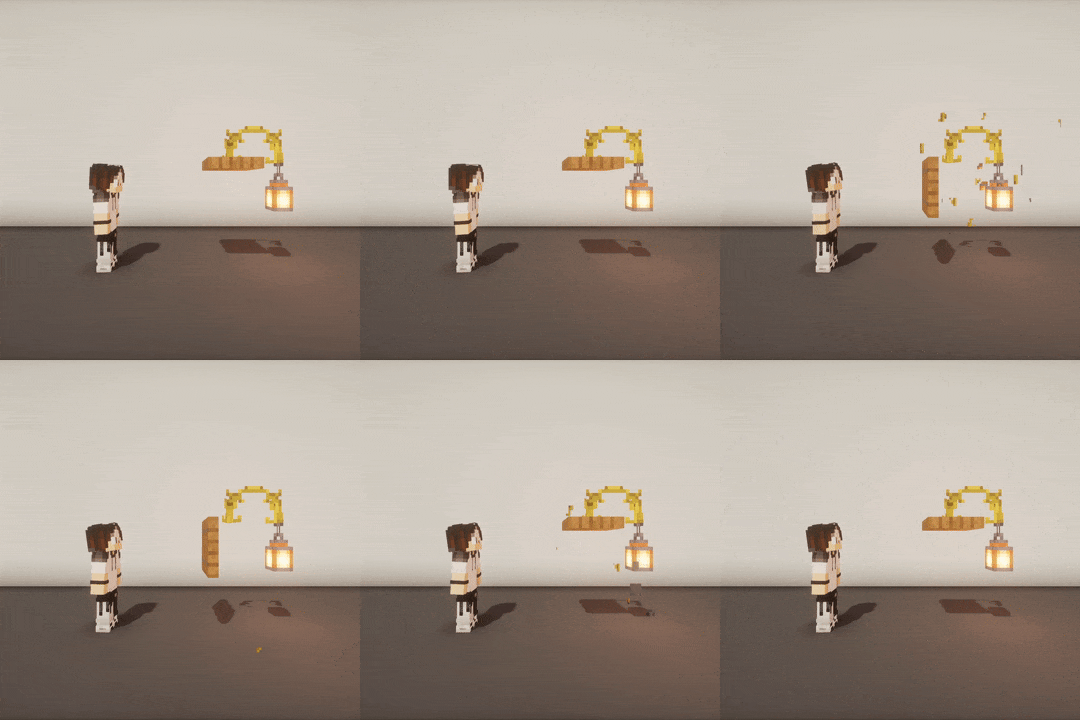 |
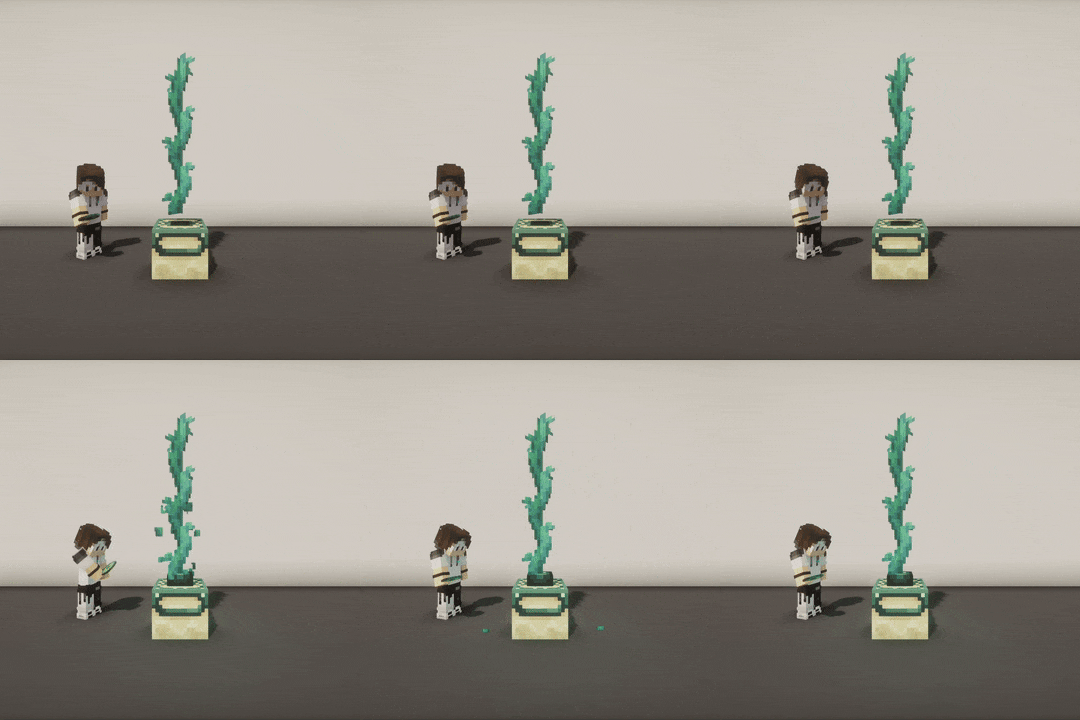 |
 |
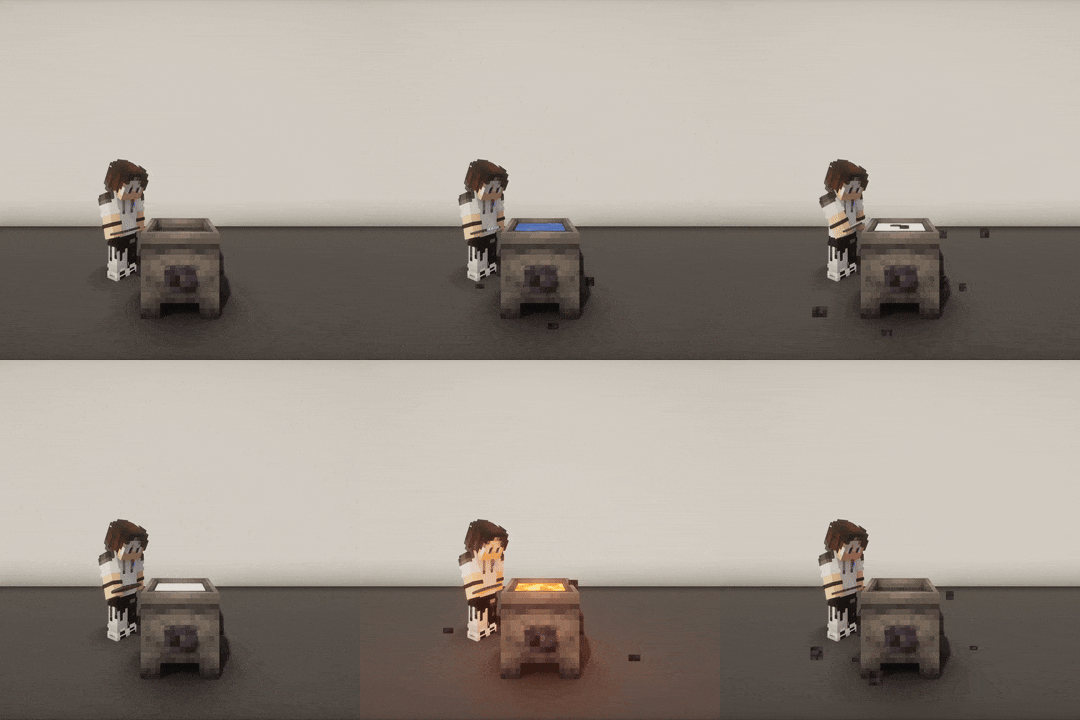 |
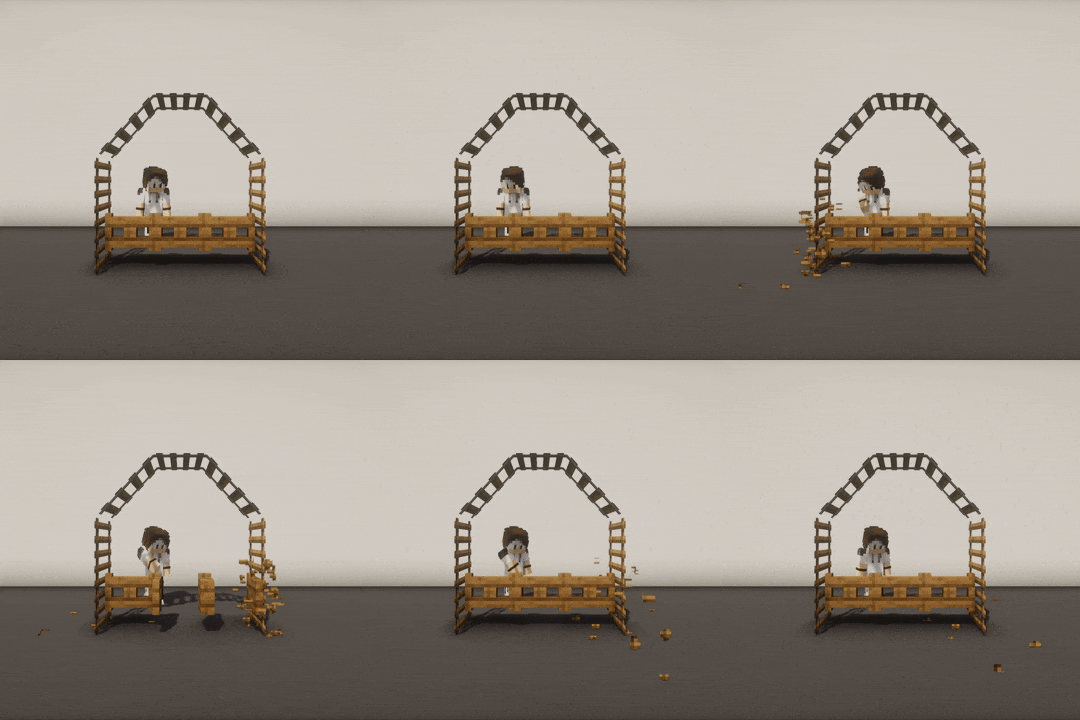 |
What's the point?
When you place a block in a way that the game's physics normally wouldn't allow, they may break or update once you interact with an adjacent block.
When an illegally placed block breaks or updates, its own adjacent blocks can be affected too, causing a chain reaction.
For example, these illegal blocks can be placed in the following ways:
- Force-placed with Axiom and its "No update" feature
- Force-placed with WorldEdit with
//perf off - Force-placed with the
/setblockMinecraft command instrictmode (that prevents triggering block updates) - Updated with a Debug Stick
→ This plugin fixes this behavior by restoring your illegally placed blocks.
In KIB, illegal blocks are called "reactives", and the blocks that can be interacted with are called "interactables" (if they can trigger adjacent block updates).
🤔 I don't get it, give me some examples
-
Place a torch on a door. When you open the door, the torch breaks.
→ The torch is "reactive", the door is "interactable". -
Stack multiple doors vertically and open the bottom one. All doors above break.
→ All doors are "reactive", the bottom door is the "interactable" one. -
Place a row of walls, then use a Debug Stick to create crenels, and use Axiom to add a button on each. When you press one button, all buttons break and all wall connections reset to their normal state.
→ Walls and buttons are "reactive", the pressed button is also "interactable".
Why would I need it?
This may seem niche, but it can be very useful for specific builds made using plugins like WorldEdit or Axiom, especially when using custom resource packs that significantly change block textures and models.
This may also interest you if other players come onto your map and are likely to interact with your builds and break everything accidentally... 😅
Which blocks are involved?
🔵 List of reactive material categories
List of reactive material categories that are automatically restored by KIB when broken or updated:
amethyst_clustersbamboosbannersbedsbellsbushescactuscakescarpetscave_vines- Cave vines + Cave vine plantschorus_plants- Chorus plants only (chorus flowers are in the "flowers" category)cocoacropscomparatorscorals- Does not apply to waterlogged coralsdead_bushesdoorsdripleavesfences- Fences + Iron bars + Copper barsferns- Ferns + Large fernsflowersfrogspawnfungusglass_panesglow_lichensgrasshanging_rootshanging_signsladderslanternsleaf_litterslily_padsmangrove_propagulesmushroomsnether_rootsnether_sproutsnether_wartspressure_platesrailsred_shrubsredstone_wiresrepeaterssaplingsscaffoldingsculk_veinssea_picklessignssnowspeleothems- Pointed dripstones + Sulfur spikessugar_canessweet_berry_bushesswitches- Levers + Stone buttons + Wooden buttonstorchestripwire_hookstwisting_vines- Twisting vines + Twisting vine plantsvineswallsweeping_vines- Weeping vines + Weeping vine plants
🔴 List of interactable material categories
List of interactable material categories recorded by KIB:
campfirescandlescauldronscave_vines- Taking vine berries (Cave vines + Cave vine plants)chiseled_bookshelves- Putting or taking a book from a chiseled bookshelfcomparatorscomposterscopper_blocks- Non-plain copper blocks that can be waxed or scrapeddaylight_detectorsdoorsend_portal_framesgateslecterns- Putting a book on a lecternleversrepeatersstone_buttonssweet_berry_bushes- Taking bush berriestrap_doorswooden_buttons
How do I configure?
👉 Configure KIB using commands
The config.yml file can be edited in-game with the /kib rule and /kib blacklist commands.
To see the current value of a rule, use /kib rule <ruleName>, and if you want to edit a rule, specify a proper value
at the end (based on the rule type). Here are some examples:
/kib rule max_blocks→ Displays the current value of themax_blocksrule/kib rule max_blocks 100→ Setsmax_blocksto100in config.yml/kib rule only_use_kib_in_creative_mode false→ Setsonly_use_kib_in_creative_modetofalsein config.yml
The
/kib rulecommand requires thekib.rulepermission.
To blacklist a reactive or interactable material, use /kib blacklist <interactable|reactive> <add|remove> <material>.
This is useful if you want to prevent certain blocks from being restored, or stop specific block interactions from
triggering restoration. Here are some examples:
/kib blacklist interactable add minecraft:oak_button→ AddsOAK_BUTTONto the interactable blacklist/kib blacklist reactive remove minecraft:oak_door→ RemovesOAK_DOORfrom the reactive blacklist (assuming it was previously added)
The
/kib blacklistcommand requires thekib.blacklistpermission.
If you have edited config.yml manually, you can reload the plugin with /kib reload. Note that you don't need to reload
the plugin after executing commands; this is only necessary if you edit the config.yml file manually.
The
/kib reloadcommand requires thekib.reloadpermission.
If you need help with commands, you can use /kib help. It will show you all available commands, with a short
description and usage example.
Any
kib.*permission automatically grants access to the/kib helpcommand.
You can use the kib.admin permission to easily grant access to all commands (this is equivalent to kib.*).
📄 Configure KIB in config.yml
In your server directory, you can edit ./plugins/KeepIllegalBlocks/config.yml to:
- Blacklist some reactive or interactable materials (everything is enabled by default)
- Change the maximum number of reactive blocks to restore (default: 500)
- Only allow KIB in creative mode (default: true)
- Use PacketEvents if it is detected (default: true)
To reload your configuration, use the /kib reload command (it requires the kib.reload permission for a non-op
player).
Can the restoration be any smoother?
Yes, PacketEvents is highly recommended to improve client-side rendering and performance.
It is automatically detected by KIB, and it is used to tweak network packets and make restorations completely transparent by canceling reactive block break sounds and particles, as well as hiding flickering during restoration.
To find out which version of PacketEvents is recommended, check the “Dependencies” section for the version of KIB you want to install.
FAQ
Why doesn't KIB restore my blocks when I break an adjacent block?
KIB does not trigger when you break blocks manually (left-click); it only restores blocks that were accidentally broken as a result of an interaction (right-click). This could be an improvement area, but I don't have time to work on it at the moment. However, Axiom has a "No update" feature for this use case.
Does it work underwater?
KIB does not support underwater restorations. That's why
seagrassandkelpare not included in the list of reactive materials. For now, I have only focused on protecting illegal structures in the air; making this work underwater might not be easy, since the water flow would trigger multiple updates.
Does KIB prevent natural updates?
Even after being restored by KIB, some reactive blocks will still update naturally, such as cactus breaking as they grow, or coral dying when not waterlogged. This is the default behavior of the game, KIB will NOT prevent this, even if they were initially placed using plugins like WorldEdit or Axiom (which rely on advanced chunk management systems).