
Compatibility
Minecraft: Java Edition


Links
Tags
Creators
Details
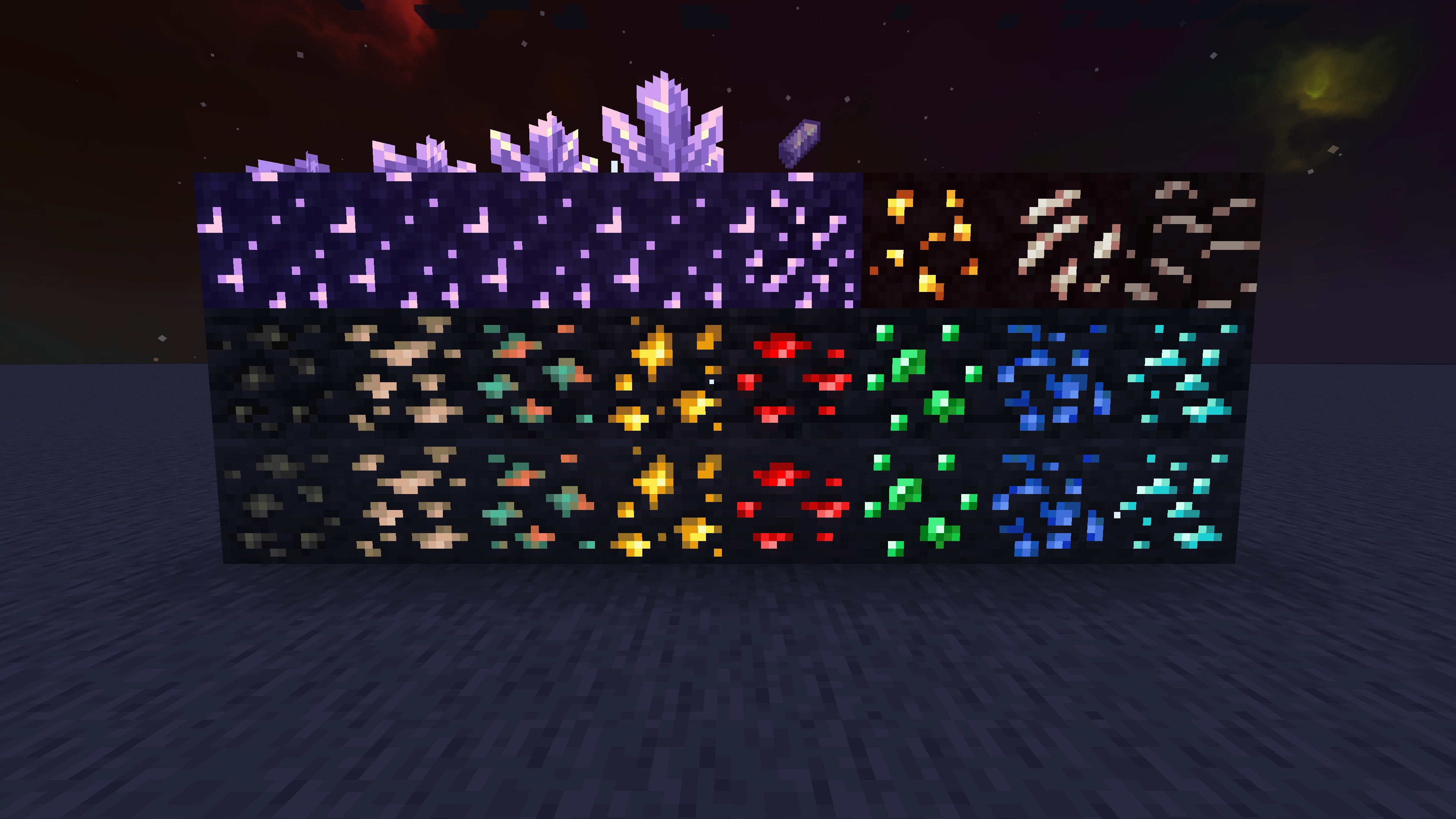
Overview
Adds emissive ore textures to 305 mods and vanilla, no other resource pack supports as many! Updates add additional mod support, requests are welcome :)
My vision
I plan to add support for as many mods as possible, so you can use it in almost all modpacks. I have designed this resource pack to be highly compatible with different mod versions.
If you notice any ores from the supported mods don't glow or use outdated textures, then please leave a comment with the mod name, mod loader and minecraft version you are using.
Glowing Emissive Ores Definitive Edition:
Check out the mod version of this resource pack, It's optimized to load only the assets needed for your installed mods, drastically reducing load times compared with this resource pack version. It also has an in-game config for adjusting the brightness or disabling individual ores and doesn't require any 3rd party emissive mods.
⚠️ Requirements / Help:
Requirements
You can use the filter tool on my website to quickly find the requirement options available for your modpack’s modloader and Minecraft version:
https://deftesthawk.github.io/glowing-emissive-ores/requirements-filter/
NeoForge Requirements
Option 1 (1.21, 1.21.1 and 26.1 to 26.2)
Option 2 (1.21, 1.21.1 and 26.1.2)
- Continuity
- Sinytra Connector - (Required for Continuity to work on NeoForge)
- Sodium (NeoForge Version, 1.21.1+) or Embeddium
Option 3 (1.20.3 to 26.2)
- Glowing Emissive Ores - Fusion - (Needs to be above GEO in the load order)
- Fusion (Connected Textures)
Forge Requirements
Option 1 (1.16.5 to 1.21.1)
Option 2 (1.18.2 or 1.19.2)
Option 3 (1.20.1)
- Continuity
- Sinytra Connector - (Required for Continuity to work on Forge)
Option 4 (1.12 to 1.12.2 + 1.14 to 26.2)
- Glowing Emissive Ores - Fusion - (Needs to be above GEO in the load order)
- Fusion (Connected Textures)
Option 5 (Not recommended)
Fabric/Quilt Requirements
Option 1 (1.18.2 to 26.2)
- Continuity – (Only supports Emissive textures on version 1.18.2 or higher)
- Sodium - (Not needed, but I highly recommend this)
- Indium - (Only required if you're using versions of Sodium lower than 0.6)
Note: versions of Sodium lower than 0.6 are known to cause Z-fighting issues when combined with Continuity.
Option 2 (1.16.5 to 1.21.1)
Option 3 (1.18 to 26.2)
- Glowing Emissive Ores - Fusion - (Needs to be above GEO in the load order)
- Fusion (Connected Textures)
Option 4 (Not recommended)
Help
You can find setup instructions and troubleshooting help on my website:
Supported Mods
You can browse and search the full list of supported mods on my website:
https://deftesthawk.github.io/glowing-emissive-ores/supported/
Please consider donating to my Ko-Fi, I've put a lot of time into creating/updating this resource pack.
Support for 3rd party resource packs
- Glowing Emissive Ores - Excalibur (Found on the official Excalibur Discord under MODS / royal-library)
- Glowing Emissive Ores - Industrial Revolution Revamped
- Glowing Emissive Ores - Pixel Perfection Legacy
- Glowing Emissive Ores - Stay True