Compatibility
Minecraft: Java Edition


Tags
Creators
Details
☀️ Tired of blindingly bright interfaces? 🌙 Embrace the dark side!
Designed for visual comfort during your epic nighttime and daytime adventures alike!
A Simple Change. A Revolutionary Experience.
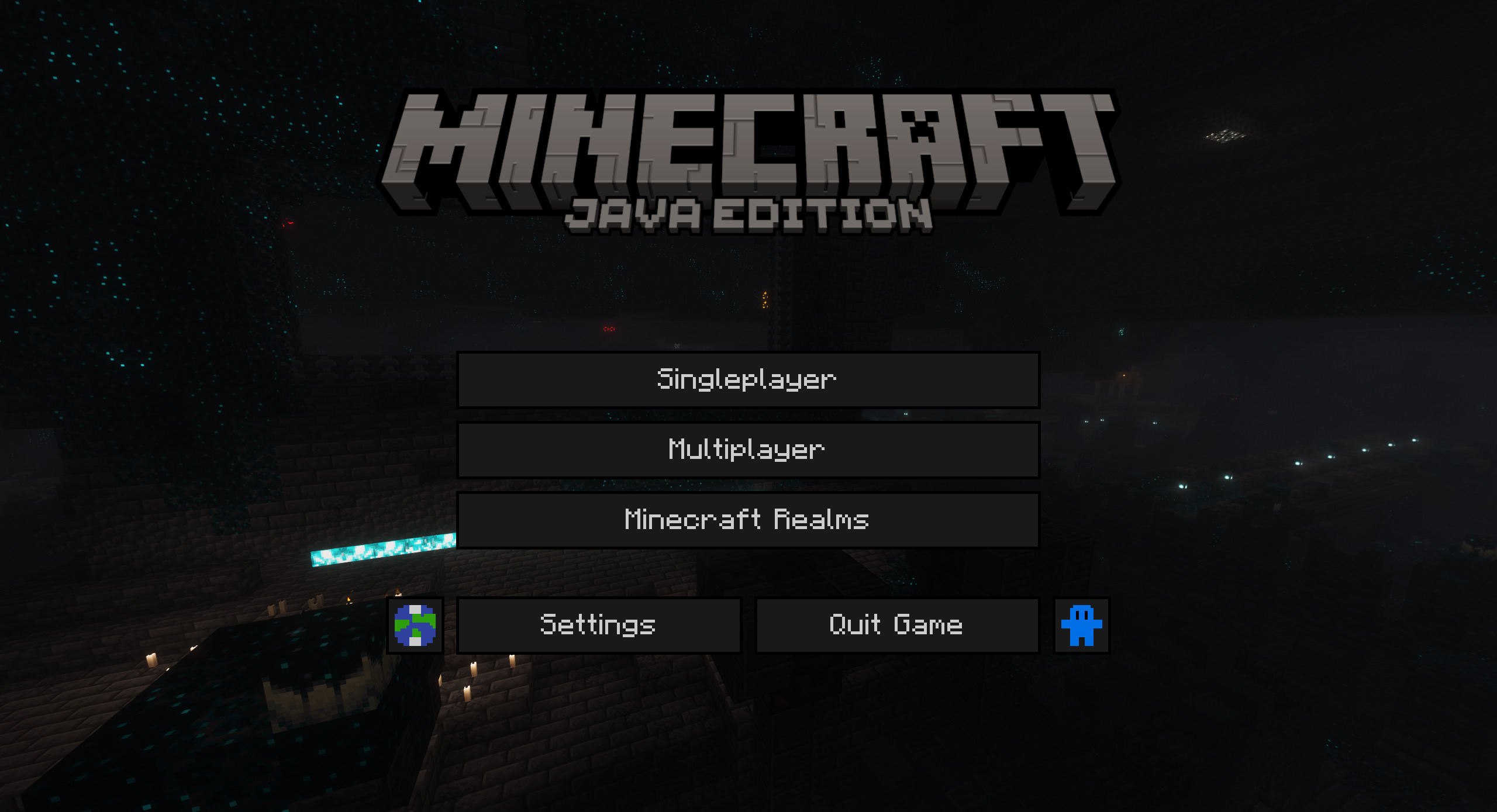 Captured with Panorama and Complementary Shaders - Unbound
No matter how the inventory looks. It always seems Amazing. Probably...
 Seriously, my inventory always looks like this.
(Optional)
↓To activate this feature↓ install: Puzzle Or OptiFine
🎯 How to Install ↑
🛠️ Step 1 – Install the Modrinth App
Install the Modrinth App.
Then click the “Select Account” button in the top-right corner and log in with the Microsoft account linked to your copy of Minecraft.
🖥️ Step 2 – Create or Configure a Minecraft Instance
Create a new Minecraft instance using the “+” button on the left panel.
Then choose a loader such as Fabric, Quilt, or NeoForge, and select your Minecraft version.⚙️ If the instance already exists, click on it and then click the gear icon.
Go to “Installation” and select one of the available loaders: Fabric, Quilt, or NeoForge.
📦 Step 3 – Add the Required Mod
Go to “Discover Content” (the compass icon), then navigate to the “Mods” category.
Search for Puzzle and install it in the instance you created.
🎨 Step 4 – Download the Resource Pack
If you're using the Modrinth App, go to the “Resource Packs” category, search for Dark Mode by AB, and click the Download button.
▶️ Step 5 – Launch Minecraft
Click on your instance in the left panel, then press the “▶ Play” button to launch Minecraft from Modrinth.
🧩 Step 6 – Activate the Resource Pack in Minecraft
In Minecraft, go to Options → Resource Packs and activate the resource pack.
🌙 Now you can enjoy Minecraft with a stylish and comfortable dark interface.
💜 Thank you for choosing Dark Mode by AB!
📦 Supported Mods
| Mod | 1.21 | 1.21.1 | 1.21.2 | 1.21.3 | 1.21.4 | 1.21.5 | 1.21.6 | 1.21.7 | 1.21.8 | 1.21.9 | 1.21.10 | 1.21.11 | 26.1 | 26.1.1 |
|---|---|---|---|---|---|---|---|---|---|---|---|---|---|---|
| Mod Menu |  |
|
|
|
|
|
|
|
|
|
|
|
|
|
| Elytra Slot (Fabric) | |
|
 |
|
|
|
|
|
|
|
|
|
|
|
| Entity Texture Features | |
|
|
|
|
|
|
|
|
|
|
|
|
|
🌍 Supported languages
 Deutsch (Deutschland)
 English (US)
 Italiano (Italia)
↓Missing a language or mod? Suggest it! (Flashbang Warning)