Compatibility
Minecraft: Java Edition
Platforms
Supported environments


Links
Tags
Creators
Details
Station Builder
Create decorated railways and stations for Create, MTR, Vanilla Minecraft with few clicks!
-
Build a station (with vanilla, Create, and MTR rails)

-
Build parallel rails (in vanilla, Create, and MTR mode)

Station Builder provides 2 tools for convenient construction of continuous rails and train stations.
-
Station Builder: A block to create train station with multiple platforms and tracks. Pillars, canopys, saftey lines/doors, passenger information display system (PIDS), station buildings (can be rotated) and ballasts are created automatically in one click.
- Right click to open GUI and construct.
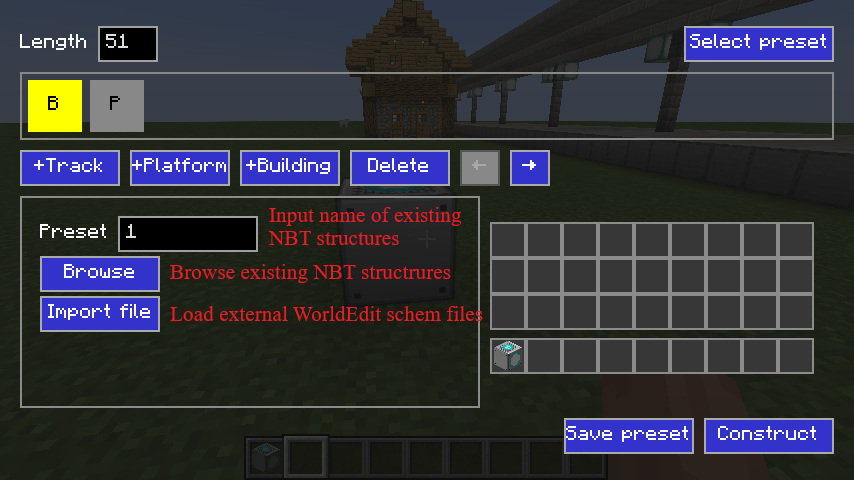
- Use Building Selector item in this mod to select a building and save, and load them in Station Builder block's GUI. You can also use WorldEdit to save buildings as
.schemfiles (//schem save building_name). - Support Create tracks and MTR rails.
- Saftey lines/doors and PIDS needs MTR to work.
-
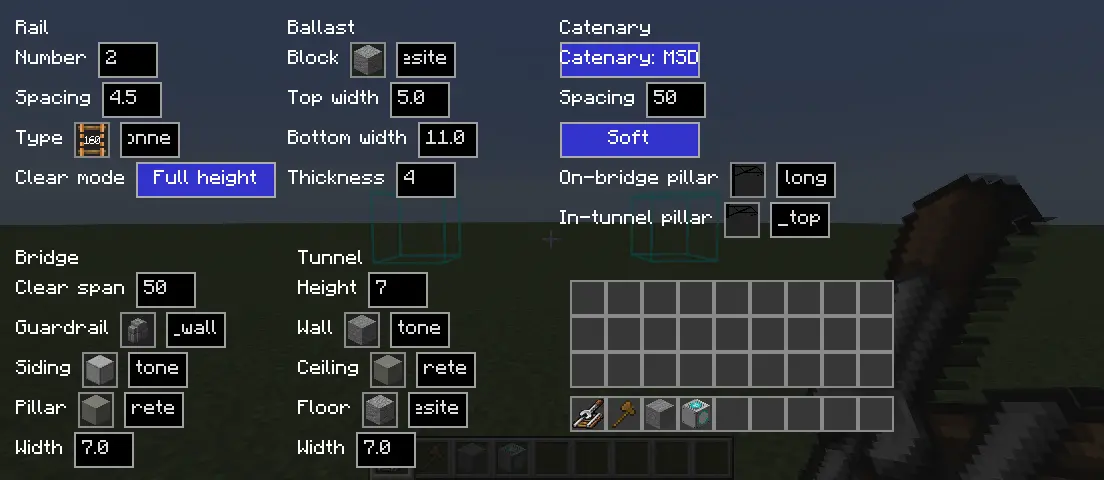
Rail Builder: An item for continuous parallel rails' construction. It could create tunnels, bridges, piers, catenary and ballasts for the rail automatically.
- Right click to build continuous parallel rails. Shift + Right click to open GUI for configuration. Press V to stop continuous building.
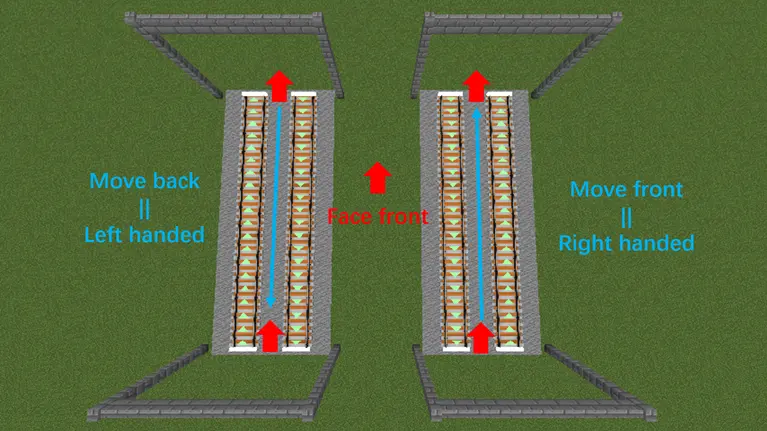
- Support one-way rails in different directions. Move front for right-handed and move back for left-handed.
- Catenaries can be built with Minecraft vanilla blocks. If Station Decoration (MSD) 1.4.0+ is installed in 1.20.x, MSD catenaries can be used.
- Vanilla railways cannot go uphill and turn at the same time. Striaght slope and level turn are supported.
Optional Dependencies
- Create: Minecraft 1.21.1 requires 6.0.10 (NeoForge only), and Minecraft 1.20.1 requires 6.0.8 (Forge/Fabric). Other versions currently do not support Create.
- MTR: Minecraft 1.20.x requires MTR 4.0.x, and Minecraft 1.21.x requires MTR 4.1.x.
- Station Decoration (MSD): requires 1.4.0+ of Minecraft 1.20.x. Other versions currently do not support MSD.
Images
-
Tunnel

-
Bridge

-
Station Builder GUI

-
To select building in Station Builder GUI
-
Rail Builder GUI
-
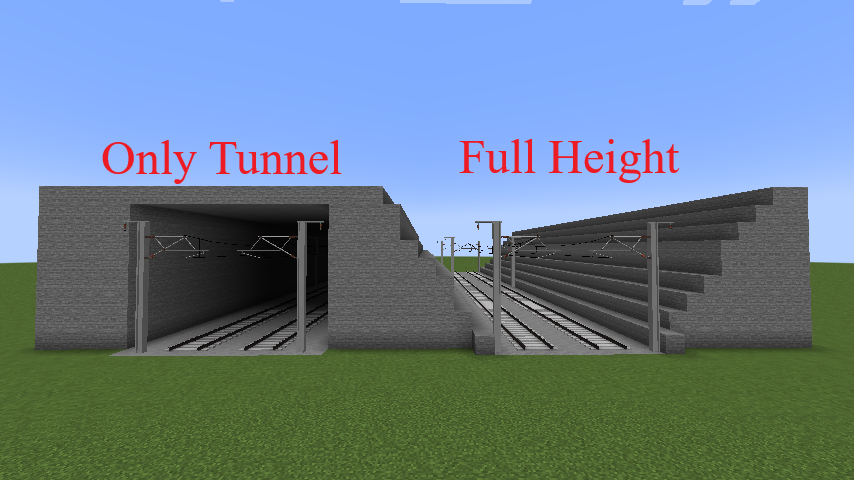
Different "Rail -> Clear Mode":
-
One-way rail settings