
Compatibility
Minecraft: Java Edition
Platforms
Supported environments


Tags
Creators
Details
Trims - Color Splash! 🎨
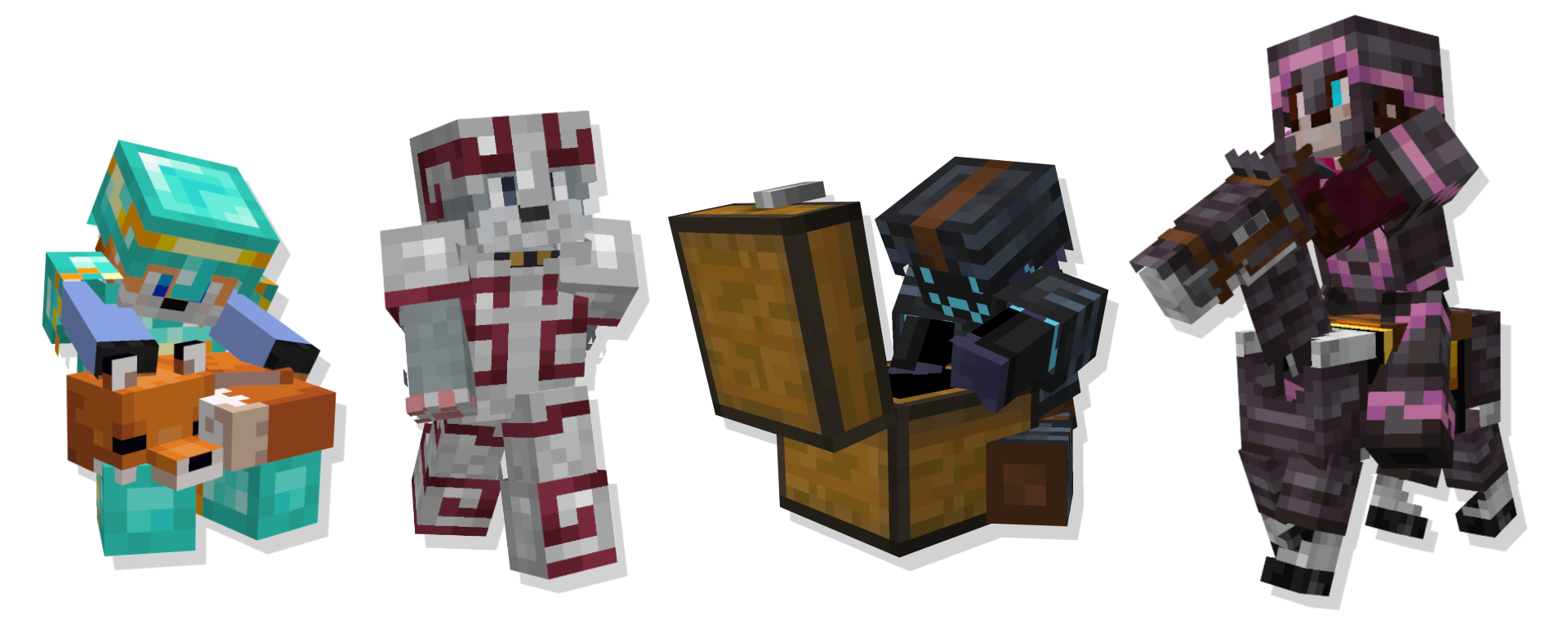
Adds 29 new trim materials that you can apply to your armor in the smithing table!Heavily inspired by More Trim Colors by Skottify!

Please join the Discord if you have questions!
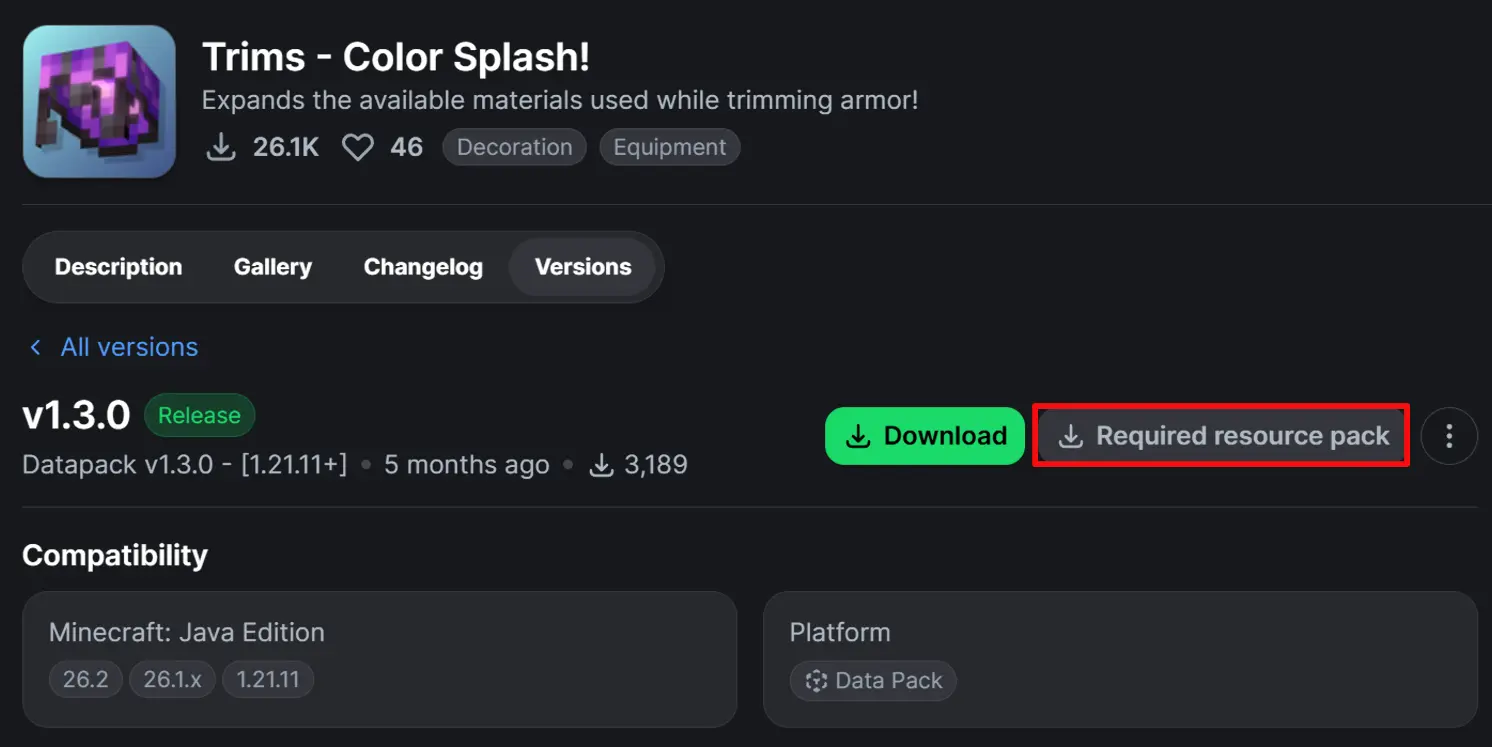
(When using the data pack version, please make sure you also install the required resource pack as it is needed for it to function correctly!)
All new trim materials
1.21.4 and up
 Armadillo Scute |
 Blaze Rod |
 Blue Ice |
 Breeze Rod |
 Crying Obsidian |
 Dragon Breath |
 Dripstone Block |
 Echo Shard |
 End Crystal |
 Ender Pearl |
 Ghast Tear |
 Glowstone Dust |
 Heart Of The Sea |
 Leather |
 Magma Cream |
 Nautilus Shell |
 Nether Star |
 Nether Wart |
 Netherite Scrap |
 Obsidian |
 Phantom Membrane |
 Prismarine Shard |
 Prismarine Crystals |
 Rabbit Hide |
 Rose Gold |
 Shulker Shell |
 Slime Ball |
 Turtle Scute |
Visually removing trims
 Glass
Glass
Older versions
- Armadillo Scute ->
 Brick (< 1.20.5)
 - Rose Gold ->
 Honey Block (< 1.21)
  Resin Brick ->
  Magma Block (< 1.21.4)
- Breeze Rod ->
 Pearlescent Froglight (< 1.21)
Rose Gold Recipe
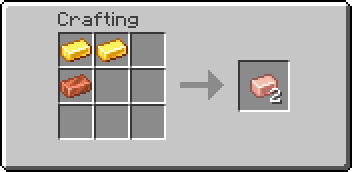
(Shapeless)
✅ This data pack is compatible with:
Compatible Mods
-
Elytra Trims (KikuGie)

-
Tool Trims Mod (ThePotatoArchivist)
-
Trimmable Tools (Apollo)
-
Alex's Caves (AlexModGuy)

-
Ancient Aether (Builderdog841)

-
Frostiful (TheDeathlyCow)

-
Geode+ (Team Chorus)

-
More Armor Trims (masik16u)

-
More Sniffer Flowers (Nikdo53)

-
TaTe's Extra Trims (AverageTaTeMan)

-
Too Many Trims (Herobrine011840)

-
Trailier Tales (FrozenBlock)

-
Trims Expanded (Omniv)

📋 Planned:
- Merge versions into a single datapack when possible
- Proper Fabric and NeoForge mod ports
- Separate compatiblity resourcepack (easier to manage and update)
- Add more languages support (I would greatly appreciate if you could help! - Translate on crowdin)
❓ FAQ:
Q: Why does the smithing table recipe have a red 'X' over it when I try to trim my armor?
A: First, drop the trim material on the ground, pick it up again, and try crafting. If the issue persists, restart your server. If neither of these steps resolves the problem, please report the issue in the Discord Server or on the github page.
Q: Why can't I place the materials in the smithing table?
A: If the issue continues after trying the fixes above, double-check that you have installed the datapack correctly. If you are certain the datapack is installed right, please report the issue in the Discord Server or on the github page.
Q: Why are none of the recipes working?
A: You might need to restart your world, server, or realm. The recipes should function correctly after the restart.
Q: I am seeing a missing texture when I try to use this. How can I fix it?
A: When using the datapack version, you must download and install the required resource pack.
Q: Where can I find and download the resource pack?
A: The main download button on Modrinth only provides the datapack, not the resource pack. You need to go to the "Versions" tab to find and download the resource pack file. (see img at the top of the page)
Credits:
- Huge thanks to Skottify for the inspiration!- Special thanks to Lynx for help with generating files!
- Thanks to Lightningfoxxy for help with the conversion functions!
- And thanks to all the localization contributors! ♥ (see v1.3.0 changelog)